
Written by: Doug Camplejohn, CEO & Co-Founder, Coffee | Last updated: September 13, 2026
Key Takeaways For Sales Leaders
- Sales process optimization follows a strict dependency sequence, and skipping steps creates compounding errors instead of productivity gains.
- A two-week time audit in 15-minute increments creates an accurate baseline of how reps actually spend their time.
- Pipeline stages need clearly defined entry and exit criteria before automation, or automation accelerates broken processes.
- High-ROI automation targets repetitive, rule-based tasks like CRM logging and contact enrichment, reclaiming 8–12 hours per rep each week.
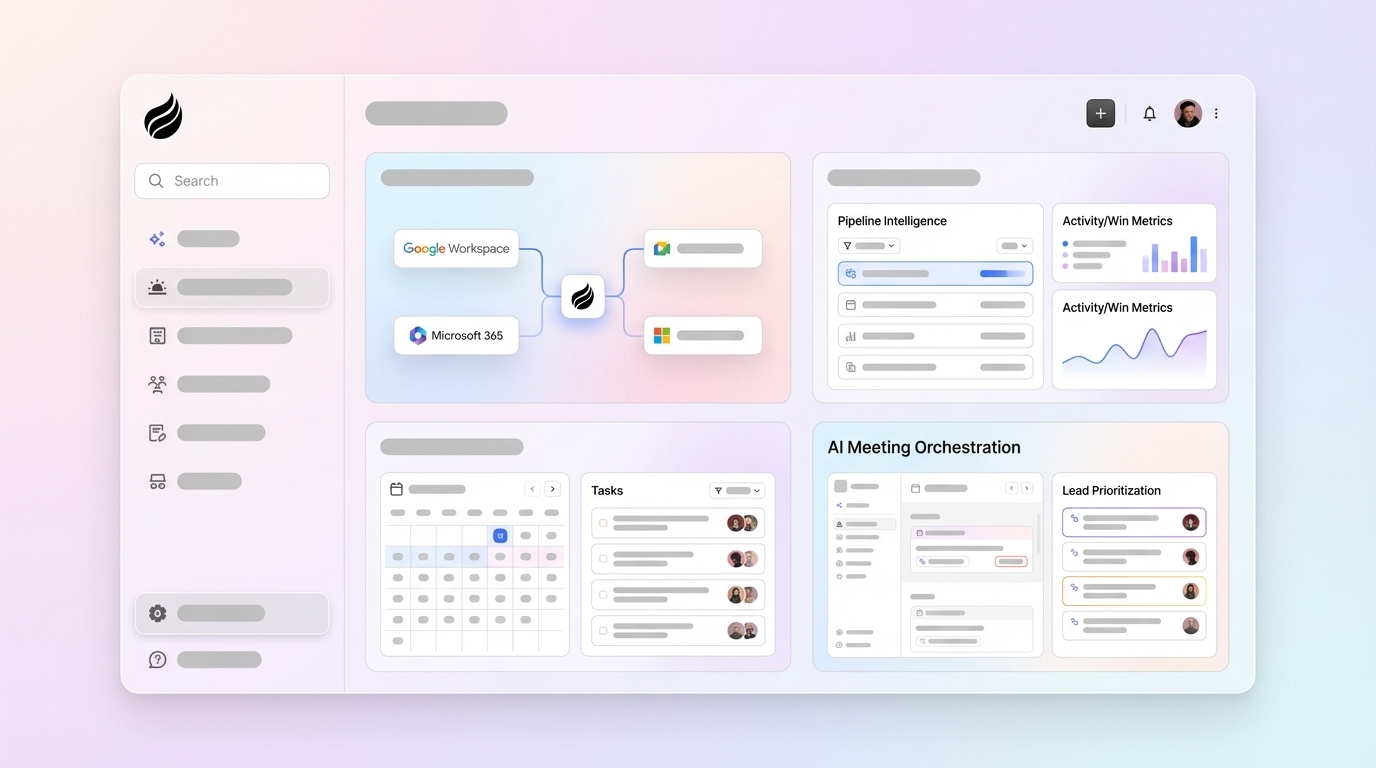
- Coffee consolidates CRM, enrichment, sequencing, and forecasting into one agent so reps can focus on selling. See how Coffee consolidates the stack today.
Why Optimization Follows A Sequence
Salesforce’s 2024 State Of Sales report, based on a survey of 5,500 professionals across 27 countries, found that sales reps spend only 30% of an average week actively selling, with the remaining 70% consumed by non-selling tasks. Market data shared by Coffee puts the figure at roughly 35% of time spent selling for the average rep. McKinsey analysis confirms that non-selling activities can consume roughly two-thirds of sales-team time.
Teams usually reach for a new tool first. A more useful first move is a diagnostic, because automating a bad process scales the problem instead of solving it. That diagnostic-first logic is why the sequence in this article starts with a two-week time audit, moves through process simplification and targeted automation, and ends with a consolidated stack. A concrete 90-day rollout plan appears at the end.
Step 1: Run A Two-Week Time Audit
That two-thirds figure is an average, and the specific breakdown varies by team. Before any intervention, leaders need to measure the actual split. A two-week time audit in 15-minute increments produces that baseline.
The audit sorts every 15-minute block into four categories, and the ratio between them becomes the diagnostic. A team that spends more time in Admin than in Selling has an automation problem rather than a motivation problem.
- Selling — discovery calls, demos, proposals, negotiation
- Admin — CRM updates, data entry, internal reporting
- Prospecting — outbound research, sequencing, list building
- Internal Coordination — meetings, Slack threads, handoffs
CRM updates and data entry alone consume 18% of a B2B sales rep’s time, making it the single largest non-selling activity category. Shifting just 10% of administrative time back to selling yields a 33% increase in organizational selling capacity without adding headcount.
The audit output is a time map that shows exactly where hours are leaking. That map drives every decision in Steps 2 through 7.
This-Week Action: Block two weeks and have reps log their time in 15-minute increments across the four categories above.
Step 2: Simplify Pipeline Stages Before You Automate
This step creates the structure that makes automation safe and effective. Fragmented sales tools create an “integration tax”, with manual handoffs, data sync failures, and reconciliation work that consume the hours automation was supposed to save. The same pattern appears in pipeline stages, because a stage with no clear definition turns automation into faster garbage.
A defensible pipeline stage has six components:
- Entry Criteria — the objective condition that must be true before a deal enters this stage
- Exit Criteria — two to four verifiable buyer actions required to advance
- Required Information — the CRM fields that must be populated (budget range, decision-maker name, timeline)
- Next Action — the specific step the rep takes immediately after entry
- Owner — the named person accountable for moving the deal forward
- Expected Time In Stage — the historical median dwell time, used to flag stalls
Worked Example — Proposal To Negotiation: A deal enters Negotiation when three conditions are met: the economic buyer has verbally confirmed the proposal addresses their requirements, a revision or signature timeline has been agreed, and legal review has been initiated. A deal sitting in Proposal for more than ten days without a logged touchpoint is classified as stalled and no longer treated as active.
HubSpot reports that companies with standardized or formal sales processes see up to 28% higher revenue growth than businesses without one. That advantage comes from the criteria rather than the software.
This-Week Action: Pick one stage and write its entry and exit criteria using the six-component format above.
Step 3: Automate The Clerk Work
Sales teams reclaim meaningful selling time when computers handle rule-based tasks. The highest-ROI automation opportunities share three characteristics: they are repetitive, follow consistent rules, and errors in execution carry measurable costs.

High-volume automation candidates include:
- CRM activity logging from calls, emails, and calendar events
- Contact and company creation and enrichment
- Lead routing and lead scoring
- Follow-up reminders and outreach sequencing
- Meeting scheduling and post-call summaries
- Quote approval workflows
- Forecast field updates
- Call transcription and structured note generation
Nucleus Research found that AI-powered automation platforms save up to 8.1 hours per rep per week, which sets a benchmark for any automation investment. Coffee’s Agent is built to clear that bar. It automatically creates and enriches contacts, logs every activity from emails and calendar events, and drafts follow-up emails, saving reps 8–12 hours per week.

As a Standalone CRM or a Companion App layered on top of Salesforce or HubSpot, Coffee handles the data-in problem so the data-out problem becomes far easier to solve.
Automate the clerk work with Coffee’s Agent.
Step 4: Prioritize Opportunities, Not Activities
Sales teams gain more revenue when they direct rep attention toward the highest-impact opportunities instead of raw activity counts. The shift from activity tracking to opportunity prioritization converts clean data into focused selling time.
A prioritization model weighs signals across each open opportunity:
- Deal size and strategic fit
- Buying intent signals (pricing page visits, content engagement, email response latency)
- Stage, probability, and deal age relative to historical median
- Recent activity and next-step commitment
- Multi-stakeholder engagement depth
The output becomes a daily “do these five things” list, presented as a ranked action queue instead of a dashboard the rep must interpret. Sellers overwhelmed by technology complexity are 45% less likely to attain quota, which means the prioritization output must be simple enough to act on without additional analysis.
That simplicity is the design constraint behind Pipeline Compare. Coffee’s Pipeline Compare feature visualizes week-over-week changes across the entire pipeline, automatically highlighting progressed deals, stalled opportunities, and new additions. Pipeline reviews turn into strategic discussions rather than interrogation sessions, and teams reach that point without a single spreadsheet export.
Step 5: Make Managers Coaches
Managers coach effectively when they trust the data. When CRM data is unreliable, managers spend pipeline reviews extracting information from reps. When data is accurate, managers spend those meetings coaching reps on deals that need attention.
Exception-based dashboards replace status-update meetings. Managers should be alerted to:
- Deals stuck beyond the historical median dwell time for their stage
- Opportunities with no next meeting scheduled
- Large deals without executive-level engagement on the buyer side
- Pipeline below coverage target by rep or territory
- Declining stage-to-stage conversion rates quarter-over-quarter
Only 7% of sales organizations achieve 90% or higher forecast accuracy, with the median hovering between 70–79%. That gap comes primarily from data quality rather than model sophistication. Coffee’s Agent ensures good data enters the system automatically, so managers receive accurate insights without manual spreadsheet compilation, which means the pipeline review can open with a coaching question instead of a data-gathering exercise.
Step 6: Measure With A Small Metric Hierarchy
Sales teams make better decisions when they track a small, stable metric hierarchy every week instead of scanning a crowded dashboard occasionally. The hierarchy separates leading indicators from lagging outcomes, so a weekly review can catch a problem before it appears in revenue.
The hierarchy covers seven categories:
- Output — revenue closed, quota attainment
- Efficiency — selling time as a percentage of total rep time
- Pipeline — weighted pipeline coverage versus quota
- Conversion — stage-to-stage conversion rates
- Velocity — (opportunities × average deal size × win rate) ÷ sales cycle length
- Process Health — CRM data completeness, next-step field population rate
- Quality — average deal size, multi-stakeholder engagement rate
Maximizing activity metrics in isolation, such as calls made or emails sent, rewards gaming. Fullcast advises evaluating performance using revenue metrics such as quota attainment, forecast accuracy, win rate, and sales cycle length rather than vanity metrics, because vanity metrics only show automation is running while revenue metrics show it is working.
This-Week Action: Pick three metrics from the hierarchy above and commit to reviewing them at the same time every week.
Step 7: Consolidate The Stack
The Salesforce State Of Sales, 5th Edition found that the average sales team uses 10 different tools to close a single deal, and in Salesforce’s State of Sales 5th Edition, 66% of sales reps reported feeling overwhelmed by the number of tools they were required to use. Each tool-to-CRM integration costs $5,000 to $15,000 per year in direct and indirect maintenance. Context switching adds another hidden cost: 15 to 25 minutes of productive time lost per switch.
The target architecture has five layers, each with one authoritative tool:
- System Of Record — CRM as the single source of truth for all deal and contact data
- Engagement — outreach sequencing and email execution
- Enablement — knowledge, playbooks, and onboarding content
- Analytics — pipeline intelligence and forecasting for management
- AI Assistance — the agent handling data entry, enrichment, and next-step recommendations
The consolidation rule has two tests. The first test focuses on adoption: any tool with less than 60% weekly active usage among licensed users is a candidate for removal, because a tool most people ignore does not earn its integration cost. The second test focuses on overlap: if another platform in the stack already performs the function, the tool is redundant regardless of how many people use it.
Coffee consolidates the CRM, enrichment, prospecting, call recording, outreach sequencing, and forecasting layers into one agent. Teams running HubSpot for records, ZoomInfo for data, Salesloft for outreach, and Fathom for recording can replace that four-tool stack with a single Coffee instance, which means one vendor, one integration surface, and one training system.

Named Productivity And Sales Rules To Apply
Several named productivity and sales rules appear frequently in conversations about sales performance. Each one shapes how reps structure their time or how managers structure expectations.
How The 3-3-3 Rule Structures A Workday
The 3-3-3 rule is a daily productivity framework popularized by Oliver Burkeman that structures the workday into three parts: three hours of deep work on your single most important project, three shorter urgent tasks, and three maintenance activities. Only the first block lasts three hours, while the other two consist of three items each. The rule protects the highest-value selling hours from being consumed by lower-value work before the day begins.
How The 30-60-90 Rule Guides Ramp
The 30-60-90 rule structures a new rep’s ramp period into three phases: the first 30 days focus on learning (product, process, ICP, tools), the next 30 days on applying (first outreach, discovery calls, pipeline building), and the final 30 days on accelerating (full quota ramp, deal progression, and competency proof). Sales leaders also apply the same structure to new initiatives, including the 90-day rollout plan described in the next section.
How The 70/30 Rule Shapes Sales Conversations
The 70/30 rule governs conversation balance during a sales call. The prospect should speak 70% of the time and the rep 30%. A rep who dominates the conversation is pitching rather than discovering. Gong research found that sales reps who ask more discovery questions (11–14) close at significantly higher rates than those who ask fewer.
How The 2-2-2 Rule Guides Follow-Ups
The 2-2-2 rule is a follow-up framework in which you follow up 2 days, 2 weeks, and 2 months after initial contact, especially useful for enterprise deals or prospects with longer decision cycles. The rule prevents premature abandonment of a viable opportunity and also prevents the kind of aggressive over-sequencing that damages the relationship before it starts.
Your 90-Day Rollout Plan
The seven steps above map to a three-phase rollout. Each phase has its own entry and exit criteria to keep teams from advancing before the foundation is solid.
- Days 1–30 — Audit And Simplify
- Entry: Leadership has committed to the framework.
- Exit: Time audit is complete, at least three pipeline stages have written entry and exit criteria, and CRM data completeness baseline is measured.
- Actions: Run the two-week time audit, rewrite stage definitions, and identify the top five automation candidates.
- Days 31–60 — Automate And Prioritize
- Entry: Stage criteria are written and communicated to the team.
- Exit: CRM activity logging is automated, contact enrichment is running, and a daily prioritization output is in use by at least one rep cohort.
- Actions: Deploy Coffee’s Agent or equivalent automation, configure lead scoring, and activate Pipeline Compare for weekly reviews.
- Days 61–90 — Coach And Measure
- Entry: Automation is live and data completeness has improved from baseline.
- Exit: Exception-based dashboards are in use by managers, three core metrics are reviewed weekly, and at least two redundant tools have been identified for consolidation.
- Actions: Shift pipeline reviews to an exception-based format, finalize the metric hierarchy, and begin stack consolidation.
Failure Modes To Avoid
Three failure modes account for most optimization efforts that create activity without revenue improvement.
- Automating A Bad Process: Automation amplifies whatever process it touches. A stage with no exit criteria, once automated, produces faster pipeline inflation. The simplification step in Days 1–30 acts as the prerequisite that determines whether automation returns hours or compounds errors. Most sales automation investments fail because they speed up processes without addressing underlying strategic misalignment.
- Maximizing Activity Metrics In Isolation: A rep who makes 80 calls per day to the wrong accounts, with no next-step commitment, generates activity data and no pipeline. Activity metrics function as inputs rather than outcomes. When managers reward call volume without examining conversion, reps optimize for the metric instead of the result. The metric hierarchy in Step 6 exists to prevent this.
- Tool Sprawl Disguised As Enablement: Adding a new tool to solve a problem created by a previous tool increases overhead. A stack of eight tools at an average of $60 per seat per month totals $480 per seat per month, or $57,600 per year for a 10-person team, and that figure appears before integration maintenance costs. Stack consolidation in Step 7 provides the structural fix.
Conclusion: Run The Sequence, Not A Checklist
Sales process optimization works as a sequence with dependency logic between every step. The audit informs the simplification. The simplification enables the automation. The automation powers the prioritization. The prioritization frees the manager to coach. The coaching becomes credible when the metrics are honest, and the metrics stabilize when the stack stops generating noise.
Every step in this framework can be implemented manually. Teams move faster when an integrated platform handles data entry, pipeline intelligence, and outreach execution, so humans can focus on the steps that require judgment. Coffee’s Agent was built specifically for the automation and prioritization steps. It eliminates manual data entry, consolidates the stack, and delivers pipeline intelligence that managers can act on without a spreadsheet in sight.
Run the sequence on a platform built for it.
Frequently Asked Questions
What Is The First Step In Optimizing A Sales Process?
The first step is a two-week time audit rather than a software purchase. Before any process change or tool deployment, sales leaders need an accurate picture of how rep time is actually allocated across selling, admin, prospecting, and internal coordination. Without that baseline, every subsequent decision about automation, stage design, or consolidation rests on assumption instead of evidence. The audit takes two weeks and requires reps to log time in 15-minute increments across four categories. The output is a time map that drives every decision in the optimization sequence.
What Are Stage Entry And Exit Criteria, And Why Do They Matter?
Stage entry criteria define the objective conditions that must be true before a deal moves into a pipeline stage. Exit criteria define the specific, verifiable buyer actions required before a deal advances to the next stage. Together, they convert a pipeline from a list of names with status labels into a forecasting system. Without them, stage progression reflects rep optimism rather than buyer progress, and the weighted pipeline number becomes unreliable.
A defensible stage has six components: entry criteria, exit criteria, required CRM fields, the next action the rep takes, the named owner, and the expected time in stage based on historical data. Teams that enforce exit criteria consistently see measurably higher forecast accuracy and win rates than those that leave stage advancement to rep discretion.
Which Sales Tasks Should Be Automated First?
The highest-ROI automation candidates share three characteristics: they are repetitive, they follow consistent rules, and errors carry measurable costs. In practice, that means CRM activity logging, contact and company creation and enrichment, lead routing, follow-up reminders, meeting scheduling, call transcription, and post-call summary generation. These tasks consume a significant share of the 70% of rep time currently spent on non-selling work, and they require no judgment, so a computer can execute them more reliably than a human who is also managing a pipeline.
How Does Coffee Help Sales Teams Optimize Their Processes?
Coffee is an AI Agent that addresses two core problems in sales process optimization: bad data going into the CRM and too much rep time spent on non-selling work. The Coffee Agent automatically creates and enriches contacts, logs activities from emails and calendar events, generates post-call summaries and follow-up drafts, and delivers pipeline intelligence through features like Pipeline Compare, which visualizes week-over-week changes and highlights stalled deals without a spreadsheet.
Coffee operates as a Standalone CRM for small to mid-sized teams or as a Companion App layered on top of existing Salesforce or HubSpot instances. By handling the data-in problem automatically, Coffee ensures that managers receive accurate insights, reps receive actionable prioritization, and the entire optimization sequence runs on reliable data rather than guesswork.


