Written by: Doug Camplejohn, CEO & Co-Founder, Coffee | Last updated: August 20, 2026
Key Takeaways for Zero Manual Entry CRM
- Legacy CRMs force reps to spend more than 5 hours each week on manual data entry, so 79% of opportunity data never enters the system accurately.
- A true zero manual entry CRM autonomously logs activities, writes structured data back to records, handles unstructured data like call transcripts, and maintains historical pipeline snapshots.
- Teams of 1–20 people use Coffee as a standalone AI-native CRM, while 20–500 person teams deploy it as a companion overlay on Salesforce or HubSpot without migration.
- Coffee reduces tool sprawl by combining autonomous activity logging, enrichment, meeting bots, natural-language lead discovery, and native multi-step campaigns in a single agent.
- Coffee eliminates manual data entry and lets the agent handle CRM maintenance so your team can focus on closing deals.
5-Step Elimination Framework for Zero Manual Entry CRMs
Run every CRM candidate through this five-step audit before you evaluate pricing or features. Any platform that fails a step cannot deliver true zero manual entry performance.
- Test autonomous activity logging. Connect a Gmail or Outlook account and send three emails to contacts not yet in the system. Within 15 minutes, every email should appear as a logged activity attached to a matched or newly created contact record, with no rep action. Modern systems use OAuth-based Gmail API and Microsoft Graph polling on 5–10 minute intervals, or real-time push via Gmail Pub/Sub, to capture every interaction at the source. If a rep must click “log activity,” the platform fails this step.
- Verify governed write-back. Confirm that the system matches records using email address as the primary deduplication key for contacts and domain as the primary key for accounts. It should map structured fields and handle errors by creating a new contact stub if no match is found rather than silently dropping the record. Platforms that dump data into a text note field instead of structured objects fail this step.
- Probe unstructured data handling. Join a Zoom or Teams call through the platform’s meeting bot. After the call, confirm that the system extracts next steps, objections, and deal risks from the transcript and writes them into structured CRM fields, not a raw notes blob. AI extraction is required to identify and map specific elements such as next steps, objections, risks, and buying timelines into CRM fields rather than leaving them as raw notes.
- Demand week-over-week pipeline compare. Ask the vendor to demonstrate a pipeline view that shows which deals progressed, stalled, or were added since the prior week, without a CSV export or manual tagging. True zero manual entry means the system must track these changes automatically, which requires a built-in data warehouse that retains historical snapshots. Platforms built on basic relational databases where field updates overwrite history cannot produce this view.
- Confirm enrichment write-back cadence. B2B contact data typically decays at 2.1% per month, compounding to roughly 22.5% annually, though rates reach 25–30% for some fields or industries. Any platform claiming zero manual entry must run scheduled re-enrichment, not just enrich on record creation, and write updated job titles, funding, and firmographics back to existing records automatically.
Choosing Standalone or Companion Coffee in 2026
The choice between a standalone AI-native CRM and a companion overlay agent depends on your team size and current CRM footprint, not on budget. Coffee supports both paths so you avoid a forced migration decision on day one.
- Choose Coffee Standalone if: Your team is 1–20 people, you have outgrown spreadsheets or Notion, and you have no meaningful Salesforce or HubSpot investment to protect. The agent becomes your system of record from day one.
- Choose Coffee Companion if: Your team is 20–500 people, you are committed to Salesforce or HubSpot, and your core problem is low CRM adoption and dirty data, not the platform itself. The agent writes enriched, structured data back to your existing instance without requiring migration.
- Avoid newer AI CRMs like Day.ai or Clarify if: You run Salesforce or HubSpot with quotas, forecasting hierarchies, and required fields. For organizations with dozens of custom objects, complex sharing rules, or analyst-heavy reporting needs, companion overlay agents on established CRMs remain preferable to standalone AI-native CRMs because the latter are weaker on deeply customized enterprise objects and marketplace breadth. Coffee’s companion integration is built with that complexity in mind, while Day.ai and Clarify are not.
- Avoid legacy passive databases if: Your reps spend more than 40% of their week on admin. Migration to an AI-native CRM is worth the cost for teams whose reps spend more than 40% of their week inside the CRM, companies with high-touch multi-thread sales motions, or startups under 200 people that never fully rolled out Salesforce.
Why Legacy Passive Databases Fail Sales Teams
Salesforce, HubSpot, Pipedrive, and Attio share a core architectural flaw: they act as passive containers that depend on humans to maintain data quality. The downstream consequences compound from time loss to bad data and then to revenue impact.
Sales reps spend roughly 25% of their workweek (about 10–11 hours) on manual CRM data entry, which equals a full working day every week. Of the 21% of opportunity data that does enter the CRM, only 23% is considered accurate and complete. 44% of companies lose more than 10% of annual revenue to poor CRM data quality. CRM project failure rates vary widely by report and definition, commonly cited as around one-third (averaging ranges of 18–69%) or 55–70% failing to meet objectives. Reps spend just 18% of their time actually using the CRM even though leadership relies on it for forecasting and pipeline visibility.
Salesforce carries 25 years of legacy object model baggage, and HubSpot bolted a CRM onto a marketing platform. Neither was architected to ingest unstructured data such as emails, call transcripts, and meeting notes as first-class objects. Converting a traditional CRM into an AI-native system would require rebuilding object schemas, permission structures, activity logging patterns, and workflow primitives around agent operation, which would break the existing platform relied upon by millions of customers. Attio offers a modern UI skin but keeps the same passive logic with no agent, no autonomous logging, and no built-in data warehouse for historical pipeline snapshots.
Post-ChatGPT Agent Architectures That Actually Work
The architectural gap between passive databases and active agents affects every part of sales execution. Forrester 2025 CRM research identifies “agent parity” where the agent shares the same storage layer, permission model, and event bus as the human user as the key marker separating AI-native systems from bolt-on stacks. The capabilities below define agent architectures that truly eliminate manual entry.
- Unified structured and unstructured data ingestion. Unstructured data is estimated to account for 80–90% of enterprise data, yet traditional CRM systems struggle to analyze and incorporate it alongside structured customer information. Coffee ingests both streams, including emails, transcripts, calendar events, and enrichment firmographics, into one coherent record inside a built-in data warehouse. No competitor in the standalone segment matches this combination.
- Persistent agent runtime with a task queue. AI-native CRMs maintain a persistent agent runtime with a task queue, tool layer covering email, calendar, and enrichment, a memory store, and a supervisor that decides next actions, unlike companion overlays that primarily call model APIs from buttons or sidebars. Coffee’s agent operates continuously, not on-demand. These architectural principles power both Coffee’s standalone CRM and its companion deployments.
- Forecast accuracy from complete capture. Models trained on complete automatic capture data achieve better forecast accuracy than models trained on manual logs. Coffee’s Pipeline Compare feature builds on this foundation by using historical snapshots stored in the data warehouse instead of overwritten relational fields.
- Natural-language lead discovery. Coffee’s Lead Finder accepts plain-English commands such as “Find me VPs of Sales at SaaS companies with 50–200 employees” and builds targeted prospect lists from Coffee’s own database. This removes the need for a separate ZoomInfo or Apollo subscription.
- Native multi-step campaign sequencing. Coffee’s Campaigns feature runs AI-generated email sequences from the rep’s own connected mailbox, with stop-on-reply enabled by default and built-in send throttling to protect sender reputation. No external Outreach or Salesloft subscription is required.
These architectural choices show up directly in Coffee’s products, starting with the standalone CRM for small teams.

Coffee Standalone CRM for 1–20 Employee Teams
Coffee’s Standalone CRM serves small teams that have outgrown spreadsheets but refuse to become data-entry clerks for HubSpot or Pipedrive. The agent handles every administrative task and reclaims the hours currently lost to manual data entry. Coffee is SOC 2 Type 2 and GDPR compliant, and data is never used to train public models.

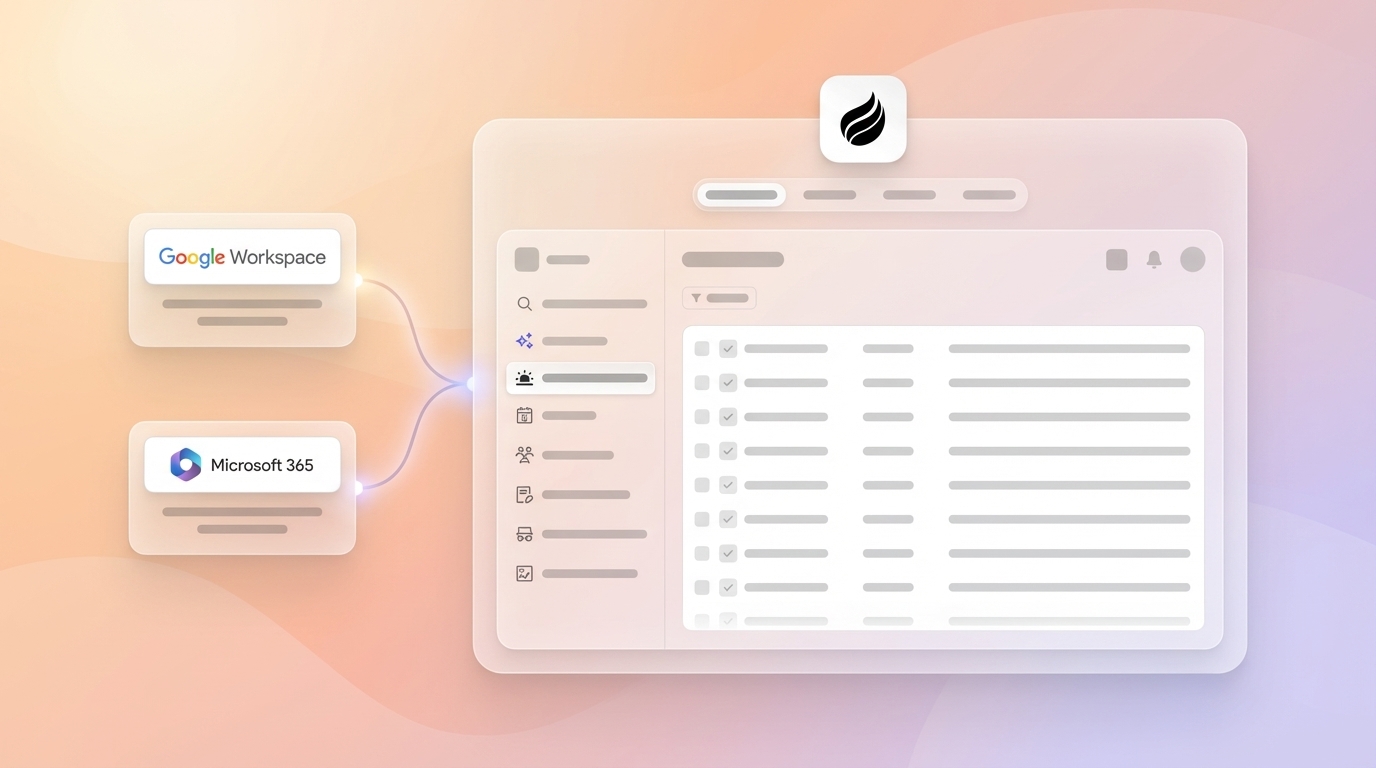
- Auto-create Contacts and Companies. After you connect Google Workspace or Microsoft 365, the agent scans emails and calendars to populate the CRM with people and organizations automatically. Every note and interaction associates with the correct record without rep input.
- Data Enrichment. The agent augments records with job titles, funding rounds, and LinkedIn profiles via licensed data partners, which removes the need for Apollo or ZoomInfo.
- AI Meeting Bot. The agent joins Zoom, Teams, and Meet calls to record, transcribe, and generate post-call summaries, next steps, and follow-up email drafts in Gmail. Sales methodologies including BANT, MEDDIC, and SPICED are supported for consistent qualification data.
- Pipeline Compare. The agent visualizes week-over-week pipeline changes such as progressed deals, stalled opportunities, and new additions using historical data stored in Coffee’s built-in data warehouse. No CSV exports or manual tagging are required.
- Visitor Identification. A single tracking pixel turns anonymous website traffic into named, qualified prospects with name, title, email, LinkedIn profile, pages visited, and time on site. Suggested Leads then recommends the two or three specific humans inside each visiting company who match the buyer persona, which RB2B and Warmly do not offer.
- Lead Finder. Natural-language search builds targeted prospect lists directly inside Coffee. Lists live alongside every other record and can be enrolled into Campaigns immediately with no CSV export between tools.
- Campaigns. Multi-step, AI-generated email sequences run natively from the rep’s own mailbox. Dynamic lists auto-enroll new contacts as the campaign runs, and stop-on-reply is on by default.
Coffee Companion App for Salesforce & HubSpot Users
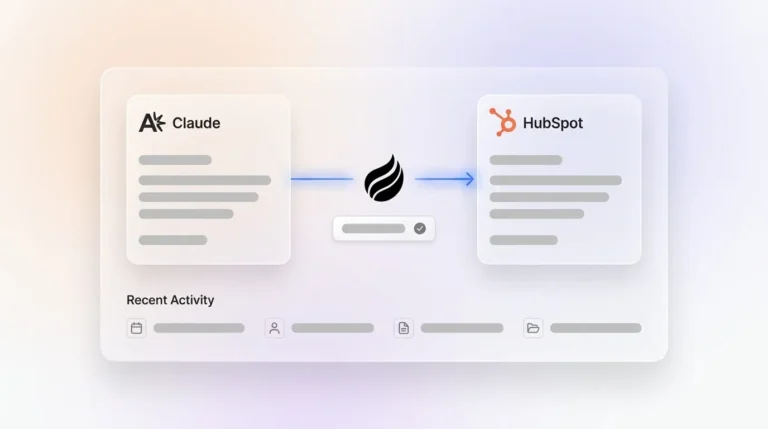
Teams committed to Salesforce or HubSpot use Coffee as an intelligent agent layer that handles the “data in” process so the system of record stays accurate without human effort. A simple authentication allows the Coffee agent to sync, enrich, and write structured data back to the primary CRM.
- Deep write-back to structured objects. Unlike Day.ai and Clarify, Coffee is built with an understanding of Salesforce and HubSpot’s complexity, including quotas, forecasting hierarchies, required fields, and custom objects. Data writes to the correct structured fields, not text note dumps.
- Activity logging without rep action. Every email, calendar event, and call transcript is captured and logged against the correct Lead, Contact, Opportunity, or Account record automatically.
- Enrichment on existing records. The agent runs scheduled re-enrichment on active pipeline records and writes updated job titles, funding, and firmographics back to Salesforce or HubSpot fields, countering the data decay discussed earlier.
- Pipeline Compare inside your existing instance. The Coffee agent surfaces week-over-week pipeline changes within the Salesforce or HubSpot environment, replacing manual CSV pipeline reviews without requiring a separate forecasting tool.
- Stack consolidation. Coffee performs the jobs of enrichment tools, meeting recorders, prospecting databases, and sequencing platforms in one agent, which reduces the tool sprawl that 66% of sales professionals cite as overwhelming.
Head-to-Head Comparison Across Core Agent Capabilities
The table below compares tools on four capabilities central to zero manual entry CRM performance. Tools are evaluated on whether each capability is native and autonomous (Yes), partial or requiring configuration (Partial), or absent (No). Qualitative distinctions that cannot share a common scale are explained in the surrounding prose.
| Tool | Autonomous Activity Logging | Structured Write-Back | Natural-Language Lead Finder | Native Multi-Step Campaigns |
|---|---|---|---|---|
| Coffee | Yes, email, calendar, and call transcript ingested automatically into built-in data warehouse | Yes, writes to structured fields in standalone CRM or back to Salesforce/HubSpot objects | Yes, plain-English commands build prospect lists natively inside Coffee | Yes, AI-generated sequences from rep’s own mailbox, stop-on-reply default, send throttling |
| Day.ai | Partial, focuses on unstructured productivity data, limited structured field logging | No, lacks integration depth for Salesforce/HubSpot required fields and forecasting hierarchies | No | No |
| Clarify | Partial, modern relational core but lacks integration capabilities to serve established teams on Salesforce/HubSpot | No, insufficient depth for mid-market Salesforce/HubSpot custom objects | No | No |
| RB2B | No, website visitor identification only, no email or calendar logging | No, surfaces company-level or raw people lists, no CRM write-back agent | No | No |
| Warmly | No, website visitor identification only, no email or calendar logging | No, no structured CRM write-back, no Suggested Leads matched to buyer persona | No | No |
| ZoomInfo | No, prospecting database, no autonomous activity capture | Partial, enrichment write-back via native connectors or middleware, separate subscription required | No, filter-based search only, no natural-language interface | No |
| Apollo.io | Partial, logs emails and calls via native Salesforce/HubSpot connectors, not a full CRM agent | Partial, writes to Salesforce/HubSpot via connector, no standalone data warehouse | No, filter-based search, no natural-language command interface | Partial, sequences available but not AI-generated natively from rep mailbox |
| Outreach | No, sales engagement platform that relies on rep-initiated sequences | Partial, syncs activity back to Salesforce, not a zero-entry CRM agent | No | Yes, multi-step sequences, but requires separate Salesforce/HubSpot instance and subscription |
| Salesloft | No, sales engagement platform where activity logging requires rep action or CRM sync configuration | Partial, CRM sync available, not a zero-entry agent, separate subscription required | No | Yes, cadences available, but requires separate CRM and subscription, no AI-native generation from rep mailbox |
Real Rep Objections Answered
- “Does Coffee connect to my other tools?” Coffee connects via Zapier today, with deeper native integrations on the roadmap. For teams running Salesforce or HubSpot, Coffee’s companion integration handles the primary data flow directly without middleware.
- “Is Coffee’s enrichment data as good as ZoomInfo?” Coffee’s built-in enrichment is roughly on par with ZoomInfo for most small-to-mid-market use cases. Waterfall enrichment strategies querying 3 to 4 providers in sequence achieve match rates above 85%, and Coffee delivers this coverage natively, which removes a separate subscription and the manual export-import cycle between tools.
- “Will Coffee’s Campaigns hurt my sender reputation?” Campaigns send from the rep’s own connected mailbox with their real signature, not a bulk-sending domain. Built-in send throttling applies automatically, and stop-on-reply pauses sequences the moment a prospect responds, which prevents automated emails from landing after a real conversation has started.
- “Is Coffee secure enough for our data?” Coffee is SOC 2 Type 2 and GDPR compliant, and customer data is not used to train public models. Compliance requirements including opt-out timestamps, DNC flags, consent basis, and audit trails are handled at the infrastructure level.
Frequently Asked Questions
What does “zero manual entry CRM” mean in practice?
A zero manual entry CRM is one where the system, not the rep, captures, logs, and enriches every customer interaction. Connecting a work email and calendar is enough for the agent to begin creating contacts, logging emails, capturing meeting outcomes, and enriching records with firmographic data. Reps review and act on information instead of producing it. Coffee achieves this by connecting to Google Workspace or Microsoft 365 on setup and immediately deploying its agent to scan, match, and populate the CRM without any rep-initiated data entry.

Can a small team of fewer than 10 people realistically use an AI CRM without a dedicated admin?
A small team can run Coffee without a dedicated admin because the agent handles contact creation, activity logging, enrichment, meeting summaries, and pipeline tracking autonomously. The maintenance work that would fall to a dedicated operations hire is handled by the agent. Coffee’s seat-based pricing means the team pays for human seats, and the agent’s labor is included at no additional metered cost. Teams of one to twenty people are the primary target for Coffee’s Standalone CRM.
What happens to existing Salesforce or HubSpot data when Coffee is deployed as a companion?
Existing Salesforce or HubSpot data stays intact when Coffee runs as a companion. Coffee’s app authenticates via a simple OAuth connection and begins writing enriched, structured data into the existing instance. Existing records, custom objects, forecasting hierarchies, and required fields are respected. Coffee does not replace the system of record and instead keeps that system accurate and complete without requiring reps to maintain it manually. Historical data already in Salesforce or HubSpot remains unchanged, and Coffee improves data quality from the moment the agent is activated.
How does Coffee’s Pipeline Compare feature differ from standard CRM pipeline views?
Standard CRM pipeline views show only the current state of deals. When a field is updated in a traditional relational database, the previous value is overwritten and the historical context disappears. Coffee’s Pipeline Compare feature runs on a data warehouse that retains historical snapshots, which enables the agent to surface week-over-week changes such as which deals progressed, which stalled, and which were added or removed, without any manual tagging, CSV export, or third-party forecasting tool. Pipeline review meetings shift from interrogation sessions to strategic discussions grounded in objective, agent-captured data.
Conclusion: Put an Agent in Charge of Your CRM
Legacy CRMs will not fix themselves. Reps lose days every week to manual entry, most opportunity data never enters the system, and the data that does enter is often inaccurate. A better passive database cannot solve this problem because only an active agent can handle the work.
Coffee is the only CRM agent that works as a full standalone system for teams of 1–20 or as a companion overlay for Salesforce and HubSpot users at 20–500 employees. It ingests structured and unstructured data into a built-in data warehouse, delivers accurate pipeline intelligence through Pipeline Compare, identifies and recommends named website visitors, builds prospect lists through natural-language Lead Finder, and runs native multi-step Campaigns without a rep touching a data-entry field. The agent reclaims the hours currently lost to manual data entry and is SOC 2 Type 2 and GDPR compliant.
Start your free trial and let the agent handle the data entry.