Written by: Doug Camplejohn, CEO & Co-Founder, Coffee | Last updated: September 25, 2026
Key Takeaways For Salesforce Teams
- Leadinfo identifies companies but not named individuals, which creates a workflow gap that requires manual Salesforce data entry and lead routing.
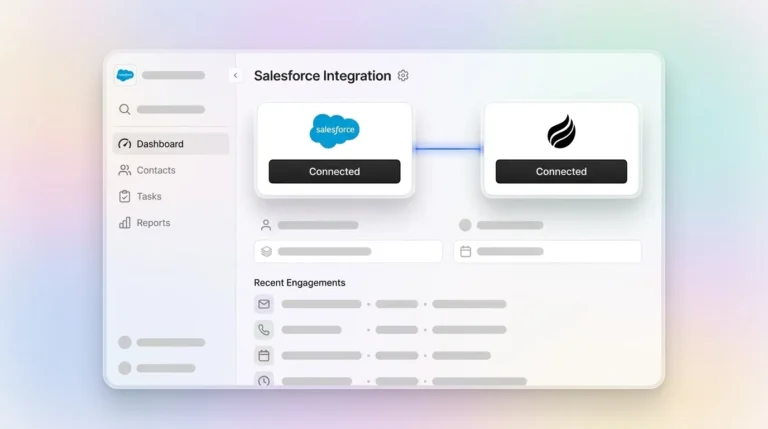
- Native Salesforce apps like Coffee write enriched Contacts, Accounts, and Activities directly into the org, with no middleware or Zapier lag.
- Person-level identification enables accurate lead-to-account matching, cleaner deduplication, and routing intent signals to the right rep.
- Company-level tools like Leadinfo and Dealfront/Leadfeeder cannot prevent duplicate records or enable direct outreach without extra manual steps.
- Coffee closes the loop with person-level identification, Suggested Leads matched to buyer personas, native Salesforce sync, deduplication, and built-in outreach tools.
Salesforce Integration Types And What They Mean In Practice
Salesforce integrations fall into three broad patterns that behave very differently. A native Salesforce app is built entirely on the Salesforce platform using Apex code and Lightning components, stores all data inside the customer org, runs within Salesforce’s security model, and does not call an external server for core operations. Because it runs inside the org, it avoids consuming Salesforce API call limits for core operations and inherits Salesforce’s existing compliance certifications. AppExchange packages go through Salesforce’s own security review, which most IT teams already understand and trust.
Middleware and iPaaS integrations, such as Zapier, Workato, and Make, connect via the Salesforce API. CRM data travels out of Salesforce, is processed externally, and is written back. That pattern introduces sync lag, data divergence, API consumption, and more failure points. Zapier polls most triggers on a schedule that can be 15 minutes on lower-tier plans, which creates unacceptable lag for time-sensitive operations. Enterprise InfoSec teams often flag Zapier-based integrations because data transits Zapier’s infrastructure, adding an unapproved third-party data sub-processor.
The three integration types map to the alternatives below.
- Native App (AppExchange): Coffee (CRM Grader: Analyze & Improve Your CRM Data Quality on Salesforce AppExchange, though the evidence does not confirm it carries AppExchange’s “Native” badge, which denotes an app built entirely inside the Salesforce platform), Dealfront/Leadfeeder (native connector available).
- Middleware / iPaaS: Dealfront/Leadfeeder (natively connects to Salesforce CRM without middleware; Zapier can be used as middleware only for CRMs that are not natively supported, such as those other than Pipedrive, Salesforce, Microsoft Dynamics 365, HubSpot, and Zoho), Warmly (native app or Zapier).
- Zapier-Only: RB2B (offers a native Salesforce CRM integration with direct object mapping for Contact, Lead, Account, and Task fields, so Zapier or Webhook are only needed for platforms lacking a native integration).
Leadinfo Salesforce Integration Compared To Person-Level Tools
Leadinfo’s Salesforce integration works at the company level. It resolves anonymous traffic to an organization using reverse-IP lookup and then matches recognized companies to existing Salesforce records by data points such as domain, phone number, and chamber of commerce number. It then syncs that company record to Salesforce via its native connector or middleware such as Zapier, creating or linking companies as an Account or a Lead placeholder. A company connected as a Lead in Salesforce cannot have tasks, opportunities, or notes attached, while connecting as an Account allows notes and associated opportunities and tasks. The integration confirms that a company visited but does not reveal which person at that company visited, so lead-to-account matching remains incomplete and person-level outreach requires a separate research step.
This model hits a structural ceiling. The most common RevOps object-mapping mistake is pushing every identified visitor to the Lead object. That mistake pollutes the lead pool with contacts at accounts already being worked, forces AEs to deduplicate manually, and breaks MQL reporting. A company-level tool cannot avoid this trap because it has no person to route correctly. Salesforce teams that want a Leadinfo replacement need a tool that resolves to a named individual before writing the record.
Best Leadinfo Alternatives For Salesforce In 2026
The comparison below focuses on identification level, Salesforce integration method, and where person-level coverage is available.
| Tool | Identification Type | Salesforce Integration Method | Person-Level Coverage |
|---|---|---|---|
| Coffee | Person-Level (Named Individual) | Native Companion App | US and EU |
| Dealfront / Leadfeeder | Company-Level | Native App or Middleware | None (company-level only) |
| Warmly | Person-Level | Native App or Zapier | US only |
| RB2B | Person-Level | Native Salesforce Integration | US only |
Coffee (Ranked #1)
Coffee identifies named individuals visiting your site, then uses Suggested Leads to recommend which two or three humans inside a visiting company to contact, matched against your buyer persona. Because it resolves a person rather than only a company, its native Companion App for Salesforce can write enriched Contacts, Accounts, and Activities directly into the org and deduplicate them against existing records. That same person-level resolution lets it apply suppression lists at the integration layer, before any downstream flow runs. Coffee’s compliance posture, covered in the residency section below, supports US and EU teams. Built-in Lead Finder, Campaigns, and Pipeline Compare reduce reliance on tools such as ZoomInfo, Apollo, Outreach, or Salesloft.

Dealfront / Leadfeeder (Ranked #2)
Dealfront formed in June 2022 through the merger of Echobot and Leadfeeder, following a €180 million investment from Great Hill Partners. The combined product identifies visiting organizations using IP-based recognition and firmographic data and syncs to Salesforce via a native integration, with Zapier available as an alternative only for CRMs that are not natively supported. Dealfront’s primary strength is European data and visitor resolution, while its US-market identification is thinner than US-native tools like RB2B or ZoomInfo WebSights. Its identification is company-level rather than person-level, so person-level data remains limited across all markets. Teams selling exclusively into European markets and needing company-level intent signals will find Dealfront a capable Leadinfo alternative. Its Salesforce integration can automatically or manually create and update contacts in Salesforce, and its Company Profile iFrame allows users to add new contacts and synchronize matching contacts with publicly found contact information directly into their CRM.
Warmly (Ranked #3)
Warmly’s person-level website visitor identification combines IP resolution, cookie matching, and third-party intent data from Bombora. Those capabilities were already in place by 2023–2024 rather than being added in 2025. Warmly writes directly to CRM records with full activity logging and supports bidirectional data flow into Salesforce and HubSpot. Its Salesforce integration is available via native app or Zapier. Warmly has expanded into a wider revenue workflow stack that includes chat and ad-platform connections. Its in-CRM dedup logic, however, is limited to deterministic domain and email matching, and it never creates new Contacts or Opportunities, only updating existing records or creating Leads. It does read Account, Contact, Lead, and Opportunity data plus custom fields to enrich records. HubSpot has announced an acquisition of Warmly, which may affect the product roadmap.
RB2B (Ranked #4)
RB2B identifies named individuals visiting US-based websites, which makes it a person-level tool for US-centric teams. RB2B offers a direct, native Salesforce CRM integration (listed among its built-in integrations), so Zapier or webhooks are not required. Zapier or Make.com are only needed as a bridge for platforms not among RB2B’s listed integrations. As covered in the residency section below, RB2B’s person-level identification is US-only, which limits it for teams that need EU person-level data.
What Happens After The Pixel Fires In Salesforce
The pixel fires and an anonymous session begins. That moment determines whether the signal becomes revenue or noise. A merge-first integration pattern checks whether the email or domain matches an existing Contact, Lead, or Account before creating anything new. Only if no match is found does it create a new Lead. This pattern matters because weak deduplication causes each repeat visit to create a new record, producing 5–10x inflation in lead count within 90 days.
Each tool stops at a different point in that chain. The list below shows how far each one gets before a human has to take over.
- Leadinfo: Its direct CRM integration forwards only company-level information, but person-level records can still be written to Salesforce via the Contact Push feature (which pushes contacts with name, email, job title, and social profile URLs) or through Zapier contact-sharing triggers.
- RB2B: Identifies named individuals and natively creates and updates structured Salesforce Contact, Lead, and Account records (setting fields such as Title, LeadSource, and Account Description). Its documentation frames this as pushing visitor profile data into the CRM rather than performing deep enrichment.
- Warmly: Identifies visitors and writes records to Salesforce, but its dedup logic stops short of creating new Contacts or Opportunities. It focuses on updating existing records or creating Leads (see the Warmly section above).
- Coffee: Identifies the named individual, enriches the record with job title, funding, LinkedIn profile, and activity history, checks against existing Contacts, Leads, and Accounts, applies suppression lists at the integration layer, and writes back to Salesforce with Suggested Leads for immediate outreach.
The correct object-mapping pattern routes net-new account visitors to Leads, visitors at existing Accounts with no Contact to a new Contact on the Account, existing Contacts to an update plus logged activity, and visitors at open-Opportunity accounts to activity on the Opportunity with a notification to the Opportunity Owner. Coffee’s native app automatically syncs bidirectionally with Salesforce and fills in data gaps, such as missing contacts, stale records, unlogged notes, and unfilled MEDDPICC fields, without manual intervention. Tools that rely on Zapier require the Salesforce admin to build and maintain this routing manually, Zap by Zap.

Enriching Existing Salesforce Accounts With Visitor Data
Most visitor identification tools default to creating new Leads, which works poorly for enrichment. Enriching Salesforce accounts that already exist requires an architecture that matches the incoming visitor to an existing Account record and updates it rather than spawning a duplicate.
Company-only visits with no named person should not become a Lead at all in Salesforce; they belong on the Account as activity, a custom object, or a task for the owner. Coffee handles this at the integration layer. When a visitor matches an existing Account, Coffee enriches that Account and its associated Contacts with updated job titles, funding signals, LinkedIn profiles, and a logged Website Visit activity. That approach avoids a net-new Lead that an SDR has to reconcile.

This is where lead-to-account matching tools for Salesforce earn their value. Coffee matches identified visitors to existing Accounts so reps see intent signals directly on the account record. Intent or fit scores can drive Salesforce assignment rules, moving a Contact from Marketing Qualified to Sales Qualified or flipping an account to a higher tier for the SDR queue. Without person-level identification and native account matching, that signal never reaches the rep who owns the relationship.
US Vs. EU Data Residency And GDPR For Salesforce Syncs
Enrichment only works when the data can legally land in your org, so residency and coverage sit alongside features. Leadinfo is EU-focused by design. RB2B is US-centric: its person-level identification is US-only, firing on US soil and resolving US data subjects, with its database designed to exclude EU/UK residents’ personally identifiable information, while EU/UK visitors can only be resolved at the company level via its Demandbase partnership. Dealfront’s company-level B2B data covers Europe (sourced from national trade registers and chambers of commerce) and also identifies US companies visiting your site, though contact depth is strongest in DACH and the EU. For teams selling into both regions, the compliance picture inside Salesforce matters as much as the identification coverage.
GDPR does not require personal data to remain in the EU, but transfers outside the European Economic Area are restricted unless protected by EU-approved mechanisms such as Standard Contractual Clauses or the European Commission’s Processor Binding Corporate Rules. Salesforce provides a Data Processing Addendum that incorporates updated EU Standard Contractual Clauses and covers processing activity descriptions, data subject rights assistance, and sub-processor management.
Marketing automation platforms, customer support tools, and data enrichment services that sync into Salesforce can introduce personal data fields that were never formally inventoried or assessed for GDPR purposes, and these integration-sourced records are subject to the same GDPR obligations as any other personal data in the environment. A tool that writes to Salesforce via Zapier introduces Zapier as an unapproved sub-processor, which typically triggers a Data Processing Agreement request and can stall enterprise security reviews.
Coffee is SOC 2 Type 2 and GDPR compliant, does not train public models on customer data, and supports US and EU teams. Its native Companion App keeps data inside the Salesforce org’s security model, which lets it inherit the org’s existing compliance posture instead of introducing a new external data path.
How To Choose A Leadinfo Alternative For Salesforce
The right tool depends on three variables: whether the team needs company-level or person-level identification, how the Salesforce org is structured, and which geographies the team sells into.
- Coffee: The right choice for teams that need person-level identification, native Salesforce sync, built-in enrichment, deduplication against existing records, and outreach tooling in one agent. Supports US and EU teams, with the compliance posture described above.
- Dealfront / Leadfeeder: The right choice for EU-focused teams that need company-level intent signals and are not yet ready to act on person-level data.
- RB2B: A viable option for US-only teams that need person-level identification on a budget (Pro plan from $149/month, with 15-45% person-level match rates) and are comfortable building and maintaining Zapier-based Salesforce routing themselves, since RB2B has no native CRM integration and Salesforce/HubSpot routing requires Zapier or webhook configuration.
- Warmly: A reasonable option for teams that want person-level website visitor identification combined with AI chat and ad-platform connections, provided their Salesforce enrichment and dedup requirements are not complex; however, some third-party reviews dispute that Warmly natively pushes visitors into LinkedIn, Meta, or Google ad audiences.
Frequently Asked Questions
Does Coffee Integrate Natively With Salesforce?
Yes. Coffee offers a native Companion App for Salesforce that installs directly into the org. It writes enriched Contacts, Accounts, and Activities to the correct Salesforce objects, deduplicates against existing records using merge-first logic, and applies suppression lists at the integration layer. Because it runs as a native app rather than through middleware or Zapier, it keeps data within the Salesforce org’s security model instead of routing it through a separate middleware layer.
Can I Enrich Existing Salesforce Accounts With Visitor Data?
Yes. Coffee enriches existing Accounts and Contacts and updates deal stages automatically, though it can also auto-create new contacts and company records from emails, calendars, and meetings rather than relying on manual lead creation. When an identified visitor matches an existing Account, Coffee updates that Account and its associated Contacts with job titles, funding signals, LinkedIn profiles, and a logged Website Visit activity. This approach surfaces intent signals on the account record where the rep who owns the relationship can act on them, instead of creating a net-new Lead in the inbound SDR queue.
Is Coffee GDPR Compliant?
Yes. Coffee’s compliance posture described in the residency section above includes SOC 2 Type 2 and GDPR compliance and a commitment not to train public models on customer data. Its native Salesforce Companion App keeps data inside the org’s security model, which inherits Salesforce’s existing compliance certifications including its Data Processing Addendum and Standard Contractual Clauses for EU-to-US transfers. Teams selling into both the US and EU can use Coffee without adding a new external data processor or triggering a separate compliance review.
What Is The Difference Between Company-Level And Person-Level Visitor Identification?
Company-level identification resolves an anonymous website visit to an organization, such as a company name, domain, industry, and firmographic data, using reverse-IP lookup. It tells you that Acme Corp visited your pricing page. Person-level identification goes further and resolves the visit to a named individual within that organization, including a specific name, job title, email address, and LinkedIn profile. Person-level identification enables direct outreach, writing a Contact record to Salesforce, and lead-to-account matching that routes the signal to the right rep. Leadinfo operates at the company level, identifying organizations via cookieless IP-matching, while Coffee’s lead labels track individual leads and their contacts at the person level.
What Happens To Duplicate Records When Visitor Data Syncs To Salesforce?
Without proper deduplication logic, visitor identification tools create a new Salesforce record on every repeat visit by the same person. A merge-first integration checks whether the incoming email or domain matches an existing Contact, Lead, or Account before creating anything new, and only creates a new Lead if no match is found. Coffee applies this logic natively. Tools that sync through Zapier or middleware lack native error handling and deduplication, so teams must build the duplicate search and matching logic themselves within the automation workflow rather than relying on the connector or on Salesforce’s native matching and duplicate rules. Gaps in that configuration produce record inflation that compounds over time.
Conclusion
Leadinfo identifies companies and stops there. Getting company-level data into Salesforce as actionable, person-level records requires manual work that does not scale. Every repeat visit risks a duplicate record, reps cannot see which human to contact, and existing Accounts never receive enriched intent signals.
Coffee gives Salesforce teams the full loop: person-level identification, Suggested Leads matched to your buyer persona, native Salesforce sync that writes enriched Contacts, Accounts, and Activities, deduplication against existing records, suppression list enforcement at the integration layer, and built-in outreach through Campaigns. Reps spend their time selling instead of acting as data entry clerks.
Start With Coffee In Salesforce