Written by: Doug Camplejohn, CEO & Co-Founder, Coffee | Last updated: August 8, 2026
Key Takeaways for Salesforce Lead Scoring
Lead scoring in Salesforce assigns points to leads based on demographic fit, firmographic attributes, and behavioral signals so reps can prioritize pipeline.
A repeatable six-step process of prerequisites, method selection, model build, configuration, validation, and refinement keeps scoring reliable.
Einstein Lead Scoring, custom formula fields, and agent-automated methods each trade off setup effort, maintenance, and data requirements.
Stale or incomplete CRM data weakens every scoring model, so automated enrichment and activity logging are critical for accurate scores.
Coffee keeps lead scoring inputs complete automatically and removes most manual data entry.
Six-Step Process for Doing Lead Scoring in Salesforce
Lead scoring in Salesforce follows a consistent six-step process, no matter which scoring method you choose.
Configure Salesforce. For Einstein, enable the feature in Setup, then add the Score field and Insights component to Lead page layouts. For formula fields, create the IF and THEN logic in a custom number field. For agent-automated approaches, connect the agent layer to Salesforce and map enrichment outputs to scoring fields.
Create instant meeting follow-up emails with the Coffee AI CRM agent
Coffee's Companion App deploys an autonomous agent on top of your existing Salesforce instance. The agent scans emails and calendar events to auto-create contacts and companies, logs last activity and next activity on every deal without rep input, enriches records with job titles, funding data, and LinkedIn profiles through licensed data partners, and writes AI-generated call summaries and next steps back to Salesforce after each meeting. As a result, the fields your scoring model reads, such as job title, company size, industry, and last engagement date, stay populated and current without anyone acting as a data entry clerk.
Build people lists automatically with Coffee AI CRM Agent
Practical Steps to Set Up Lead Scoring in Salesforce
These setup steps apply to both Einstein and formula-field implementations, and each one highlights a common pitfall.
Align sales and marketing on the model before touching Salesforce.Sales teams that participate in designing the lead scoring model are more likely to use lead scores in prioritization. Without sales buy-in, even technically sound models fail because reps do not trust or act on the scores. Interview three to five reps to identify which signals matter in practice and fold their input into the model design.
Configure automated routing actions at each threshold. Use scoring thresholds to trigger automated actions such as routing a hot lead to a sales rep or enrolling a quiet contact in a re-engagement journey instead of using scores only for reporting.
Run a pilot on a subset of leads before full rollout. Salesforce recommends starting AI lead scoring with a pilot on a small subset of leads or a specific product line to test and refine the model before broader rollout.
Einstein Lead Scoring has specific considerations related to platform encryption and encrypted fields, so review the latest documentation.
Einstein Lead Scoring does not use encrypted lead fields in scoring analysis.
System Administrator access is required to enable the feature in Setup, and the View Einstein Lead Scores permission must be granted to end users separately.
Mid-market teams (50–500 leads per month). Einstein works well when field-population rates stay high. Einstein Lead Scoring can support separate scoring models for different departments or lead types.
Scaling teams with data gaps. Deploy Coffee's agent layer first to close enrichment gaps, then enable Einstein once the model has reliable inputs for training.
Lead scoring in Salesforce assigns point values to leads based on demographic fit such as job title, company size, and industry, firmographic signals such as geography and budget authority, and behavioral activity such as email opens, page visits, and demo requests. Each lead accumulates a composite score. When the score crosses a defined threshold, Salesforce can route the lead to a sales rep, enroll it in a sequence, or flag it in a dashboard. The model works reliably only when CRM fields stay populated and current. Coffee's Companion App automates the data entry and enrichment that keeps those fields accurate so scores reflect reality instead of gaps in the record.
What is Einstein lead scoring in Salesforce?
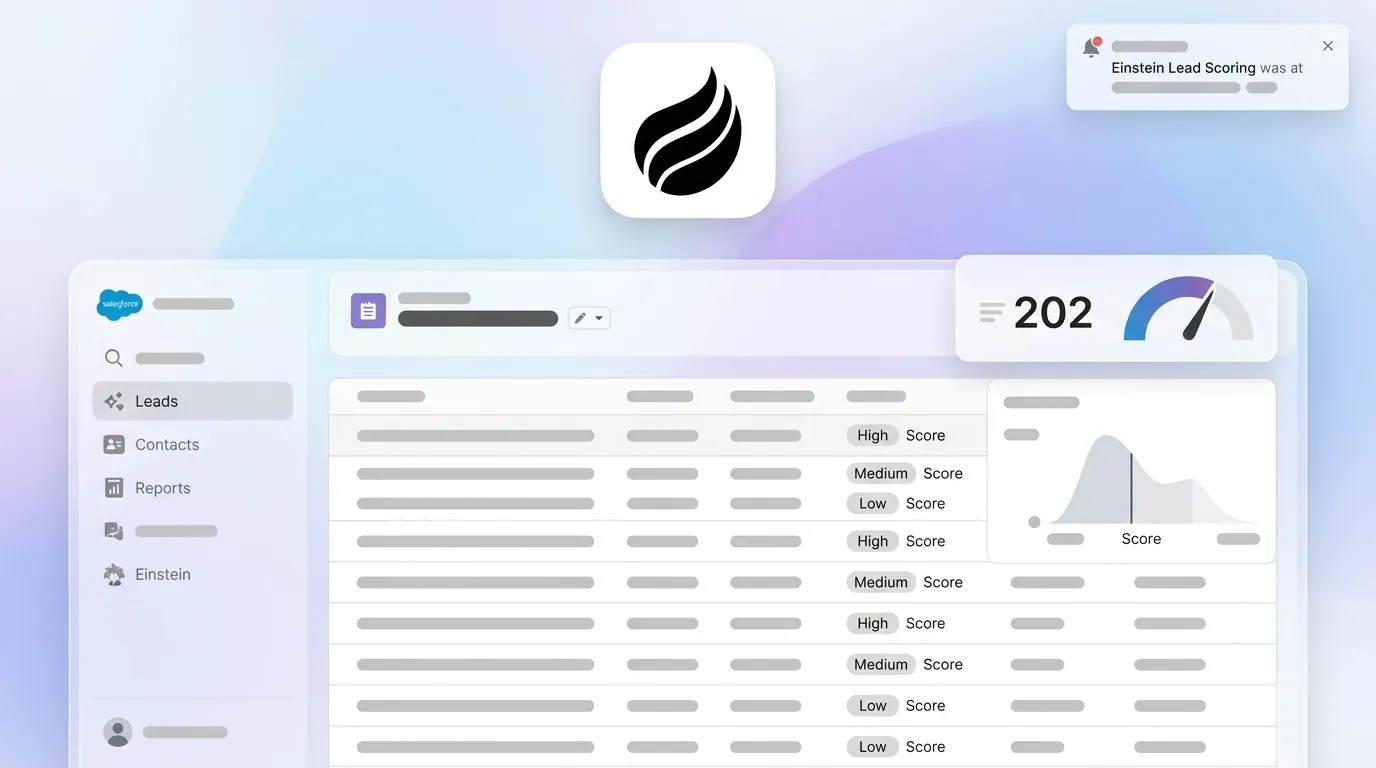
Einstein Lead Scoring is Salesforce's native predictive AI feature that analyzes historical lead-to-opportunity conversion data and assigns each lead a score from 0 to 100 based on how closely it matches the profile of previously converted leads. It retrains its model every 10 days and rescores leads at least every six hours. Einstein requires a minimum of 1,000 leads created in the last six months with at least 120 converted to accounts and contacts, and it falls back to a global model built from anonymized Salesforce customer data below that threshold. Newer releases may add additional AI-powered scoring options.
How is lead scoring done?
Lead scoring follows six steps: establishing data prerequisites, selecting a method such as Einstein, formula fields, or an agent-automated approach, building the scoring model with agreed point values, configuring Salesforce to surface scores on page layouts and trigger routing actions, validating the model against historical closed-won and closed-lost deals, and refining the model based on sales rejection signals. The most common failure point appears in step one when teams skip data hygiene and build a scoring model on top of incomplete records, which produces scores reps do not trust. Coffee's agent layer addresses this by automatically creating contacts, logging activities, and enriching records from emails, calendars, and call transcripts before any scoring logic runs.
Does Salesforce have lead scoring?
Salesforce supports several lead scoring approaches natively. Custom formula fields provide rules-based scoring with no data requirements and full logic transparency, which suits simple models with fewer than ten criteria. Einstein Lead Scoring provides machine-learning-based predictive scoring included in Sales Cloud Unlimited and Einstein 1 editions or available as a paid add-on for Enterprise editions. Additional native options exist for different team needs. For teams whose main challenge is data completeness rather than scoring logic, Coffee's Companion App sits on top of any of these native methods and keeps the fields they read populated and up to date.
Conclusion: Keeping Salesforce Lead Scores Accurate
Lead scoring in Salesforce improves pipeline efficiency and revenue predictability when the underlying data stays complete. The six-step process of prerequisites, method selection, model build, configuration, validation, and continuous refinement applies whether you use Einstein Lead Scoring, custom formula fields, or a hybrid approach. The 2026 landscape includes continued improvements to Agentforce and other AI tools, which gives RevOps teams more native options than ever. Data quality remains the main constraint across all methods because scores only perform as well as the fields they read. Coffee's Companion App supplies the agent automation that keeps those fields current and turns lead scoring from a maintenance burden into a durable revenue asset.