Written by: Doug Camplejohn, CEO & Co-Founder, Coffee | Last updated: September 19, 2026
Key Takeaways For Automating CRM Data Entry
- Coffee automatically creates contacts, enriches records, and logs CRM activity from email, calendar, and calls without manual work.
- Instantly focuses on email outreach and needs third-party tools or human effort for full CRM activity sync and unqualified reply logging.
- Apollo and Clay provide strong enrichment and list-building but still require extra steps or people to write data into a system of record.
- Smartlead, Airtable, and Derrick each leave significant data-entry, enrichment, or ongoing maintenance tasks to the user.
- Coffee removes manual CRM work by writing directly to Salesforce, HubSpot, or its own Standalone CRM.
See How Coffee Automates Data Entry
Why This Comparison Focuses On Manual Work
Most “Instantly Alternatives” listicles evaluate sending volume, deliverability infrastructure, and inbox warm-up. This article evaluates a single criterion: what gets automated versus what still requires a human. That focus produces a different ranking and a different recommendation.
These tools appear together in search results because they all touch outbound sales, yet they belong to distinct categories. Instantly and Smartlead are outreach tools, and they send email. Apollo and Clay are enrichment and workflow tools that build and qualify lists, and Apollo also bundles sequencing, dialing, and CRM sync in one platform. Airtable is a no-code platform that combines a spreadsheet interface with a relational database, used by teams for lightweight tracking and structured data workflows. Coffee is a CRM agent that writes to the system of record.
This article covers sales software and CRM data entry automation. It focuses on how records appear, stay accurate, and stay complete without human effort.
How We Evaluated Automation And CRM Fit
Each tool is evaluated against the same lens: how much manual work it removes from your team and how reliably it keeps the CRM current. The criteria below connect directly to that goal.
- Data sources ingested: email, calendar, call transcripts, website traffic, LinkedIn
- Whether the tool writes to a system of record automatically
- Structured versus unstructured data handling
- Native Salesforce and HubSpot sync
- Enrichment depth
- Meeting capture and follow-up automation
- Pipeline reporting
- Setup effort and ongoing admin burden
Sending volume and deliverability sit outside this framework because they do not reduce CRM data entry.
Instantly Alternatives Compared: What Each Automates Vs. What Stays Manual
The table below maps each tool against three questions: what it automates, what still needs a human, and whether it writes to a system of record. Pay close attention to the third column, because that is where the hidden manual work usually appears.
| Tool | What It Automates | What Still Requires A Human | Writes To System Of Record |
|---|---|---|---|
| Coffee | Contact and company creation from email and calendar; enrichment with job titles, funding, LinkedIn; activity logging; meeting transcription, summaries, and follow-up drafts; pipeline change tracking; website visitor identification; lead finding | Approving AI-drafted follow-up emails before sending; judgment calls on deal strategy | Yes, natively to Salesforce, HubSpot, or Coffee's own Standalone CRM |
| Apollo | Contact discovery and enrichment; multi-channel sequences; CRM sync to HubSpot and Salesforce for connected workflows; lead routing; call logging | Configuring workflow triggers; managing enrichment credit limits; editing AI-drafted outreach outputs; handling unstructured data from calls and emails | Partial, syncs contacts and activities bidirectionally to Salesforce and HubSpot when configured; the evidence does not establish whether it ingests email or calendar natively |
| Clay | Waterfall enrichment across 150+ data providers; list building; AI-personalized openers; routing enriched contacts to outreach tools | Defining a destination CRM and configuring write-back; building and maintaining table logic; Clay acts on CRM data rather than storing it | No, Clay functions as a data-and-workflow layer and requires a separate CRM and sync step |
| Smartlead | Email deliverability infrastructure; inbox warm-up; reply consolidation in a master inbox; CRM sync via Kanban board tied to campaign activity | Bringing your own contact lists; logging unqualified replies; using a separate tool for enrichment | Partial, integrated CRM centers on campaign activity and does not function as a full system of record |
| Airtable | Structured data storage; basic workflow triggers; form-to-record creation | All data entry; enrichment; activity logging; CRM write-back; meeting capture | No, Airtable operates as a database and does not act as a CRM agent |
| Derrick | Spreadsheet-to-CRM data cleanup and migration; deduplication | Ongoing activity logging; enrichment; meeting capture; all post-migration maintenance | Partial, enriches and cleans data in Google Sheets and writes it to a destination CRM via manual CSV import or Zapier/Make automation, and it does not autonomously maintain that CRM data on its own. Ongoing maintenance requires the user to set up scheduled workflows or re-run enrichment. |
Compare Coffee To These Alternatives
Category-By-Category Analysis Of Automation Gaps
The table gives the summary. This section walks through each capability area in more detail, starting with the work that consumes the most rep time: getting data into the CRM and keeping it clean.
Data Capture And Maintenance
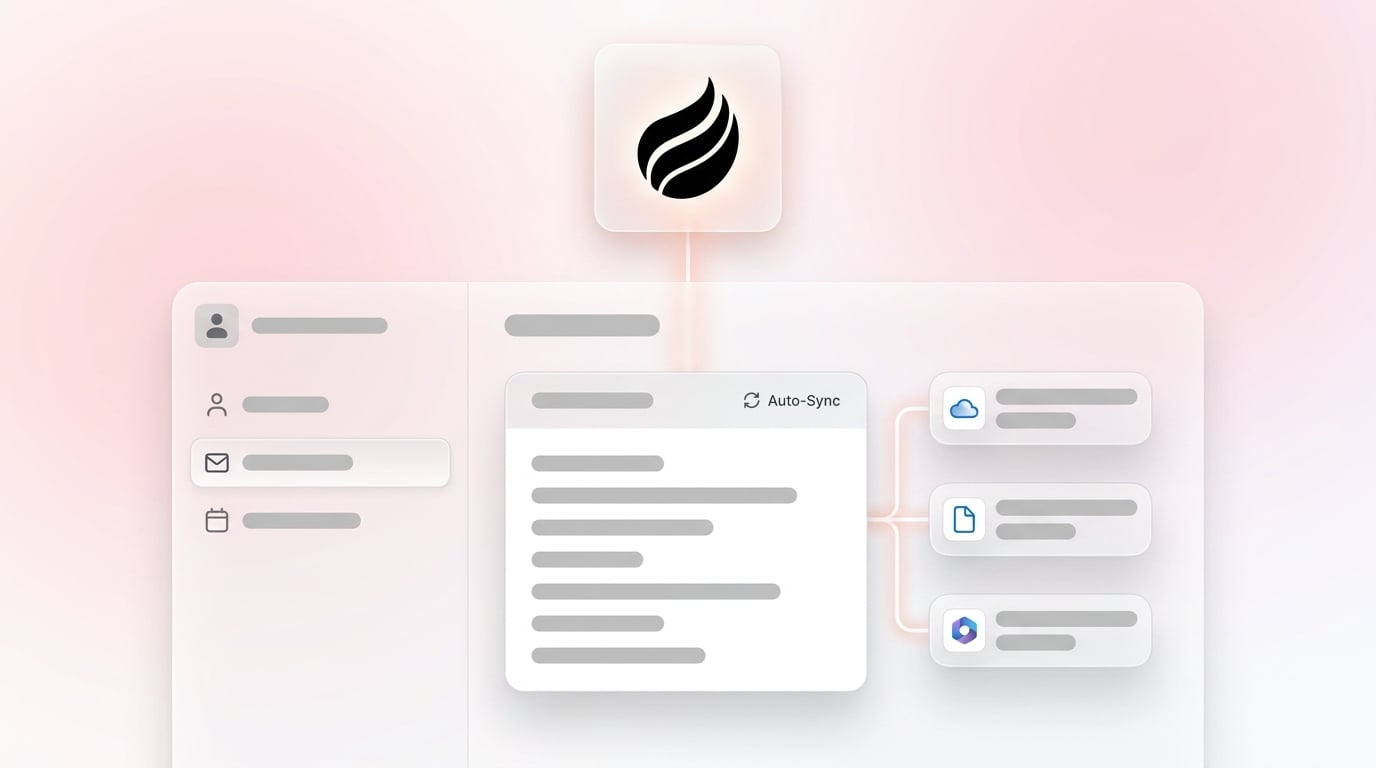
Coffee connects to Google Workspace or Microsoft 365 and immediately begins scanning emails and calendars. From those signals it auto-creates contacts and companies, associates every note and interaction with the correct record, and enriches each record with job titles, funding data, and LinkedIn profiles via licensed data partners. It then logs last and next activity on its own, so no one pastes, imports, or reconciles data by hand.

Apollo enriches records well and syncs contacts and activities bidirectionally to Salesforce and HubSpot when configured. The available evidence does not show whether it ingests your email or calendar natively. Clay builds enriched lists from 150+ providers but requires a separate destination and write-back step. Airtable and Derrick depend on humans to move data into them and then back out to the CRM.
What Happens After A Reply
Instantly's “Push to CRM” workflow only syncs leads tagged Interested, Demo Requested, or Meeting Booked, so unqualified replies stay in Instantly and never reach the CRM. For bidirectional activity sync, including emails sent, replies, and opens back into HubSpot or Salesforce, Instantly relies on OutboundSync, a third-party service with separate pricing starting at $99 per month. A person or a middleware configuration still moves the record.
Coffee's agent logs every reply, associates it with the correct contact and deal, and keeps the CRM current without any human action.

Usability For Frontline Reps
Legacy CRMs and outreach tools ask reps to serve the software. Coffee flips that relationship so the agent handles the busywork and reps delegate to it instead of resenting it. 71% of sales reps say they spend too much time on data entry, which signals that the tool works against the rep. Coffee's agent removes that friction.
Manager Visibility And Pipeline Reporting
Coffee's Pipeline Compare feature tracks all pipeline changes automatically. It captures progressed deals, stalled opportunities, and new additions week over week without CSV exports or manual reconciliation. Tools that depend on rep-entered data produce reports only as accurate as the humans who logged them.
Integration Complexity With Salesforce And HubSpot
Coffee has a deep understanding of Salesforce and HubSpot integrations, including quotas, forecasting, and required fields. Newer alternatives such as Day.ai and Clarify lack this depth, so teams may encounter issues when integrating with these CRMs at that level of complexity. Field mapping is the most common cause of Instantly CRM sync errors, and resolving those errors requires ongoing admin attention.
Long-Term Flexibility Of The Data Model
Salesforce carries 25 years of legacy architecture. HubSpot added a CRM onto a marketing tool instead of building a unified intelligence system from the ground up. Both rely on basic relational databases where historical context disappears when fields are updated. Coffee runs on a data warehouse that preserves history, which enables accurate pipeline analysis over time.
Source-To-Destination Data Flows: Where Automation Actually Happens
Email To CRM
Coffee's agent scans connected email accounts, auto-creates contacts and companies, associates every note and interaction with the right record, and logs activity automatically. The process requires no forwarding, no manual entry, and no middleware.
Calendar To CRM
Coffee auto-creates contacts and companies from calendar events and keeps deal state current. Meeting bookings update the CRM immediately, and reps do not touch a field.
Website Visitor To CRM
Coffee's Visitor Identification pixel turns anonymous traffic into named, qualified prospects. It surfaces name, title, email, LinkedIn profile, company, pages visited, time on site, and first-versus-returning visit status. Suggested Leads then recommends two or three specific people inside the visiting company to contact. Competitors like RB2B and Warmly show company-only data or undifferentiated people lists, while Coffee closes the loop from pixel hit to LinkedIn outreach inside the agent.
LinkedIn To CRM
Coffee enriches records with LinkedIn profiles via licensed data partners and lets users add a prospect with enrichment pre-filled. The record is ready for a connection request or outbound email without any copy-paste.

Call Transcript To CRM
Coffee's AI meeting bot joins Zoom, Teams, and Meet calls, transcribes them, generates summaries and next steps, and drafts follow-up emails in Gmail. Notes can follow BANT, MEDDIC, or SPICED, which keeps qualification data consistent as it enters the system. Coffee released improved summary templates in November 2025, customizable to match workflows and writable back to Coffee, HubSpot, or Salesforce.

Adjacent Automations Outside This Scope
Website-to-Google-Sheets and PDF-to-Excel workflows involve document processing instead of CRM data entry. Tools built for those tasks handle them better, and they sit outside this comparison.
Instantly Alternative With Native CRM Sync For HubSpot And Salesforce
Coffee operates in two models. The Companion App model uses a simple authentication so the Coffee Agent can sync data, enrich it, and write valuable insights back to an existing Salesforce or HubSpot instance. The system of record stays accurate without human effort. The Standalone AI-First CRM serves small companies with 1 to 20 employees that have outgrown spreadsheets and Notion and want a modern alternative where the agent manages the system of record from day one.
Instantly's native contact import from HubSpot or Salesforce is limited to contact import only and does not include bidirectional activity sync. HubSpot's native Salesforce activity sync covers only four activity types, including tasks, sales emails, calls, and meetings, and is available only on Professional and Enterprise tiers. Coffee's Companion App writes across the full record graph without those restrictions.
Coffee is SOC 2 Type 2 and GDPR compliant, and data is not used to train public models. Integrations currently run via Zapier, with deeper roadmap integrations coming.
How To Automate Manual Data Entry In Your CRM
Sales reps lose 10 to 11 hours a week to manual CRM data entry, which means more than a quarter of a full workweek disappears into admin before a single customer conversation. That same 71% figure from earlier explains why the steps below matter, because reps who reclaim that time get it back for selling. Coffee's agent saves a similar block of hours each week by taking over the repetitive work.
The practical steps to eliminate manual entry with Coffee follow a simple sequence:
- Connect email and calendar (Google Workspace or Microsoft 365) via a simple authentication. This single step powers every downstream automation.
- Once connected, let the agent auto-create contacts and companies from email and calendar signals so records exist before a rep opens the CRM.
- With records in place, let the agent enrich them with job titles, funding, and LinkedIn profiles, which removes the need for a separate enrichment subscription.
- After enrichment, let the agent log all activity, including last touch and next touch, so timelines stay complete without manual updates.
- Next, let the agent join calls, transcribe them, generate summaries, and draft follow-ups so call notes and action items always reach the CRM.
- Finally, let the agent track pipeline changes automatically and replace manual CSV exports with real-time pipeline views.
See What The Coffee Agent Automates
Pricing And Free-Tier Clarity
Coffee uses seat-based pricing. You pay for the human seats, and the agent's unlimited labor is included. The model avoids complex metering on LLM usage or processes, so there are no per-action charges and no credit systems to manage.
Other tools in this comparison use separate subscription models, including per-seat fees for outreach platforms, usage-based credits for enrichment tools, and additional middleware subscriptions for activity sync. Zapier and Make charge based on task volume, typically $20 to $50 per month for small teams, which adds a separate cost layer on top of Instantly and any CRM subscription. Those costs compound before a single record writes itself to the CRM.
Best-Fit Use Cases For Coffee
Standalone AI-First CRM: Small companies with 1 to 20 employees and nascent sales teams that have outgrown spreadsheets and find HubSpot or Pipedrive to be expensive, manual chores. In this model the agent manages the system of record from day one.
Companion App: Small to mid-market companies committed to Salesforce or HubSpot that struggle with low CRM adoption, poor data quality, and missing data from calls and emails. The primary contact is usually the Head of Sales or RevOps. Coffee layers on top of the existing instance and keeps it accurate.
Who Coffee Does Not Fit Well: Large enterprises with complex custom workflows that require multi-year implementation cycles, heavily regulated industries that need multi-year security reviews, and feature-checklist buyers who want a static database with a long feature list instead of an automated agent.
Risks, Limitations, And Common Misconceptions
Enrichment tools and spreadsheet databases always need a destination. Buying Clay or Apollo without a CRM agent to write the data back means the enrichment lives in a table instead of the system of record. That pattern creates partial automation and still requires a human to move the data.
Integration gaps also matter. Middleware like Zapier introduces latency and additional cost. Zapier's free plan checks for new data every 15 minutes, so Instantly-to-CRM handoffs can lag up to 15 minutes compared with real-time native sync. For teams where reply speed affects revenue, that delay carries a real cost.
On data quality, Coffee's enrichment data is roughly on par with ZoomInfo for most use cases and comes built in. This approach removes the need for a standalone enrichment tool in the majority of cases, even though some edge scenarios may still favor a dedicated provider.
Automation amplifies whatever process it touches, so a broken sales workflow becomes a faster broken workflow. That dynamic is why the last step before buying any automation tool is to map the process you intend to automate. The agent can only systematize a workflow your team has already defined.
Decision Framework: Matching Tools To Your Situation
Use this checklist to match your situation to the right model and avoid overbuying or under-automating.
- Under 20 Employees, No CRM Yet, Outgrown Spreadsheets: Choose the Standalone AI-First CRM so Coffee manages the system of record from day one.
- Committed To Salesforce Or HubSpot, Low Adoption, Missing Call And Email Data: Choose the Companion App so Coffee layers on top without replacing the existing instance.
- Need Enrichment Only, Already Have A CRM And Write-Back Configured: Clay or Apollo can serve the enrichment layer, but verify the write-back path before buying.
- Need High-Volume Cold Email Sending With Deliverability Infrastructure: Instantly or Smartlead handle that job, and you can pair them with Coffee to handle what happens after the reply.
- Large Enterprise With Complex Custom Workflows Or Multi-Year Security Review Requirements: A more traditional enterprise platform will likely fit better than Coffee at this stage.
Frequently Asked Questions
Does Instantly Sync With Salesforce Or HubSpot?
Instantly offers native contact import for HubSpot and Salesforce, and that native import is limited to contacts only and excludes bidirectional activity sync. Full activity logging back into HubSpot or Salesforce relies on third-party middleware such as OutboundSync, which carries separate pricing. Unqualified replies and their associated data remain in Instantly and never reach the CRM unless a human or middleware configuration moves them.
What Is The Best Data Entry Software For A Sales Team?
The strongest option writes to your system of record without a human in the loop. Coffee handles contact creation, enrichment, and CRM logging automatically from email, calendar, calls, and website traffic, with native sync to Salesforce and HubSpot. It handles both structured data such as contact fields and deal stages and unstructured data such as email text and call transcripts.
How Long Does Implementation Take?
Coffee connects via a simple authentication to Google Workspace or Microsoft 365 and begins populating records immediately. Companion App deployments layer onto an existing Salesforce or HubSpot instance without replacing it. There is no workflow builder to configure and no field mapping to maintain manually.
What Internal Expertise Is Required?
No specialist expertise is required beyond connecting your email and calendar. Coffee's agent handles the data work. There is no workflow builder to maintain, no field mapping to babysit, and no middleware to monitor.
How Does Coffee Handle Data Security?
Coffee is SOC 2 Type 2 and GDPR compliant, and data is not used to train public models. For teams evaluating tools that write into Salesforce or HubSpot, SOC 2 Type 2 certification demonstrates sustained control effectiveness over time and goes beyond a point-in-time design review.
Can Coffee Work Alongside My Existing CRM?
Yes. The Companion App model uses a simple authentication to sync data, enrich it, and write insights back to an existing Salesforce or HubSpot instance. The system of record stays accurate without human effort, and the existing CRM instance remains in place.
Explore Coffee Companion And Standalone Plans
The Bottom Line On Instantly Alternatives For Data Entry
Instantly sends email and focuses on outreach. The manual work it leaves behind, including logging replies, creating contacts, updating deal stages, and capturing meeting notes, creates the real problem and compounds every week a team pays for several tools and still does the entry themselves.
The durable fix is an agent that writes to the system of record. For small companies that have outgrown spreadsheets, Coffee functions as the Standalone AI-First CRM that manages the record from day one. For teams committed to Salesforce or HubSpot, Coffee operates as the Companion App that fills the data gap while the existing instance stays in place.
In both models, the agent handles the entry and the rep focuses on selling.
Start Reducing Manual CRM Work With Coffee