Written by: Doug Camplejohn, CEO & Co-Founder, Coffee | Last updated: July 7, 2026
What You Gain From Tight CRM–ERP Integration
- CRM-ERP integration creates a unified customer view by linking sales pipeline data with financial and operational records through bidirectional sync.
- Common setups like Salesforce–SAP and HubSpot–NetSuite accelerate quote-to-cash cycles and reduce manual data entry errors.
- Clear field-level data ownership rules prevent sync conflicts and ensure each system maintains authoritative records for its domain.
- Native connectors, iPaaS platforms, and AI agents each offer different tradeoffs in setup time, maintenance, and real-time capability.
- Teams ready to eliminate manual sync work can explore Coffee’s AI agent deployment options and choose the model that fits their stack.
Real-World CRM Integration with ERP Examples
Two integrations dominate mid-market conversations: Salesforce–SAP and HubSpot–NetSuite.
In a Salesforce–SAP setup, a closed-won opportunity in Salesforce triggers an SAP sales order, which checks customer credit and returns order confirmation and shipment status back to the CRM record. Sales reps gain visibility into fulfillment without leaving Salesforce, and finance gains a clean audit trail without re-keying deal data. Integrated CRM-ERP systems can deliver faster quote-to-cash cycles and reductions in manual data entry errors.
HubSpot–NetSuite integrations follow a similar pattern for order-to-cash automation. Zone & Co’s NetSuite-native solutions automate contract changes, amendments, and renewals directly from Salesforce into NetSuite, and Devoli, a telecommunications company, reduced time spent on billing tasks by 80% after integrating NetSuite with its existing tools.
These outcomes are achievable, but they depend on clean field mapping and clear data ownership rules established before go-live. To apply those rules correctly, you need clarity on which system owns each record type and how data should move between them.
How CRM and ERP Data Flows Between Systems
The table below defines which system owns each record type and the direction of sync. Ownership determines which system’s value wins in a conflict.
| Record Type | Owning System | Sync Direction | Notes |
|---|---|---|---|
| Account | CRM | CRM → ERP | Commercial relationship managed in CRM, legal entity mastered in ERP for billing |
| Contact | CRM | CRM → ERP | Relationship context (call notes, stakeholder roles) lives in CRM |
| Product / Price Book | ERP | ERP → CRM | Pricing and inventory authoritative in ERP, CRM reads for quoting |
| Quote | CRM | CRM → ERP on acceptance | Created and negotiated in CRM, accepted quote triggers ERP order creation |
| Order | ERP | ERP → CRM (status) | Order lifecycle managed in ERP, status synced back to CRM opportunity |
| Invoice | ERP | ERP → CRM (read-only) | Finance owns invoice, CRM displays for rep visibility only |
Workflow example: accepted quote to ERP order. A sales rep marks a quote “Accepted” in the CRM. The integration layer detects the status change and posts the quote line items, customer ID, and shipping address to the ERP. The ERP runs a credit check, creates a sales order, and returns the order number and estimated ship date to the CRM opportunity record. The rep sees fulfillment status, and the finance team sees a clean order without manual re-entry. APIs connect the systems and initiate cross-department workflows such as automatically creating a sales order, checking customer credit, and updating the CRM with order status when a quote converts.
Master Data Ownership Rules by Field
Field-level ownership rules prevent bidirectional conflicts. The table below follows survivorship logic drawn from MDM best practices: ERP is typically preferred for legal name and tax ID while CRM is preferred for contact email and opportunity owner.
| Field | Owning System | Conflict Resolution Rationale |
|---|---|---|
| Legal / Billing Name | ERP | Tax and payment-term accuracy requires finance-controlled values |
| Tax ID / VAT Number | ERP | Regulatory compliance, ERP enforces validation rules at entry |
| Shipping Address | CRM (with ERP approval) | Sales updates address, finance approves before ERP activates for tax impact |
| Contact Email | CRM | Relationship owner (sales rep) maintains communication accuracy |
| Opportunity Owner | CRM | Sales process authority, no ERP equivalent |
| Payment Terms | ERP | Credit policy set by finance, CRM displays read-only |
| Product SKU / Price | ERP | Inventory and margin integrity require single authoritative source |
| Deal Stage / Forecast Category | CRM | Sales methodology logic, ERP has no equivalent construct |
Comparing Native Connectors, iPaaS, and AI Agents
Three architectural approaches exist for connecting CRM and ERP, and each carries different tradeoffs on setup time, ongoing maintenance, and real-time capability.
Native connectors are pre-built by the CRM or ERP vendor (for example, NetSuite’s Salesforce connector). They deploy quickly, and native connectors for common cloud apps often deploy in days to weeks, but they cover only the vendor’s supported field set. Custom objects, non-standard workflows, and edge cases require workarounds or additional development.
iPaaS platforms (MuleSoft, Workato, Tray.io) sit between systems and handle transformation logic. Standard CRM-ERP integrations with pre-built connectors take 4–12 weeks, and complex multi-system or custom SAP environments require 3–6 months. Ongoing middleware licensing costs vary depending on platform and transaction volume. iPaaS can shorten integration development cycles, but the middleware layer itself requires specialized management and creates vendor lock-in.
AI agents represent the emerging third path. Rather than mapping static fields between systems, an autonomous agent ingests unstructured inputs such as emails, call transcripts, and calendar events, then writes structured, governed updates to both CRM and ERP in real time. Agentic AI systems act autonomously across workflows, coordinating actions across ERP, CRM, and external platforms rather than simply producing recommendations. This approach removes the middleware layer entirely and removes the manual configuration burden that causes many iPaaS projects to drift over time.
Deploy Coffee as your sync layer without middleware or manual field mapping.
Common Integration Failures and How to Avoid Them
The most frequently reported technical failure modes in CRM-ERP integrations are poor field mapping documentation, bidirectional sync conflicts, and ERP data quality issues that become more visible after integration. The operational failure modes are equally damaging.
- Poor field mapping: 76% of organizations say less than half of their CRM data is accurate and complete. When you add integration on top of this inaccuracy, mapping mismatches such as “Account” vs. “Customer” vs. “Business Partner” cause silent sync failures that compound the problem. To prevent these failures, document every field, its direction, and its transformation logic before go-live, then validate your mappings by running sandbox tests before writing to production.
- Bidirectional conflicts: When both systems allow edits to the same field, overwrites destroy data. The most critical mitigation is establishing clear data ownership from the start by defining a single system of record for each shared data element, with validation rules enforced before synchronization. This clarity ensures that one system always wins in a conflict, and valid updates do not disappear.
- Data-quality drift: Integration amplifies the existing quality problems mentioned above rather than fixing them. Mitigation: audit and clean source data before connecting systems, and implement ongoing quality monitoring with duplicate-rate and completeness KPIs so issues surface early instead of months after go-live.
- Undefined process ownership: The most common operational failure is implementing a technically sound integration atop an ill-defined sales process with ambiguous deal stages and no agreement on qualified opportunities. Mitigation: align sales, finance, and operations on definitions before automation codifies ambiguity, and document those definitions where teams can reference them.
- Treating integration as a one-time project: APIs change, workflows shift, and data models expand over time, and organizations that treat integration as a one-time project rather than an ongoing capability experience sync delays and unnoticed errors months after go-live. Mitigation: schedule quarterly reviews and annual audits, and build retry logic and automated alerts into sync processes so issues trigger action instead of remaining hidden.
Cost and Timeline Expectations for Mid-Market Teams
Mid-market RevOps leaders should budget for a wide range depending on integration complexity. Simple pre-built connector integrations typically cost $3K–$50K, while complex custom integrations range from $50K–$250K+ depending on scope and number of systems. For manufacturers in the $10M–$100M revenue range, most mid-sized manufacturers invest $50,000–$250,000 (or more for complex operations) in total ERP implementation costs.
Timeline benchmarks follow a similar spread. NetSuite integrations with Salesforce or HubSpot can take 4–12 weeks for standard real-time order-to-cash setups. A mid-market project with multiple integrations typically requires substantial investment in development and testing, and annual maintenance runs 15–20% of the initial build cost.
ROI timelines are more consistent. ROI for CRM-ERP integrations is often achieved within 12–18 months through reduced manual work and faster revenue cycles. Organizations often see reductions in billing-related errors and operational response times after CRM-ERP integration. The hidden cost that erodes these returns is ongoing middleware licensing and the engineering time required to maintain field mappings as both platforms evolve.
AI Agents as the New Sync Layer
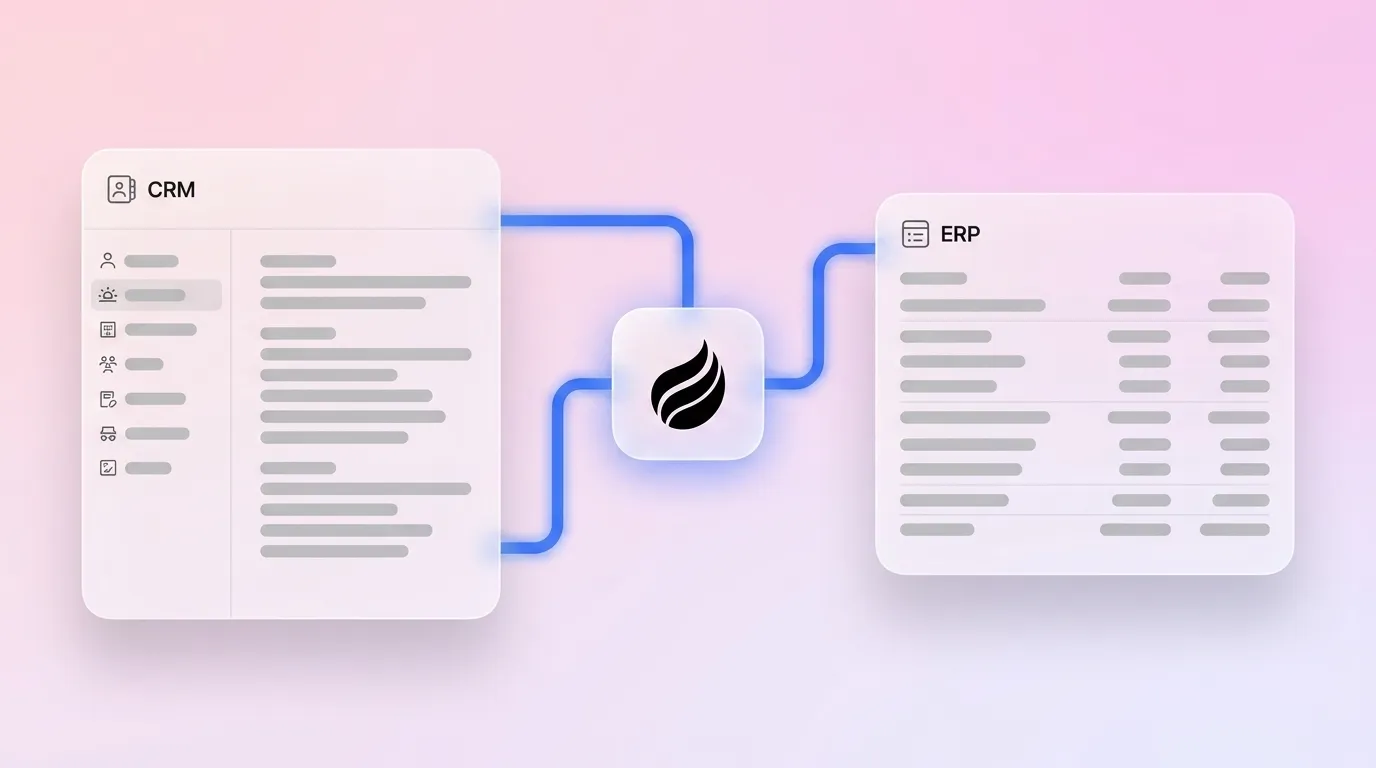
An autonomous AI agent replaces the middleware layer by ingesting ground-truth data such as emails, calendar events, and call transcripts, then writing structured, validated updates directly to both CRM and ERP records. AI enables real-time synchronization of customer data, order status, and inventory quantities, creating a unified operational view without middleware, and automates conflict resolution using timestamp priority, source priority, and merge rules based on business logic.
Coffee operates exactly this model. The Coffee Agent ingests emails, calendars, and call transcripts to auto-create contacts, log activities, and enrich records, then writes those structured updates back to the system of record without human intervention. Coffee deploys in two modes: as a Standalone CRM for companies building a modern system of record from scratch, or as a Companion App layered on top of existing Salesforce or HubSpot instances, handling the “data in” process so the primary CRM stays accurate without manual effort.
For financial data sync, Coffee integrated with QuickBooks in February 2026 to automatically sync invoices and payment statuses, providing real-time visibility within the CRM. Coffee’s Stripe integration, launched in January 2026, automatically imports customers and companies, enriches them, and adds paid invoices to deals as Closed Won, which closes the loop between payment events and CRM pipeline without a middleware layer or manual reconciliation step.
See how Coffee automates CRM–financial system sync without manual reconciliation.
Frequently Asked Questions
Who owns customer master data when CRM and ERP disagree?
Ownership is determined at the field level, not the system level. The CRM owns relationship and pipeline data such as contact email, opportunity owner, deal stage, and account hierarchy, because sales teams are accountable for that accuracy. The ERP owns financial and legal data such as legal name, tax ID, payment terms, and product pricing, because finance teams control those definitions and the downstream compliance implications. When both systems allow edits to the same field without a defined winner, sync conflicts overwrite valid data. The fix is a documented survivorship rule for every shared field, enforced before synchronization runs. An AI agent like Coffee can apply these rules automatically and route conflicts to the appropriate owner rather than silently overwriting records.
How do AI agents maintain security and compliance during sync?
Security in an agent-led sync model depends on the same controls required in any integration: role-based access, encrypted data transfer, and detailed audit logging. Coffee is SOC 2 Type 2 and GDPR compliant, and customer data is not used to train public models. The agent authenticates to connected systems (Google Workspace, Microsoft 365, Salesforce, HubSpot, QuickBooks, Stripe) via standard OAuth and API credentials, meaning it operates within the permission boundaries already defined by each platform’s admin. Because the agent writes structured data rather than raw unstructured text, every update is traceable and auditable, which is essential for finance-adjacent data like invoice status and payment terms.
Does an ERP already include CRM functionality?
Most ERP platforms include basic customer record management such as billing addresses, payment terms, and order history, but these modules are built on transactional data models optimized for financial accuracy, not sales process flexibility. They lack the relational constructs that sales teams need, including stakeholder mapping, call notes, deal stages, forecast categories, and pipeline visibility. Native ERP CRM modules frequently cause sales reps to abandon the system in favor of spreadsheets because the interface and data model serve accounting needs rather than selling workflows. A dedicated CRM connected to the ERP via a governed integration, or an AI agent that bridges both, delivers the unified view without forcing sales teams to work inside a financial system.
What happens to historical data during an agent-led migration?
Historical data handling depends on the deployment model. For teams adopting Coffee’s Standalone CRM, the agent can ingest historical email and calendar data from Google Workspace or Microsoft 365 to reconstruct contact timelines and activity logs without manual import. For teams using Coffee as a Companion App on Salesforce or HubSpot, existing records remain in place, and the agent authenticates to the current system and begins enriching and updating records from that point forward, preserving all historical data already in the CRM. In either case, Coffee’s built-in data warehouse retains interaction history so that pipeline comparisons, week-over-week changes, and deal context remain available without relying on the CRM’s native history tracking, which loses context when fields are overwritten.
Conclusion: Picking the Right Integration Path for Your Team
The right CRM-ERP integration approach depends on three evaluation criteria: data ownership clarity, real-time synchronization requirements, and long-term maintenance burden. Teams that skip the ownership definition step encounter bidirectional conflicts that erode trust in both systems. Teams that underestimate maintenance costs find that middleware licensing and engineering time consume the ROI that integration was supposed to generate.
Native connectors work for straightforward, vendor-supported field sets. iPaaS platforms handle complexity but add cost and a dependency layer that requires ongoing management. AI agents remove the middleware entirely by making the sync layer intelligent, ingesting unstructured data, applying ownership rules, and writing governed updates to both systems continuously.
For mid-market RevOps and sales leaders evaluating their options, Coffee offers a short path from disconnected systems to accurate, agent-maintained data, whether that means deploying a Standalone CRM or layering the Coffee Agent on top of an existing Salesforce or HubSpot instance.
Start with Coffee and let an autonomous agent maintain accuracy across both systems.