Written by: Doug Camplejohn, CEO & Co-Founder, Coffee | Last updated: September 27, 2026
Key Takeaways
- A Salesforce companion app is an OAuth-layered agent that reads email, calendar, and call data from Google Workspace or Microsoft 365 and writes structured records back into Salesforce while Salesforce remains the system of record.
- Key evaluation criteria for any companion app include write-back integrity, custom field mapping, confirmation-before-commit on sensitive fields, preservation of quotas and forecasting hierarchies, and data capture sources.
- The write-back process follows six steps: capture, extract, map, confirm, commit, and log, which creates governed automation with full audit trails.
- Coffee deploys as an OAuth-scoped companion layer that supports automatic contact creation, data enrichment, activity logging, AI meeting bots, and sales methodology structuring without requiring migration.
- Coffee is built for 20–100 seat Salesforce teams that want automated data entry without changing their CRM.
See Coffee’s Seat-Based Pricing
How To Evaluate A Salesforce Companion App For Data Entry Automation
Companion apps differ widely in how they handle Salesforce data. The criteria that matter for Salesforce data entry automation are operational, not cosmetic. Define your requirements across these dimensions before you evaluate any tool.
- Write-Back Integrity – what the agent is permitted to write, how it confirms before committing, and what it leaves untouched
- Field Mapping To Custom Fields – whether the agent can map extracted data to your org’s custom objects and fields, not just standard ones
- Confirmation-Before-Commit – whether sensitive fields (amount, stage, owner) require human review before the record is updated
- Preservation Of Quotas And Forecasting Hierarchies – whether the agent respects your existing Salesforce hierarchy and only updates forecast-sensitive fields with authorization
- Data Capture Sources – email, calendar, call transcripts, or all three
- Enrichment Depth – whether the agent appends job titles, funding data, and LinkedIn profiles from licensed partners
- Deployment Model And Setup Effort – OAuth-scoped installation versus a full platform migration
These criteria form the lens for every comparison that follows.
How A Companion App Writes Data Back Into Salesforce
The write-back contract is the core technical concept for any Salesforce companion app. It defines exactly what the agent can touch, how it proposes changes, and how those changes are committed to the system of record.
The sequence follows six discrete steps.
- Capture – the agent ingests raw signals from email threads, calendar events, and call transcripts via OAuth-scoped access to Google Workspace or Microsoft 365
- Extract – the agent parses unstructured content such as meeting notes, email text, and transcript segments, then identifies structured data points like contact names, company names, deal amounts, next steps, and qualification signals
- Map – the agent maps extracted values to specific Salesforce fields, including custom fields on standard and custom objects; a Salesforce field mapping agent must handle required fields, picklist constraints, and record-type-specific validation rules, which Salesforce’s own documentation confirms can vary by record type and cause run-time failures if not handled correctly
- Confirm – before committing to Salesforce, the agent surfaces proposed changes for human review; sensitive fields such as opportunity amount, stage, owner, and forecast category require explicit confirmation rather than silent overwrite
- Commit – once confirmed, the agent writes the record to Salesforce via the REST API and respects field-level security, sharing rules, and validation rules exactly as they would fire in the Salesforce UI
- Log – every write is logged with a timestamp, the source signal, the field updated, the previous value, and the user who confirmed the change, which creates a full audit trail
The confirmation-before-commit step separates a governed Salesforce companion app write-back from blind automation. HubSpot’s own AI data capture guidance recommends that four decision types always remain human-reviewed: deal terms, escalation routing, forecast commitments, and data overwrites on high-value records. A well-designed companion app enforces this at the field level.
Quota and forecasting hierarchy preservation rely on scope restriction. The Salesforce field mapping agent writes only to fields that sit inside its permitted scope. Quota fields, forecast category overrides, and territory assignment fields stay read-only for the agent unless an admin explicitly includes them. Traction Complete’s Agentforce implementation guide recommends establishing clear data relationships and account hierarchies as a best practice so agents can pull context from parent accounts and subsidiaries. The companion app must read and respect those hierarchies and keep them intact.
Companion-Layer Apps Vs Native Agentforce Vs Mobile-First Field Tools
These three approaches differ most in deployment model, write-back behavior, and fit for 20–100 seat teams. The table below compares them across those dimensions.
| Category | Deployment Model | Write-Back Behavior | Target Team Size |
|---|---|---|---|
| Companion-Layer App (Coffee) | OAuth-scoped installation on top of existing Salesforce, with no migration required | Governed write-back contract: capture → extract → map → confirm → commit → log, custom field support, confirmation-before-commit on sensitive fields | 20–100 seats, Salesforce-committed teams with low CRM adoption |
| Native Agentforce (Agentforce Default / Agentforce 360) | Built into Salesforce org; agents can run using only CRM records, Flows, and Apex without Data Cloud, though most production deployments require Data 360; typical implementations run five to eleven months | Reads from and writes to Salesforce records natively via Flows, Apex, and prompt templates; bounded by data already in Salesforce; email and calendar capture relies on Einstein Activity Capture or Salesforce Inbox rather than Data Cloud | Enterprise; employee add-ons from $125/user/month; Agentforce 1 Editions from $550/user/month |
| Mobile-First Field Tools (e.g., Salesforce Mobile Copilot for Field Service) | Native Salesforce mobile app; Einstein for Field Service includes Mobile Copilot | Optimized for on-site service record updates and not designed for email or calendar driven inside sales data capture | Field service teams and not suited for inside sales or RevOps use cases |
Why Coffee Is The Best Salesforce CRM Agent Companion App To Automate Data Entry
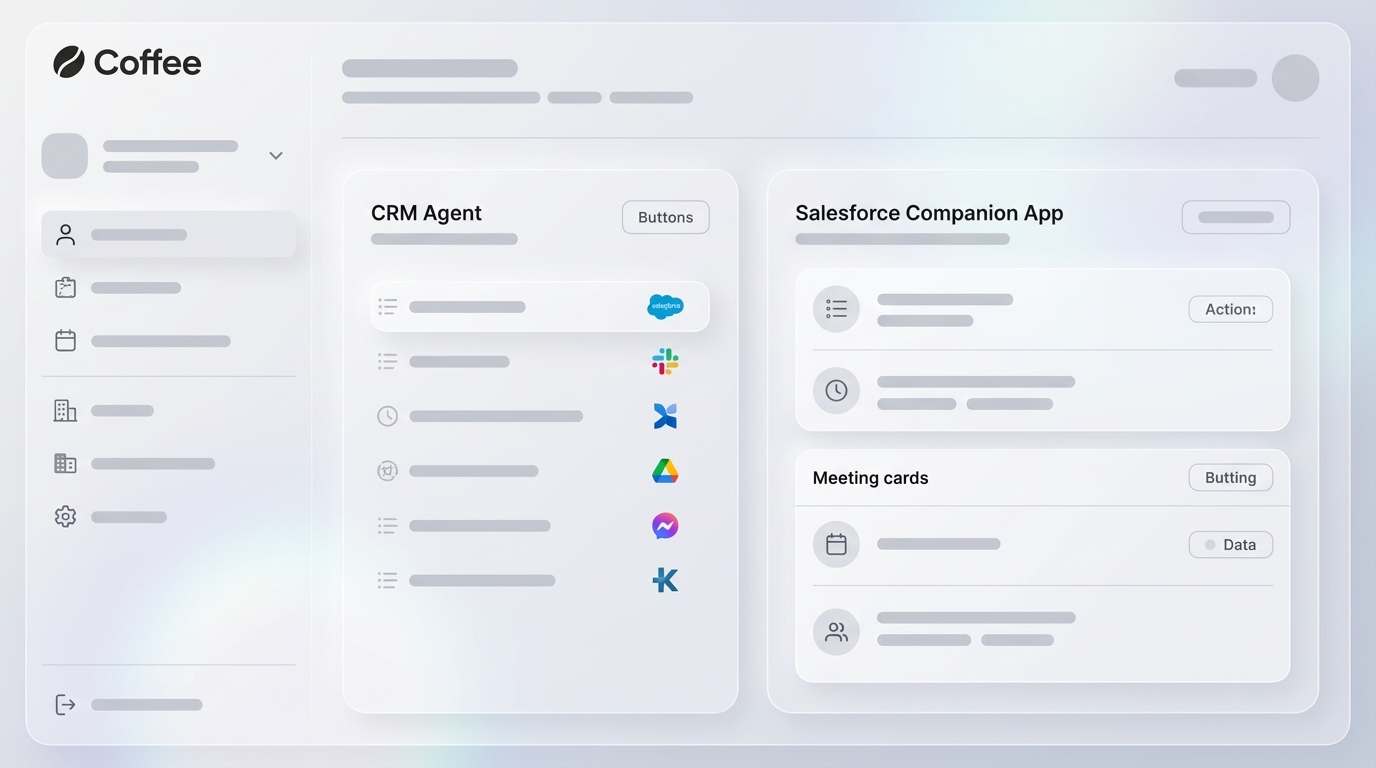
Against those criteria, Coffee is built as a companion layer rather than a native platform. It deploys an intelligent agent on top of an existing Salesforce instance and handles the “data in” process so Salesforce stays the system of record. Reps stop acting as data entry clerks. The agent handles the busywork.

Key features of Coffee’s Salesforce companion app include:
- Automatic Contact And Company Creation from Google Workspace or Microsoft 365, where the agent scans emails and calendars to populate Salesforce with people and organizations and associates every interaction with the correct record
- Data Enrichment Via Licensed Partners, where job titles, funding data, and LinkedIn profiles are appended automatically and separate tools like Apollo or ZoomInfo become unnecessary
- Activity Logging of last activity and next activity so deal state stays current without rep input
- AI Meeting Bot for Zoom, Teams, and Google Meet, where the agent joins calls, records and transcribes, then generates automated summaries, next steps, and follow-up emails for rep review
- Sales Methodology Structuring that organizes notes according to BANT, MEDDIC, or SPICED so consistent qualification data enters Salesforce on every deal
- Pipeline Compare for week-over-week pipeline intelligence that highlights progressed deals, stalled opportunities, and new additions, which replaces manual CSV exports and spreadsheet reviews
Coffee is SOC 2 Type 2 and GDPR compliant, and customer data is not used to train public models. Market data shared by Coffee shows that 71% of sales reps say they spend too much time on data entry, which leaves only 35% of their time for selling. Coffee’s agent recovers a significant portion of that time and redirects it to selling.

Talk To Coffee About Your Team Size
Agentforce Vs Third-Party Salesforce Companion App
Salesforce renamed Einstein Copilot to Agentforce (Default) in January 2025 as part of the Spring ’25 release, with no change in functionality. The current product family, now branded Agentforce 360 since October 2025, includes Agentforce Assistant, Agentforce SDR, Agentforce Sales Coach, Agentforce Voice, and related agents listed in Salesforce’s official compliance documentation.
The architectural difference between native Agentforce and an OAuth-scoped companion layer matters for 20–100 seat teams. Agentforce is embedded inside the Salesforce org and operates on data already in Salesforce. It can capture email and calendar data without Data Cloud by using Einstein Activity Capture or Salesforce Inbox. Both options require Inbox permissions and a connected email account. Data Cloud and RAG are not out-of-the-box-ready. Teams must create search indexes and configure search parameters before agents can retrieve and act on their data.
Agentforce pricing is layered on top of existing Salesforce contracts and is detailed in the pricing section below. Gartner Peer Insights reviewers note that advanced setup can be challenging and that credit-based pricing makes cost-benefit analysis difficult.
Coffee operates as an OAuth-scoped companion layer. It connects to an existing Salesforce org without Flows, Apex, or Data Cloud configuration. For 20–100 seat teams priced out of native Agentforce or unwilling to undertake a multi-month implementation, Coffee provides a practical path to automated Salesforce data entry.
Do You Have To Migrate To Automate Salesforce Data Entry?
No migration is required for this model. The companion approach replaces manual data entry while Salesforce remains the system of record. The agent adds a governed write-back layer on top of the existing org.
The no-migration architecture works because Coffee authenticates via OAuth and scopes its access to the specific objects and fields it needs to read and write. That scoped access keeps data inside Salesforce and avoids any replacement of the Salesforce object model. Zero records move outside the CRM. The existing Salesforce configuration, including custom fields, record types, validation rules, sharing rules, and forecasting hierarchies, stays intact.

This structure answers the “what is replacing Salesforce” concern directly. Salesforce continues as the core CRM. The companion app replaces the human rep as the data entry mechanism. A Salesforce integration is an ongoing connection that keeps two systems in sync over time, whereas a data migration is a one-time move of data into Salesforce. Coffee functions as an integration layer rather than a migration project.
Newer AI-native CRMs like Day.ai and Clarify often lack the depth required for sophisticated Salesforce integrations, including quotas, forecasting hierarchies, required fields, and custom objects. Coffee focuses on teams already committed to Salesforce that need the data entry problem solved without starting over.
Excel And CSV: What Changes When An Agent Replaces The Manual Round-Trip?
Salesforce does not ship a built-in live two-way Excel editing experience. The native options are the Data Import Wizard (up to 50,000 records, browser-based, one-directional) and Data Loader (up to 5,000,000 records, CSV-based, no built-in scheduling). Third-party Excel add-ins such as CData’s Connect Spreadsheets and Valorx Fusion provide live two-way connectivity. They still require a human to install the add-in, map fields, and initiate writes, although some steps like data refreshes can be automated on a schedule or simplified through guided setup modes.
The manual export-edit-reimport loop creates documented CRM hygiene risks. Manual Excel-to-Salesforce data handling produces duplicate records, data loss, and poor version control, and offline edits often go unreconciled with Salesforce for months. A portion of exported data never makes it back into Salesforce, which creates data gaps that hinder forecasting and pipeline visibility.
When a Salesforce CRM agent companion app replaces the manual round-trip, the loop disappears. The agent captures data at the source, such as the email, the calendar invite, or the call transcript, and writes it directly to Salesforce through the governed write-back contract. The agent writes directly to Salesforce, so there is no CSV file to re-import and no stale data sitting on a local machine. The system of record stays current in real time.

Pricing Reality For 20–100 Seat Teams
Coffee uses simple seat-based pricing. The human seats are the unit of billing, and the agent’s labor is included without metering on LLM usage or individual processes. This model stays predictable and scales linearly with headcount.
Native Agentforce pricing follows a different structure. Standard actions cost approximately $0.10 each via Flex Credits ($500 per 100,000 credits), or $2 per conversation. Employee add-ons run $125 to $150 per user per month, and Agentforce 1 Editions start at $550 per user per month. All of this layers on top of existing Sales Cloud licensing, with Data 360 billed separately. Data Cloud grounding is often the largest cost line in an Agentforce project, with the Starter tier commonly cited around $60,000 per year.
For a 20–100 seat team already paying for Salesforce, the incremental cost of native Agentforce at enterprise pricing represents meaningful additional spend before a single agent action fires. Coffee’s flat seat-based model is designed specifically for this team size.
How To Evaluate A Companion App In A Week
A structured one-week evaluation tests the criteria that matter most in a live org. These five checks map to the evaluation framework introduced earlier.
- OAuth Scope – confirm the app requests only the permissions it needs; review the connected app in Salesforce Setup and verify it does not request the “full” scope when narrower API scopes suffice, per OAuth scope best practices
- Field-Mapping Test – run a live capture against a real email or call and verify that extracted values land in the correct standard and custom fields; check that required fields are populated and picklist values are valid
- Confirmation Workflow – verify that sensitive fields such as amount, stage, owner, and forecast category surface for human review before committing; the agent should propose and then wait for approval
- Quota And Hierarchy Handling – confirm the agent does not write to quota fields or territory assignment fields; check that account hierarchy relationships are preserved on any created or updated records
- Enrichment Source – verify the agent’s enrichment data source and assess data quality against your existing records; confirm the vendor’s compliance posture, including SOC 2 Type 2 and GDPR, and its data usage policy
Five-Command MVP: What To Run In Week One
The fastest way to validate Coffee in a live Salesforce environment is to run five concrete commands in the first week.
- Log A Meeting – connect a completed Zoom, Teams, or Meet call and verify the summary, attendees, and next steps appear on the correct Salesforce opportunity or account record
- Update An Opportunity Amount – ask the agent to update a deal value from a call transcript and confirm the confirmation-before-commit workflow fires before the field is written
- Create A Follow-Up – instruct the agent to draft a follow-up email from the meeting summary and verify it appears in Gmail for rep review before sending
- Ask What Needs Attention – query the agent for deals with no activity in the past 14 days and verify the output matches your Salesforce pipeline data
- Summarize What Changed – run Pipeline Compare to see week-over-week changes across your open opportunities and confirm the output reflects actual Salesforce record updates
Frequently Asked Questions (FAQ)
Can A Companion App Update Salesforce While Preserving Quotas And Forecasting Hierarchies?
A governed write-back contract allows a companion app to update Salesforce without disrupting quotas and forecasting hierarchies. A well-designed Salesforce companion app restricts its write scope to the fields it is explicitly authorized to update. Quota fields, forecast category overrides, and territory assignment fields stay outside the agent’s write scope unless an admin configures them. Account hierarchy relationships are read by the agent to associate records correctly and remain unflattened. Coffee follows this architecture and understands the complexity of Salesforce integrations, including quotas, forecasting hierarchies, required fields, and custom objects.
How Does An Agent Compare To Excel For Salesforce Updates?
Salesforce’s native tools, the Data Import Wizard and Data Loader, accept CSV files and move data in a single direction into Salesforce. Third-party Excel add-ins like Valorx Fusion and CData’s Connect Spreadsheets provide live two-way connectivity via OAuth. They still require a human to install the add-in, map fields, and initiate writes, even when some steps are automated or guided. The Excel round-trip creates a fork in the data, where edits live offline, Salesforce goes stale, and a portion of exported data never returns. A Salesforce CRM agent companion app eliminates that round-trip by capturing data at the source and writing it directly to Salesforce through a governed write-back sequence.
What Is Replacing Salesforce For Mid-Market Teams?
Salesforce remains the primary CRM for most mid-market teams that already use it. The companion model addresses the real problem of manual data entry and poor CRM adoption without a migration. Salesforce continues as the system of record, and the companion app replaces the human rep as the data entry mechanism. Teams that evaluate newer AI-native CRMs like Day.ai or Clarify often find that those tools lack the depth required for sophisticated Salesforce integrations. Coffee’s companion app focuses on teams that want to keep Salesforce and fix the data quality problem.
Does Copilot Have A Salesforce Connector?
Microsoft Copilot offers Salesforce connectors through Microsoft 365 integrations and Power Automate. These connectors differ from a Salesforce CRM agent companion app. They do not provide a governed write-back contract, confirmation-before-commit workflows, or enrichment from licensed data partners. They function as workflow automation tools rather than agents designed to solve the CRM data entry problem. Coffee is purpose-built for Salesforce data entry automation, with deep knowledge of Salesforce’s object model, required fields, and forecasting hierarchies.
Which Data Enrichment Tools Work Best With Salesforce?
Standalone enrichment tools like ZoomInfo and Apollo append firmographic and contact data to Salesforce records but require separate subscriptions and manual or scheduled sync workflows. Coffee includes enrichment via licensed data partners as a native capability of the companion app. Job titles, funding data, and LinkedIn profiles are appended automatically when a contact or company record is created, without a separate tool or subscription. This approach consolidates enrichment into the same agent that handles data capture, activity logging, and pipeline intelligence, which reduces both cost and stack complexity.
Conclusion: Why Coffee Fits 20–100 Seat Salesforce Teams
Manual Salesforce data entry drains selling time, forecast accuracy, and revenue. Reps spend hours per week on admin that produces incomplete, stale records, and the CRM turns into a liability instead of an asset. A Salesforce CRM agent companion app solves this while keeping your existing Salesforce configuration and your current workflows.
Coffee is the definitive Salesforce CRM agent companion app to automate data entry for 20–100 seat teams. It deploys via OAuth on top of your existing Salesforce instance, captures data from email, calendar, and calls, and writes structured records back through a governed write-back contract of capture, extract, map, confirm, commit, and log. Salesforce stays the system of record. The agent handles the rest.
Start A One-Week Coffee Evaluation