
Written by: Doug Camplejohn, CEO & Co-Founder, Coffee | Last updated: August 3, 2026
Key Takeaways for Low-Maintenance Contact Integrations
- Zero-maintenance contact integrations rely on autonomous AI agents that ingest email, calendar, call, and form data without manual workflows or field mapping.
- Traditional models, including native connectors, iPaaS tools, and custom APIs, each impose recurring human effort to stay functional after launch.
- Autonomous agents remove the hidden cost of second cleanup passes by continuously capturing, enriching, and logging data in real time.
- Teams using Salesforce or HubSpot can layer an agent as a companion app to feed the existing CRM without migration or Zapier rebuilds.
- For 10-to-50-person sales teams seeking zero ongoing maintenance, see how Coffee’s agent eliminates integration work by replacing fragmented integrations with a single autonomous system.
Comparing Integration Effort by Platform Type
Integrations with ERP, email marketing, support tools, billing, or marketing automation add significant upfront effort plus ongoing maintenance whenever either side updates, and many companies need several integrations to make a CRM useful. The table below ranks common contact management approaches by the ongoing effort they impose after go-live.
| Integration Model | Example Platforms | Estimated Ongoing Maintenance | Primary Maintenance Driver |
|---|---|---|---|
| Autonomous AI Agent | Coffee (Standalone or Companion) | ~0 hours/week | Agent handles ingestion, enrichment, and logging automatically |
| Native Connectors | HubSpot, Salesforce (AppExchange), Zoho | Low, vendor manages updates and compatibility patches | Field-mapping drift, sync latency, lifecycle stage conflicts |
| iPaaS / Zapier-Heavy | Zapier, Make, Workato | Medium to high, more rules create more drift and failure points | Broken Zaps, API version changes, field-map rule management |
| Custom API / Manual | Any CRM with bespoke connectors | High, developer time required for every API change, rate limit update, or deprecation | Engineering backlog, authentication changes, full-time maintenance risk |
The gap between native connectors and autonomous agents goes beyond convenience. The hidden cost of CRM-marketing integrations is not setup but the second cleanup pass, because a broken rule that requires a weekly spreadsheet check adds labor instead of removing it. For a 10-to-50-person sales team without a dedicated RevOps engineer, that cleanup pass usually lands on the Head of Sales or a rep who should be selling.
Fixing Data Capture and Enrichment Gaps
B2B contact data decays at 25-30% per year on average, though rates vary sharply by field and channel. Native connectors from platforms like Salesforce and HubSpot address structured data fields but do not ingest unstructured sources such as email threads or call transcripts. This gap forces teams to rely on third-party enrichment tools like ZoomInfo and Apollo for firmographic data, but that data is static, decays quickly, and still does not identify which leads deserve immediate attention.
The average B2B CRM has 30 to 40% of records missing at least one critical field such as job title, phone, company size, or industry. An autonomous agent approaches this problem differently. It scans emails and calendars to auto-create contacts. It augments records with job titles, funding data, and LinkedIn profiles via licensed data partners. It also logs activity autonomously, which removes the need for a separate enrichment subscription and reduces the impact of annual data decay.

Reducing Email and Calendar Sync Friction
Integration friction in CRM-email systems frequently stems from data quality and field-mapping issues rather than the absence of software connectivity, and native connectors from vendors like Salesforce, HubSpot, Marketo, and Eloqua still propagate mismatches. Sync latency compounds the problem. Polling intervals in native CRM-to-MAP connectors create ghost records and stale data that cause campaigns to target deleted contacts or miss status changes.
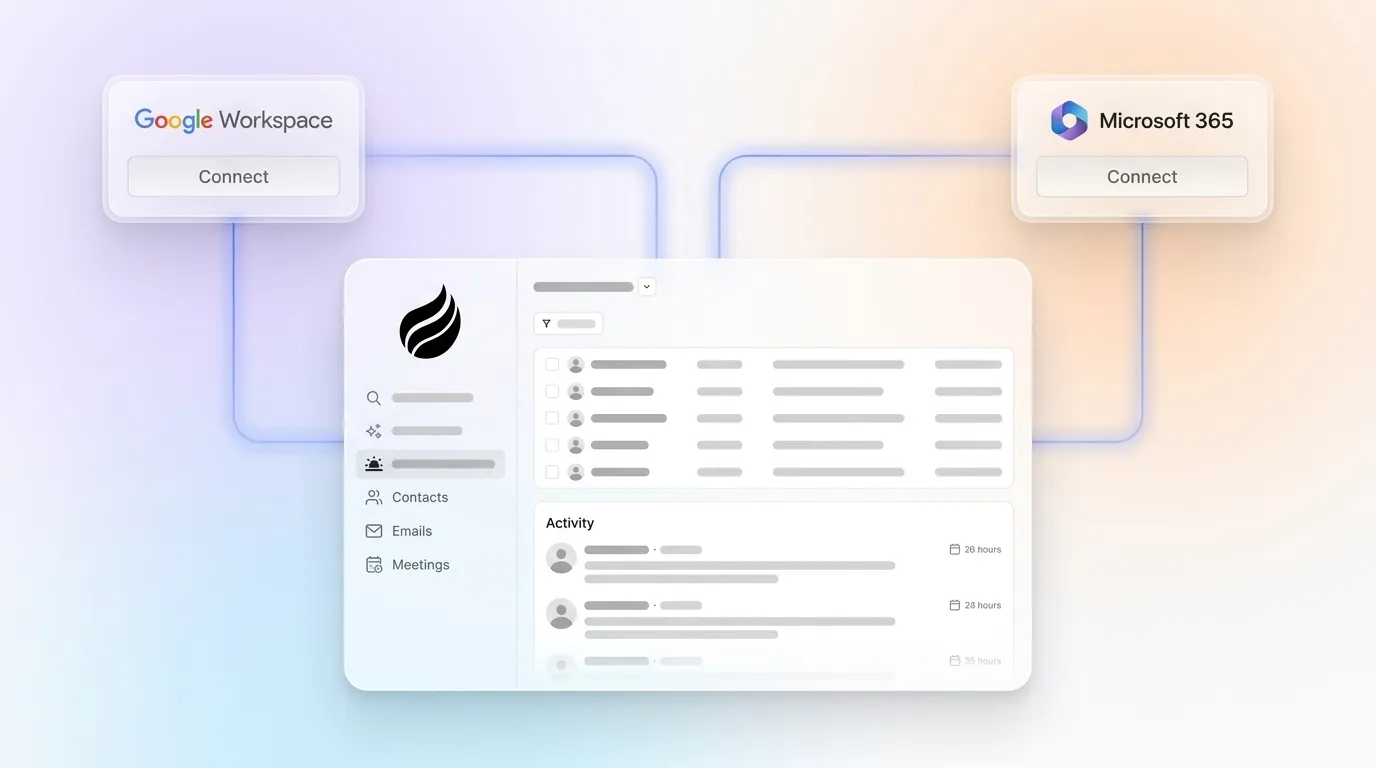
Calendar sync adds its own friction. Most platforms offer one-way or periodic sync instead of real-time bidirectional updates. Real-time bidirectional data flow, where every email event updates the pipeline and pipeline changes trigger the next email, is the baseline for CRM email automation. Without that flow, the tool behaves like a scheduled broadcast platform rather than a CRM-connected automation layer. An agent that connects to Google Workspace or Microsoft 365 at authentication and continuously monitors both email and calendar removes the polling interval entirely.

Handling Accounting, E-commerce, and Phone Integrations
Accounting integration depth varies substantially across platforms. Suite-integrated platforms like Zoho CRM and Odoo reduce duplicate entry more effectively than CRM-first platforms like HubSpot and enterprise platforms like Salesforce that rely on connectors. Common friction points include field-mapping setup, duplicate records during data model customization, and ongoing maintenance when syncing CRM pipeline stages with external accounting ledgers.
Phone integrations create a similar tradeoff. CRM-native dialers win on convenience because reps dial from within the CRM record with zero context-switching, while standalone dialers require separate sync to the CRM, which increases setup complexity and forces teams to trust data writes for call logs, dispositions, and verified fields. For teams using call recording tools like Gong or Chorus, reconnecting those integrations after any CRM change takes 1 to 8 hours per tool depending on complexity, with a mature integration stack requiring 20 to 80 hours total.
What AI Agents Actually Do in 2026
By the end of 2026, 40% of enterprise applications will include task-specific AI agents, up from less than 5% in 2025, according to Gartner, an eightfold increase that accelerates the shift of CRM automation from passive record-keeping to agentic, proactive systems. These agents do not replace connectors with more connectors. They replace the entire connector model with continuous, intent-driven data ingestion.
Agentic data management systems can connect to multiple systems, pull data from warehouses and APIs, harmonize schemas, apply transformations, validate outputs, and enrich attributes in real time without manually built workflows. The practical result is clear. Autonomous AI agent platforms solve brittle trigger-action webhooks by operating live web tools, enriching leads, and syncing verified data directly into CRMs including HubSpot, Salesforce, Pipedrive, and Zoho with zero manual maintenance.
Adoption still remains uneven. Many firms continue to experiment with agentic AI, so most CRM AI projects launch pilots but few reach reliable production at scale. The teams that do reach production share a common foundation: clean, continuously ingested data that the agent maintains without human intervention.
Agent Integrations Compared to Traditional Models
Traditional integrations move structured data between defined fields on a schedule. An autonomous agent ingests both structured data, such as contact records, deal stages, and form fills, and unstructured data, such as email text, call transcripts, and meeting notes. It then writes coherent, enriched records back to the system of record without user-built workflows.
Coffee’s agent operates in two modes. As a Standalone CRM, it becomes the system of record and handles all ingestion natively. As a Companion App layered on Salesforce or HubSpot, it authenticates once and then continuously captures activity, enriches contacts, and writes insights back to the primary CRM. This approach replaces the Zapier flows, enrichment subscriptions, and manual logging that currently fragment the stack.
Sales reps often manage many platforms daily, and a large percentage feel overwhelmed by their tech stack. According to TryKondo, 94% of organizations want to consolidate their tech stack. The agent model provides that consolidation mechanism by turning many point integrations into a single autonomous layer.
Join the 94% and consolidate your stack with Coffee’s autonomous agent to eliminate the platform overload your reps already feel.
Choosing an Integration Model for Your Stage
The right integration model depends on current stack commitment and team size.
For early-stage teams of 1 to 20 people that have outgrown spreadsheets but view HubSpot or Pipedrive as expensive maintenance burdens, Coffee’s Standalone CRM deploys the agent as the system of record from day one. There are no integrations to build, because the agent handles ingestion directly from Google Workspace or Microsoft 365 after authentication.
For teams already committed to Salesforce or HubSpot with 10 to 50 people, the Companion App model offers a lower-disruption path. The existing CRM remains the system of record. Coffee’s agent authenticates, begins capturing emails, calendar events, and call transcripts, enriches contact records, and writes activity back without a migration or a Zapier rebuild. CRM cutovers can lead to several weeks of reduced productivity. The Companion App avoids that disruption entirely by working alongside the existing stack.
Addressing Common Objections to Agent-Based Integrations
Data security. Coffee is SOC 2 Type 2 and GDPR compliant. Data ingested by the agent is not used to train public models. BlackFog research reports that 49% of employees use unsanctioned AI tools and 58% of those rely on free versions with minimal security. A governed, certified agent reduces that compliance exposure.
Data quality versus ZoomInfo. Coffee’s enrichment data is roughly on par with ZoomInfo for most use cases and is built into the agent at no additional subscription cost. The more significant quality advantage appears on activity data. Sales professionals spend substantial time each week on admin tasks and manual CRM data entry rather than active selling, so activity records in most CRMs are incomplete by default. The agent captures 100% of activity automatically.
Implementation effort. Coffee connects through a simple authentication to Google Workspace or Microsoft 365 and begins working immediately. There is no multi-month rollout. Unlike traditional CRM rollouts, Coffee’s agent is operational the same day, so teams avoid long implementation timelines.
Decision Checklist for Sales and RevOps Leaders
Use the criteria below to match the right integration model to your current situation.
- No CRM yet, 1–20 people: Coffee Standalone CRM, agent is the system of record, no integrations to build.
- On Salesforce or HubSpot, 10–50 people, low CRM adoption: Coffee Companion App, agent feeds the existing CRM without migration.
- Paying for Zapier plus an enrichment tool plus manual logging: Coffee Companion App consolidates all three into one agent subscription.
- Need accounting or e-commerce depth natively: Evaluate Zoho CRM or Odoo for suite-level integration, then layer Coffee as the activity capture agent on top.
- Large enterprise with complex custom workflows: Coffee is not the right fit, and a dedicated iPaaS with engineering support is more appropriate.
Frequently Asked Questions
How long does it take to implement Coffee and see the agent working?
Coffee connects to Google Workspace or Microsoft 365 through a standard OAuth authentication. Once connected, the agent immediately scans emails and calendars and starts auto-creating contacts, logging activity, and enriching records the same day. There is no multi-week onboarding, no field-mapping configuration, and no Zapier workflow to build. For teams using the Companion App on Salesforce or HubSpot, the agent authenticates with the CRM in the same session and begins writing enriched data back to existing records without a migration or a parallel data cleanup project.
Does switching to Coffee require migrating away from Salesforce or HubSpot?
No. The Companion App model serves teams that remain committed to their existing CRM. Coffee’s agent operates as an intelligent layer on top of Salesforce or HubSpot, handling the data-in process by capturing emails, calendar events, call transcripts, and contact enrichment, then writing the results back to the primary system of record. The CRM stays in place. Reps continue working in the same interface they already use, and the agent fills in the data that previously required manual entry or a Zapier workflow.
How does Coffee handle data security and compliance?
Coffee is SOC 2 Type 2 certified and GDPR compliant. Data ingested by the agent, including email content, calendar events, and call transcripts, is not used to train public AI models. Pricing is seat-based, so there is no hidden metering on data volume or LLM usage that would create unpredictable cost exposure. For teams in regulated industries such as healthcare or finance that require multi-year security reviews or highly customized data residency arrangements, Coffee remains transparent that those use cases fall outside its current target profile.
How does Coffee’s enrichment data compare to a dedicated tool like ZoomInfo or Apollo?
Coffee’s enrichment data, including job titles, funding information, and LinkedIn profiles, is sourced through licensed data partners and is roughly on par with ZoomInfo and Apollo for the firmographic and contact data needs of most 10-to-50-person sales teams. The more meaningful difference is that Coffee’s enrichment is built into the agent at no additional subscription cost, which removes a separate line item and a separate integration to maintain. Coffee also includes a Lead Finder feature that builds targeted prospect lists via natural language search and a Visitor Identification feature that turns anonymous website traffic into named, enriched prospects. Those capabilities would otherwise require two additional point-solution subscriptions.

What happens to the integrations I have already built in Zapier?
Coffee currently supports Zapier for teams that need to connect tools outside the agent’s native scope, and deeper direct integrations sit on the product roadmap. For the workflows that Coffee’s agent handles natively, such as contact creation, activity logging, email and calendar sync, call transcription, enrichment, and pipeline tracking, those Zapier flows become redundant and can be retired. The practical outcome for most 10-to-50-person teams is a significant reduction in Zapier task volume and the associated monthly cost, because the agent replaces the triggers and actions that previously required middleware to stitch together.
Conclusion: Moving Away from Fragile Integrations
Most contact management software integrations do not fail at setup, they fail over time. As noted earlier, integrations fail not at setup but during ongoing maintenance, because native connectors drift, Zapier flows break on API changes, and custom integrations accumulate as technical debt. Between 50% and 63% of CRM implementations fail to reach their goals, and the integration maintenance burden is a primary reason adoption collapses.
The zero-maintenance alternative is an autonomous agent that ingests structured and unstructured data continuously, enriches records automatically, and writes clean activity back to whatever system of record the team already uses. This approach works without Zapier, without manual logging, and without a dedicated RevOps engineer to keep it running. For sales and RevOps leaders at 10-to-50-person companies, that is the integration model worth evaluating in 2026.
See Coffee’s pricing and deployment options to eliminate your integration maintenance backlog without migration risk.


