
Written by: Doug Camplejohn, CEO & Co-Founder, Coffee | Last updated: August 6, 2026
Key Takeaways for Revenue and Sales Leaders
- Manual CRM data entry consumes 11.5 hours per week per rep, which equals nearly seven full work weeks annually and leaves 79% of opportunity data unlogged.
- Traditional rule-based automation and Zapier stitching break when inputs vary, so unstructured data from emails and calls stays uncaptured and pipelines drift out of sync.
- AI agents in 2026 operate as autonomous systems that capture, enrich, and act on contact data without ongoing human intervention.
- Coffee’s agent unifies structured and unstructured inputs, auto-creates records, joins calls, drafts follow-ups, and surfaces pipeline changes in real time.
- Teams evaluating contact management automation can review Coffee’s plans to remove manual entry and consolidate their tech stack.
The Problem: Manual Contact Management Drains Time and Breaks Forecasts
The average sales rep spends about 11.5 hours per week manually entering data into a CRM, which consumes 28% of a standard work week. Separate analysis puts the figure at roughly 275 hours lost annually to CRM administrative busywork, or nearly seven full work weeks per year. The Salesforce 2026 State of Sales report confirms that the average seller spends only 30% of their time actually selling, with the rest absorbed by admin tasks.
Seventy-one percent of sales reps report spending too much time on data entry, and they rank it among their top job frustrations. The downstream consequences are severe. Seventy-nine percent of opportunity-related data gathered during sales calls is never entered into the CRM because manual entry friction is too high. When call data disappears, pipeline stages become guesswork, and forecasts inherit every upstream gap.
This data loss problem is amplified by scattered tooling. When reps toggle between a CRM for records, a data vendor for enrichment, a sequencer for outreach, and a recorder for calls, the stitching breaks. Records fall out of sync, context is lost between tools, and shadow CRMs such as spreadsheets and Notion docs become the real workspace. B2B contact data degrades at an average rate of roughly 22.5% per year as people change jobs and emails retire, and traditional CRMs have no built-in mechanism to detect or correct the decay. The result is confident but incorrect reporting built on stale, duplicated, or incomplete records.
Legacy CRM Tactics Fall Short for Modern Sales Teams
Manual CRM entry, spreadsheets, Zapier-stitched point solutions, and standalone tools like ZoomInfo or Outreach each address one slice of the problem while leaving the rest unresolved. The deeper issue is architectural. Traditional CRM systems such as Salesforce, HubSpot, and Microsoft Dynamics can only ingest structured form fields and cannot process unstructured inputs including RFP documents, emails, or chat logs.
Traditional CRM automation executes deterministic if-this-then-that rules exclusively on structured database fields such as dropdowns and checkboxes, ignoring critical details left in free-text fields such as emails, call notes, or contact form text areas. When a workflow diverges from the predefined rule set, such as a rep being out of office, a lead arriving via an unexpected channel, or a missing field, rule-based automation fails when inputs vary from expected formats, causing workflows to stop or require manual overrides.
Many teams attempt to bridge these gaps with Zapier stitching, but this approach adds integration overhead without solving the underlying data quality problem. Each new point solution adds another subscription, another silo, and another surface for records to diverge. Traditional CRM automation is reactive rather than proactive because it cannot reliably initiate the next best action on its own, and instead only tells users what happened after the fact. A lead that arrives on a Friday afternoon sits in a queue until Monday, then waits for a rep to process it manually.
The Solution: Agent-Led Contact Management Built for 2026
The category shift underway in 2026 is from passive databases to proactive agents. The key inflection point is the transition from isolated AI features to autonomous agents embedded in the CRM, which move beyond predictive AI and generative AI to Wave 3 autonomous agents that capture interactions, update pipelines, trigger follow-ups, and analyze signals without direct human intervention. The global AI agents market is estimated at USD 7.6 billion in 2025, growing to USD 10.9 billion in 2026 and projected to reach USD 182.9 billion by 2033 at a CAGR of 49.6%.
Coffee is built for this new category. Rather than functioning as a passive container for data, Coffee deploys an autonomous agent that ingests both structured and unstructured data, including emails, calendar events, call transcripts, and external firmographic sources. The agent unifies records and triggers follow-ups without human upkeep. Because teams have different CRM commitments, the agent operates in two deployment models: as the engine behind a Standalone CRM for companies that want a modern system of record, or as a Companion App that layers on top of an existing Salesforce or HubSpot instance and writes enriched data back without disrupting the primary CRM. This flexibility makes the dual-model architecture a practical path to “good data in, good data out” for both SMBs and mid-market teams committed to their existing stack.


6-Step Workflow: How Coffee’s Agent Handles Contacts End-to-End
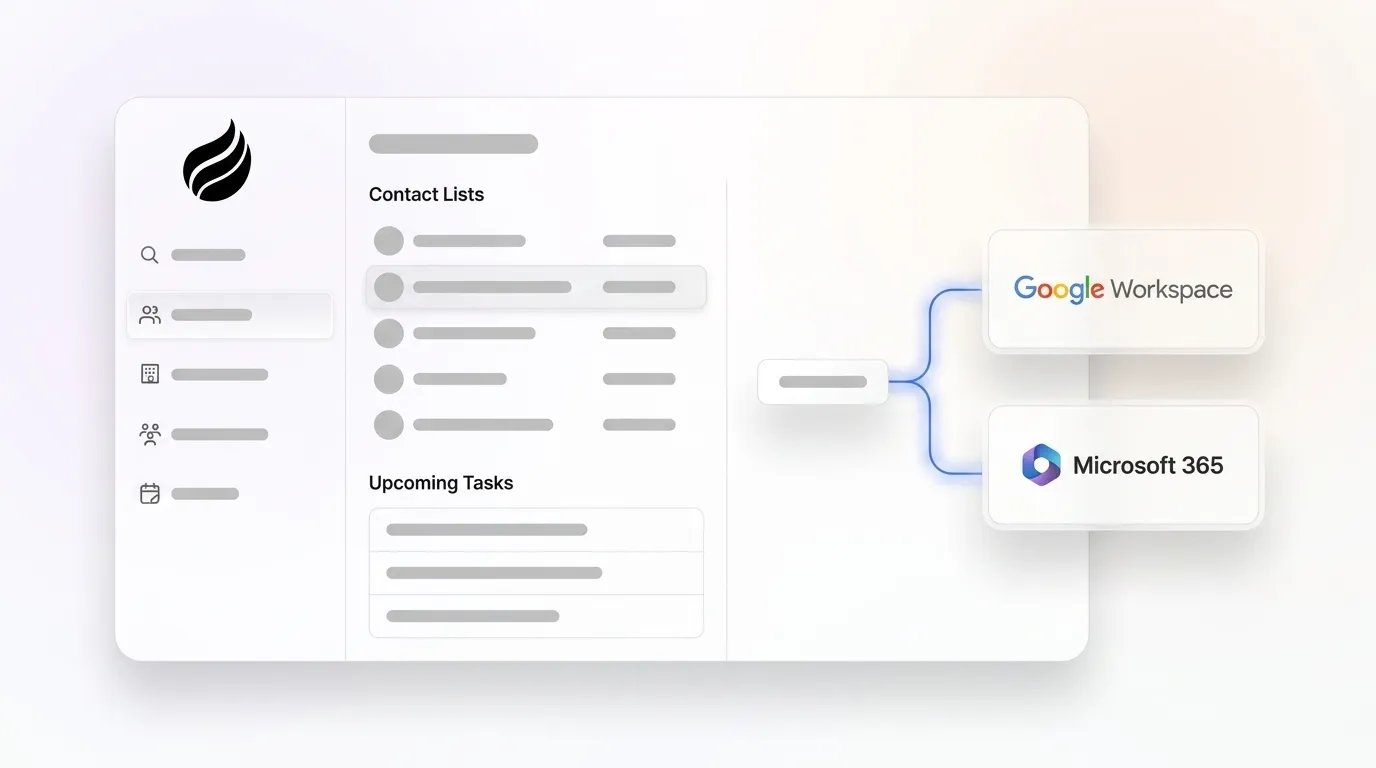
- Connect Google Workspace or Microsoft 365. A simple authentication gives the Coffee Agent access to emails and calendar events. The agent immediately begins scanning for contacts, companies, and activities, and no manual import is required.
- Auto-create and enrich contacts and companies. The agent populates the CRM with people and organizations found in communications, then augments records with job titles, funding data, and LinkedIn profiles via licensed data partners. Coffee’s agent also integrates with platforms like Stripe to automatically import customers, enrich them, and add paid invoices to deals as Closed Won.
- AI meeting bot joins calls, transcribes, and structures notes. The agent joins Zoom, Teams, or Meet calls to record and transcribe. After each call, it structures output according to BANT, MEDDIC, or SPICED so consistent qualification data enters the system. Custom Meeting Briefings and Summaries allow users to define exact formats, from high-level executive summaries to granular technical breakdowns.
- Agent drafts follow-up emails and logs all activities. The agent generates summaries, identifies next steps, and drafts follow-up emails in Gmail for rep review. It logs “last activity” and “next activity” autonomously, which keeps deal state current without rep input. This autonomous logging removes the post-call admin work that typically consumes 15–20 minutes per meeting.
- Pipeline Compare visualizes week-over-week changes. Because the agent captures history in a built-in data warehouse, it highlights progressed deals, stalled opportunities, and new additions automatically. This capability replaces manual CSV exports and turns pipeline reviews from interrogation sessions into strategic discussions.
- Visitor Identification pixel converts anonymous traffic into named, persona-matched leads. A single tracking script identifies website visitors by name, title, email, and LinkedIn profile. Real-time Slack notifications surface high-fit visitors, and Coffee’s Suggested Leads feature recommends the specific two or three people inside a visiting company who match the buyer persona. This sequence closes the loop from pixel hit to outbound action without leaving the agent.
Measurable Outcomes Revenue Teams Achieve in 2026
Agent-led contact management delivers clear operational gains. Coffee’s agent recovers the majority of the 11.5 hours per week that reps currently lose to manual CRM work by automating contact creation, enrichment, and activity logging. Sales teams also cut manual data entry by turning on automated email and calendar capture that logs outbound emails, inbound emails, meeting invites, and full email threads without rep action.

Forecast accuracy improves as predictions shift from rep estimates to real conversation and activity signals captured automatically. This shift to signal-based forecasting has proven transformative, and Outreach’s internal deployment of AI agents achieved three times pipeline growth over two quarters by making similar changes. Beyond time savings and forecast improvements, teams consolidate their tech stack. Coffee performs the jobs of a standalone CRM, enrichment tool, prospecting database, meeting recorder, sales engagement platform, and forecasting add-on in a single agent.

How to Evaluate Contact Management Automation Tools
Mid-market sales and RevOps leaders can use a simple framework to evaluate contact management automation tools before committing to any platform.
- Integration depth. Mid-market teams should test integration depth on a real deal and specifically check for two-way sync and field-level writing against their own Salesforce or HubSpot setup. Any tool that requires manual export or import will not be used consistently by reps under quota pressure.
- Unstructured data handling. Teams should verify that the tool can process call transcripts, email threads, and free-text fields, not just structured form inputs. Rule-based tools that ignore unstructured data leave the majority of deal context uncaptured.
- Data quality benchmarks. Evaluators must check the underlying data sources used by the model, the frequency of model updates, and whether the vendor can provide a clear explanation for how any specific recommendation or insight was generated.
- Security and compliance. SOC 2 Type 2 and GDPR compliance are baseline requirements for any tool handling contact data. Teams should confirm that CRM data is not used to train public models.
- Implementation effort and time to value. AI capabilities can deliver initial value within weeks, though the exact timeline varies by platform and integration needs. For 10–50 person teams, any implementation approach that assumes a large RevOps function becomes a disqualifier.
- Pricing model fit. Coffee uses seat-based pricing, so teams pay for human seats and the agent’s unlimited labor is included. This structure avoids complex metering on LLM usage or automated processes.
Frequently Asked Questions
What is contact management software automation?
Contact management software automation uses AI agents to capture, enrich, and maintain contact and company records in a CRM without manual input from sales reps. Instead of relying on humans to log calls, update fields, and research new contacts, an automated system ingests data from emails, calendars, call transcripts, and external data sources. It then writes structured, enriched records back to the CRM in real time. Modern AI-agent approaches go beyond rule-based triggers by processing unstructured data such as email threads and meeting transcripts, and they take proactive actions like drafting follow-ups, flagging stalled deals, and identifying net-new prospects from website traffic.
Can Coffee work with my existing Salesforce or HubSpot instance?
Coffee works with existing Salesforce and HubSpot instances through its Companion App deployment model. After a simple authentication, the Coffee Agent syncs with the existing CRM, enriches contact and company records, logs activities from emails and calls, writes meeting summaries and next steps back to the primary system, and surfaces pipeline intelligence. Reps keep their primary workflow while the agent handles the data work. Coffee has deep knowledge of Salesforce and HubSpot architecture, including quotas, forecasting, required fields, and custom objects, which distinguishes it from newer CRM alternatives that lack the integration sophistication to serve established mid-market teams.
How does Coffee ensure data security and privacy?
Coffee is SOC 2 Type 2 certified and GDPR compliant. Customer data processed by the Coffee Agent is not used to train public AI models. For teams in regulated or security-conscious environments, Coffee can provide documentation on its subprocessors and data handling practices. The agent’s enrichment data comes from licensed third-party data partners rather than scraped or unverified sources, which supports data quality and compliance at the same time.
What operational impact should I expect in the first 90 days?
Most teams see measurable impact across three clear phases. In weeks one through four, the agent begins auto-creating contacts and companies from email and calendar data, which removes the majority of manual entry immediately. Reps typically recover 30–60 minutes per day that they previously spent on post-meeting logging and CRM updates.
In weeks five through twelve, meeting summaries structured to BANT, MEDDIC, or SPICED begin producing consistent qualification data. Pipeline Compare also replaces manual spreadsheet reviews, so managers spend more time on coaching and less on reconciliation.
By month three, forecast accuracy improves because pipeline stages reflect real activity signals rather than rep-reported estimates. The consolidated tech stack also reduces subscription overhead from point solutions that previously handled enrichment, recording, and sequencing separately.
Conclusion: Shift CRM Work from Humans to an AI Agent
This shift, from systems that store data to agents that act on it, defines how revenue teams operate in 2026. The unit of work in revenue teams is moving from human headcount to designed combinations of judgment, software, and digital labor that can research accounts, fix CRM records, draft follow-ups, and monitor customer signals at machine scale. Manual contact management, including logging calls, researching contacts, updating fields, and exporting pipeline reports, is not a sales function. It is overhead that compounds into forecast inaccuracy and lost selling time.
Coffee addresses this problem with a proactive agent that handles both structured and unstructured data, and it can be deployed as a standalone AI-first CRM or as a companion layer on Salesforce and HubSpot. The agent handles the data in so teams get accurate intelligence out, without spreadsheets, without shadow CRMs, and without reps serving the software instead of their customers.


