
Written by: Doug Camplejohn, CEO & Co-Founder, Coffee | Last updated: August 6, 2026
Key Takeaways for Startup Teams
- Startups need contact management software that captures data automatically and syncs with Google Workspace from day one, eliminating manual entry friction.
- Coffee delivers same-day setup with autonomous agent-driven enrichment, outperforming HubSpot, Pipedrive, and Attio in speed and automation depth.
- Legacy CRMs suffer from data decay and require ongoing human maintenance, while Coffee maintains 95%+ accuracy through continuous AI enrichment.
- Free tiers from competitors quickly hit limits on users, contacts, and automation, making seat-based pricing with included agent labor more cost-effective for growing teams.
- Startups ready to replace manual data entry with an autonomous agent can deploy Coffee’s autonomous agent today.
Startup CRM Snapshot: Setup, Workspace Sync, Automation, Data, Pricing
| Criterion | Coffee | HubSpot Starter | Pipedrive Lite | Attio |
|---|---|---|---|---|
| Setup Speed | Same-day, agent begins auto-creating contacts on Google Workspace connection | 1–2 weeks of focused configuration | 1–3 days for non-technical teams | Hours to days, manual field mapping required |
| Google Workspace Sync | Autonomous, agent scans emails and calendars to auto-populate and enrich records | Gmail/Calendar integration included, automation gated behind paid tiers | Gmail sync available, activity logging largely manual | Email sync available, no autonomous enrichment agent |
| Automation Level | Agent-native: auto-logs activities, enriches contacts, drafts follow-ups, runs campaigns | Multi-step automation requires Professional tier ($800+/mo) | Workflow automation available on higher tiers, basic on Essential | Automation via custom code or Zapier, no built-in AI agent |
| Data Quality Maintenance | Agent continuously enriches and updates records, AI pipelines reach 95%+ accuracy vs 60–70% for manual entry | Relies on rep input, B2B contact data decays roughly 20–30% per year, with some sources citing 30% or higher depending on industry and fields tracked, outpacing manual updates | Rep-dependent, no autonomous enrichment | Passive, data quality depends on human maintenance |
| Pricing Reality | Seat-based, agent labor included at no extra charge, see Coffee pricing | Free tier caps at 2 users and 1,000 contacts, Starter at $20/seat/mo | Lite (the rebranded former Essential plan) starts at $14 per seat per month when billed annually, advanced automation on higher tiers | Free tier available, paid plans required for full automation |
Why Startups Still Need a CRM in 2026
Founders managing more than 50 active relationships need a CRM that does not turn them into data-entry clerks. A team of fewer than five people managing fewer than 50 purely transactional contacts can survive on Google Contacts and Gmail alone, but that ceiling arrives fast. Once pipeline, forecasting, or collaboration enters the picture, a spreadsheet or basic address book breaks down.
The real decision is whether the CRM you choose will work for you or demand that you work for it. Seventy-nine percent of opportunity-related data gathered during sales calls never reaches legacy CRMs because of manual input friction. A system that captures nothing useful is worse than no system at all. The 2026 standard for contact management software is autonomous data capture, not a well-designed form waiting to be filled.
Let Coffee’s agent handle data entry from day one.
How AI Is Changing CRM, Not Replacing It
AI will not replace CRM, it will replace the human labor that legacy CRMs currently demand. Gartner predicts that by 2028 more than 30% of enterprise applications, including CRMs, will incorporate AI agents. The shift is from passive database to active agent.
This shift is already accelerating, with Gartner forecasting 40% adoption of task-specific AI agents by end of 2026, an eightfold increase from less than 5% in 2025. For a 1–10 person startup, the implication is clear. The competitive advantage no longer belongs to the team with the most expensive CRM license. It belongs to the team whose CRM agent does the work automatically.
Traditional CRMs often suffer from incomplete data over time, while AI-native CRMs can provide continuously enriched data quality. Coffee is built on this agent-native architecture, not a bolt-on AI layer added to a 2010-era relational database.
Free Contact Management Options: What Founders Actually Get
Free tiers help you start, but they rarely support a growing team for long. Here is what the leading free options actually deliver in 2026:
HubSpot Free: Capped at 2 users and 1,000 contacts for accounts created after September 2024, with HubSpot branding on all customer-facing assets, no multi-step automation, and community-only support. Most teams outgrow it within six to twelve months.
Pipedrive Lite (the rebranded former Essential plan): starts at $14 per seat per month when billed annually with a 14-day trial. There is no meaningful free tier. Activity-based workflows are available, but advanced automation requires higher tiers.
Attio Starter: A free tier exists for small teams, but automation and enrichment capabilities require paid plans. No autonomous agent handles data capture.
The hidden cost across all three is time. A 10-person sales team loses 2,600 hours per year to manual CRM data entry. A “free” CRM that demands 5+ hours of manual entry per rep per week is not free.
Coffee vs HubSpot for Startup Sales Teams
Setup Speed: Coffee connects to Google Workspace and immediately begins auto-creating contacts and logging activity. HubSpot requires the 1–2 week configuration window discussed earlier, including migration and integration work.

Google Workspace Sync: Coffee’s agent autonomously scans emails and calendars to populate and enrich records. HubSpot syncs Gmail and Calendar but gates most automation behind its Professional tier at $800+/month.
Automation Level: Coffee’s agent auto-logs activities, enriches contacts, drafts follow-up emails, and runs multi-step outreach campaigns natively. HubSpot’s automation is powerful but requires significant configuration and paid upgrades to unlock.

Data Quality: Coffee’s agent continuously enriches records from emails, calendars, and call transcripts. HubSpot relies on rep input, which as noted earlier typically achieves 60–70% accuracy for manual processes.
Pricing Reality: Coffee’s seat-based pricing includes unlimited agent labor. HubSpot’s true cost for a growing startup escalates rapidly once Marketing Hub, Sales Hub, and Operations Hub are added to unlock the features that Coffee includes by default.
Coffee vs Pipedrive for Startup Pipelines
Setup Speed: Both tools set up relatively quickly. Pipedrive’s opinionated schema means basic setup takes 1–3 days. Coffee’s agent begins working the moment Google Workspace is connected, with no schema configuration required.
Google Workspace Sync: Pipedrive offers Gmail sync and email logging, but activity capture remains largely rep-driven. Coffee’s agent logs every interaction autonomously without rep intervention.
Automation Level: Pipedrive’s workflow automation is available on higher tiers. Coffee’s agent handles enrichment, meeting briefings, post-call summaries, campaign sequencing, and pipeline tracking as core functionality, not add-ons.
Data Quality: Pipedrive is a passive database, so data quality reflects rep discipline. Coffee’s agent ingests unstructured data such as email text and call transcripts and structures it automatically, maintaining record accuracy without human effort.
Pricing Reality: At the $14/seat/month base price mentioned earlier, Pipedrive Lite requires higher tiers for the automation features Coffee includes at its base price. Teams that add separate enrichment, sequencing, and recording tools to Pipedrive quickly exceed Coffee’s all-in cost.
Coffee vs Attio for Modern GTM Teams
Setup Speed: Attio offers a modern UI and relatively fast setup. Coffee’s agent-first architecture removes manual field mapping because the agent infers structure from your actual email and calendar data.
Google Workspace Sync: Attio syncs email and calendar data. Coffee’s agent goes further, auto-creating contacts, enriching them with job titles, funding data, and LinkedIn profiles via licensed data partners, and logging every interaction without rep input.
Automation Level: Attio supports automation via custom code and Zapier. Coffee’s agent executes automation natively, including meeting briefings, post-call summaries structured to BANT, MEDDIC, or SPICED, follow-up drafts, and outbound campaigns, without external workflow tools.

Data Quality: Attio, like other modern-UI CRMs, operates on passive logic and stores what humans enter. Coffee’s agent actively maintains data quality by continuously processing new signals from connected sources.
Pricing Reality: Attio’s free tier suits very small teams, but scaling automation requires paid plans and often additional tools. Coffee consolidates CRM, enrichment, prospecting, recording, sequencing, and forecasting into one agent-based seat price.
Quick-Start Checklist for 1–10 Person Teams
Coffee becomes operational in less than a day when you follow a simple sequence.

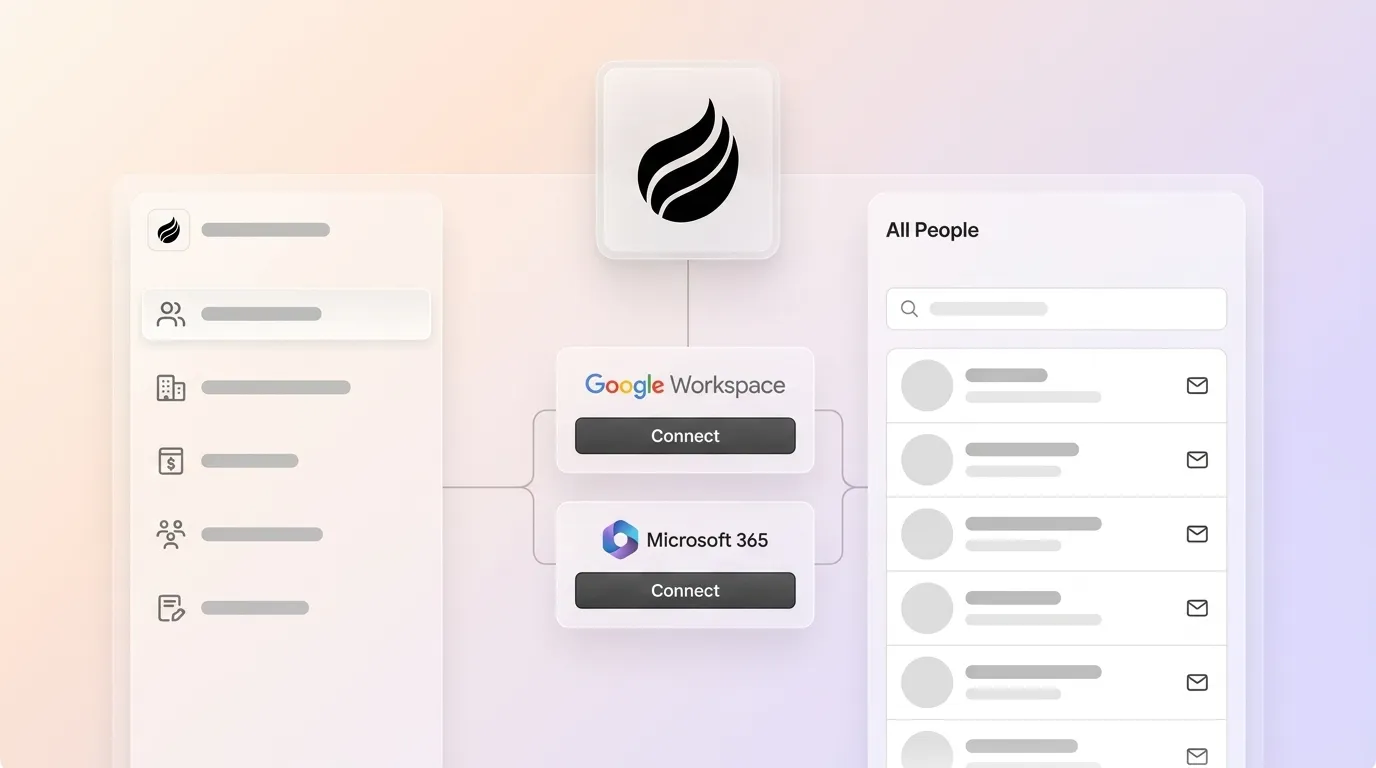
- Connect Google Workspace: Authenticate Gmail and Google Calendar. The Coffee agent immediately begins scanning for contacts, companies, and activities to auto-populate the CRM.
- Review auto-created records: Within hours, the agent surfaces contacts and companies from your inbox. Confirm the agent’s enrichment such as job titles, LinkedIn profiles, and funding data for your top accounts.
- Set up the meeting bot: Enable the AI meeting bot for Zoom, Google Meet, or Teams. The agent will join calls, transcribe them, and generate summaries and follow-up drafts automatically.
- Run your first Pipeline Compare: After one week of agent activity, use Pipeline Compare to review deal progression, stalled opportunities, and new additions. No spreadsheet export is required.
- Launch a Campaign: Use natural language to describe your first outreach sequence. The agent generates subject lines, body copy, and send delays. You review, edit, and activate.
- When to upgrade: Move to a higher seat tier when the team grows beyond the initial headcount or when you want to add the Companion App layer on top of an existing Salesforce or HubSpot instance.
Decision Guide: When Coffee Is the Right Fit
Use the questions below to decide whether Coffee matches your current stage.
- Does your team spend more than two hours per week manually updating contact records? If yes, a passive CRM will not solve the problem, it will deepen it.
- Is your team on Google Workspace or Microsoft 365? If yes, Coffee’s agent connects directly and begins capturing ground-truth data immediately.
- Are you paying for separate tools for enrichment, call recording, sequencing, and forecasting? If yes, Coffee consolidates all of these into one agent-based seat price.
- Do you need accurate pipeline intelligence without manual CSV exports? If yes, Coffee’s Pipeline Compare feature delivers this automatically.
- Are you a 1–20 person team that has outgrown spreadsheets but refuses to become a data-entry clerk for a legacy CRM? Coffee is built specifically for this moment.
If you answered yes to two or more of the above, the agent-native path is clear. Stop maintaining your CRM manually.
Frequently Asked Questions
How long does Coffee take to implement?
For a 1–10 person team on Google Workspace, Coffee is operational the same day. Connecting Gmail and Google Calendar triggers the agent to begin auto-creating contacts and logging activity immediately. There is no schema configuration, no data mapping exercise, and no implementation partner required. Most teams have a populated CRM with enriched records within 24 hours of connecting their workspace.
Is Coffee SOC 2 and GDPR compliant?
Coffee meets SOC 2 Type 2 and GDPR requirements. Data processed by the Coffee agent is not used to train public AI models. For startups in regulated-adjacent industries or those selling to enterprise buyers who require security documentation, Coffee’s compliance posture satisfies standard vendor review requirements.
Does Coffee integrate with tools outside Google Workspace?
Coffee currently integrates with external tools via Zapier, covering thousands of apps. Native integrations include Google Workspace, Microsoft 365, Zoom, Google Meet, Microsoft Teams, Stripe, and QuickBooks. Deeper roadmap integrations are in active development. For teams already on Salesforce or HubSpot, Coffee operates as a Companion App, and the agent writes enriched data and insights back into the existing system of record without replacing it.
How difficult is it to migrate existing contacts into Coffee?
Migration effort stays minimal for most early-stage teams. The Coffee agent auto-imports contacts and companies directly from Google Workspace, so the majority of your existing relationship data is captured without a CSV upload. For teams migrating structured records from HubSpot, Pipedrive, or Attio, standard CSV import is supported. Because the agent continuously enriches records post-import, data quality improves automatically after migration instead of degrading over time as it does in passive systems.
What happens to my data if I stop using Coffee?
Coffee uses seat-based pricing with no long-term contracts required at the startup tier. Your contact records, activity history, and pipeline data are exportable at any time. Coffee does not impose data portability restrictions that would create lock-in as your record volume grows, which is a common risk with free CRM tiers that restrict CSV export behind paywalls.
Conclusion: Let the Agent Handle the CRM Work
Sales reps spend an average of 5.5 hours per week on manual CRM data entry, which compounds into hundreds of lost selling hours per year for a small team. Legacy contact management software was designed for a world where humans were the only available data-entry mechanism. That world ended when autonomous agents became viable.
Coffee is the only agent-native contact management solution built from the ground up to automate “good data in.” It captures interactions from Google Workspace, enriches records without rep intervention, runs outreach campaigns natively, and delivers pipeline intelligence that reflects reality rather than whatever a rep remembered to log. HubSpot, Pipedrive, and Attio remain passive databases that require human maintenance. Coffee is the agent that replaces that maintenance entirely.
For bootstrapped founders and first sales hires who refuse to spend their evenings transcribing call notes into CRM fields, the choice in 2026 is straightforward. Let Coffee’s agent do the work.


