
Written by: Doug Camplejohn, CEO & Co-Founder, Coffee | Last updated: August 6, 2026
Why Google Workspace Contact Management Still Feels Manual
- Most contact management tools still need manual data entry or sidebar clicks, even when they claim Google Workspace integration.
- Coffee is the only solution that scores yes across all six automation criteria, including auto-creating contacts and logging activity with no human input.
- Free tiers and popular CRMs like Copper, Streak, and NetHunt fall short on true background capture and two-way sync, so users still do clerical work.
- Teams lose significant productivity to manual CRM tasks, while autonomous agents like Coffee run in the background and remove that overhead.
- Eliminate the CRM chore from your workflow with Coffee and see pricing and plans.
Automation Scorecard: Tools That Actually Remove Data Entry
The six criteria below measure whether a tool removes the human clerk role or simply moves the clipboard closer to Gmail. Every data point is drawn from published benchmarks and vendor documentation. The table reveals a clear pattern: Coffee is the only option that delivers full automation across all six dimensions, while even premium tools still require ongoing manual work in key areas.
Try the agent that achieves full automation across every dimension and start your Coffee trial.
Free Google Workspace Contact Management: Where Automation Stops
Free tiers across the market share a consistent pattern: sync exists, but the automation ceiling stays low. BIGContacts logs emails automatically on its free plan, and Agile CRM sorts emails into contact timelines for up to 10 free users. However, free plans often cap automation and push more manual entry for everyday correspondence.
The structural problem with free tiers is not price, it is scope. Two-way email sync logs what already exists, but it does not create contacts that were never entered. Capterra identifies poor integration between contact management software and existing systems as a direct cause of data silos, manual data entry, and incomplete synchronization. This gap between sync and creation matches that definition, and free plans rarely include the enrichment or background-capture layers that close it.
Best Free CRM for Google Workspace Based on Automation
Ranked purely on automation depth, the free-tier landscape looks like this.
- Salesflare achieves 10 out of 10 Gmail CRM features including live sync of emails and calendar meetings with zero manual data entry required after initial setup, though full enrichment features sit behind paid plans.
- HubSpot provides two-way Calendar sync and a Gmail sidebar on its free tier, and can automatically create contacts from Gmail emails when the Gmail integration is enabled.
- Streak lacks both auto-contact creation and signature-based enrichment, so users still perform ongoing clerical work even though they live inside Gmail.
Contact management remains essential for business success, yet even the strongest free tools still rely on human input to populate the contact record in the first place. For teams unwilling to accept that limitation, the fallback often becomes building a custom solution from scratch.
Google Sheets CRM as a DIY Workaround
Assembling a CRM from Google Sheets is a common workaround for teams that have outgrown a spreadsheet but resist paying for a dedicated tool. Google does not offer its own native CRM app, and while teams can attempt to assemble a DIY CRM using Google Contacts, Calendar, and Sheets, this becomes inefficient as operations grow.
Taskade’s 2026 Gmail-to-CRM automation workflow reads sender name, email, and message, checks for duplicates against a CRM sheet, and logs each lead into Google Sheets, but users still need to connect accounts, select monitored labels, and map fields. That work is configuration, not zero-touch capture. BrightBots recommends Zapier or Make for straightforward triggers in Google Workspace, while purpose-built AI agents handle more complex branching and conditional workflows. This split exposes the ceiling of any Sheets-based approach. Sheets stores data, but it does not reason about it.
Streak CRM vs Copper Inside Gmail
Both Streak and Copper embed inside Gmail, yet their automation depth diverges at the contact-creation layer.
Copper is the Google-recommended CRM for Google Workspace and makes suggestions on new contacts it finds in Gmail and Google Calendar while syncing meeting attendee data from Google Calendar. It provides a native Gmail sidebar that surfaces contact records, deal history, open tasks, and next actions in real time, with automatic email logging to deals. Copper supports contact and lead capture via standalone Forms and does not require a sidebar.
Streak embeds full pipelines, mail merge, and workflow tools directly inside the Gmail inbox. However, Streak reads Google Calendar events only for context alongside Gmail threads and does not create standalone meeting interaction records, so users perform extra manual work to maintain complete history. Streak automates CRM data entry via AI and does not require ongoing manual entry.
The shared limitation is reliance on a sidebar for some features. Google Workspace add-ons enable AI agents to appear as contextual UI components inside Gmail for user-invoked assistance, while custom Gemini Enterprise agents can instead run as background processes that trigger automatically on Workspace events without requiring users to open a sidebar. Copper and Streak sit in the first category. Coffee sits in the second.
NetHunt and the Limits of Google Contacts Sync
NetHunt converts Gmail into a structured CRM workspace that supports contact management and follow-ups while remaining inside the inbox interface. Its contact-creation mechanism proposes a contact record from incoming emails. That behavior improves on pure manual entry, but it still falls short of agent-based capture.
The distinction matters because the process stays reactive and bounded. An autonomous agent instead reads the full thread, cross-references calendar attendees, enriches from external data sources, and writes the record without waiting for a human to confirm the suggestion. ContactsFlow’s AI detects email signatures and automatically creates contact cards, but users can then edit or share them, so the human review step remains. NetHunt follows the same model.
Workspace CRM Automation with Gemini Agents
Google’s 2026 platform investments have widened the gap between sidebar tools and background agents. Gemini Spark, Google’s 24/7 personal AI agent for Gemini Enterprise and Workspace customers, can proactively prepare salespeople for client meetings by pulling account history from Salesforce and recent support tickets from Zendesk, identifying potential churn risk, drafting a tailored account retention strategy in Docs, and creating a customer-ready email that awaits explicit user approval.
Google’s Workspace integration is a core advantage for Gemini Enterprise agents because native deep access to Gmail, Calendar, Drive, Docs, and Sheets removes the need to authenticate through external APIs for common data sources. However, actions that touch external APIs are only as reliable as those APIs and the connectors built on top of them, and rate limits, authentication failures, and schema mismatches in third-party tools can cause agent tasks to fail silently or partially.
Proactive AI agents in Google Workspace differ from passive chatbots or sidebar tools by observing systems, reasoning through goals, and autonomously completing multi-step tasks. Coffee follows that architectural model. Google Workspace Studio, the successor to Workspace Flows, lets users build automated workflows using Gemini that trigger on incoming emails, extract structured data such as business name and contact first name, and insert those variables into subsequent actions. Building and maintaining those flows still requires human configuration effort, which a purpose-built agent absorbs by default.
What Google Workspace CRM Users Actually Complain About
Forum threads about Google Workspace CRMs cluster around a consistent set of frustrations. The language is direct.
- “I still have to manually create every new contact even though it says it integrates with Gmail.”
- “The two-way sync works until it doesn’t, then I have duplicates everywhere.”
- “I’m paying for a CRM and I’m still the one doing all the data entry.”
- “The sidebar is great until I forget to open it, and then nothing gets logged.”
These complaints map to measurable costs. 32% of sales reps spend an hour or more on data entry every day. For a 15-person sales team with $80,000 average annual compensation per rep, one hour per day of manual CRM work costs $150,000 per year in lost productive time. Yet even that effort fails to capture most opportunities. Validity/SPOTIO has estimated that 79% of opportunity data never enters the CRM. That gap leads to a predictable outcome. 51% of small businesses abandon dedicated CRM software entirely and fall back to spreadsheets, Gmail, and sticky notes.
Decision Framework Checklist for Google Workspace CRMs
Before selecting a contact management tool with Google Workspace integration, evaluate each option against these constraints.
- Contact creation: Does the tool create contacts automatically from Gmail and Calendar without any human trigger, or does it require a sidebar click, a confirmation step, or a Zapier workflow?
- Enrichment depth: Does the tool populate job title, company, and LinkedIn profile without a separate enrichment subscription?
- Sync architecture: Does the vendor use webhook-based architecture rather than batch polling? Real-time webhooks update your CRM the moment an email arrives or a meeting ends, while batch sync every 15 to 30 minutes is a cost-driven compromise that leaves data stale and forces reps to wait or refresh manually.
- Background vs. sidebar: Does the tool log activity when the sidebar is closed, or does capture depend on the user actively opening a panel?
- Activity logging: Are calls, emails, and meetings logged automatically, or does the rep enter them after the fact?
- Data quality over time: Does the tool maintain record accuracy as contacts change roles, or does it require periodic manual hygiene?
Any tool that answers no or partial to more than two of these criteria will generate ongoing clerical work regardless of how its marketing describes the integration.
Final Matrix: Why Coffee Removes the CRM Chore
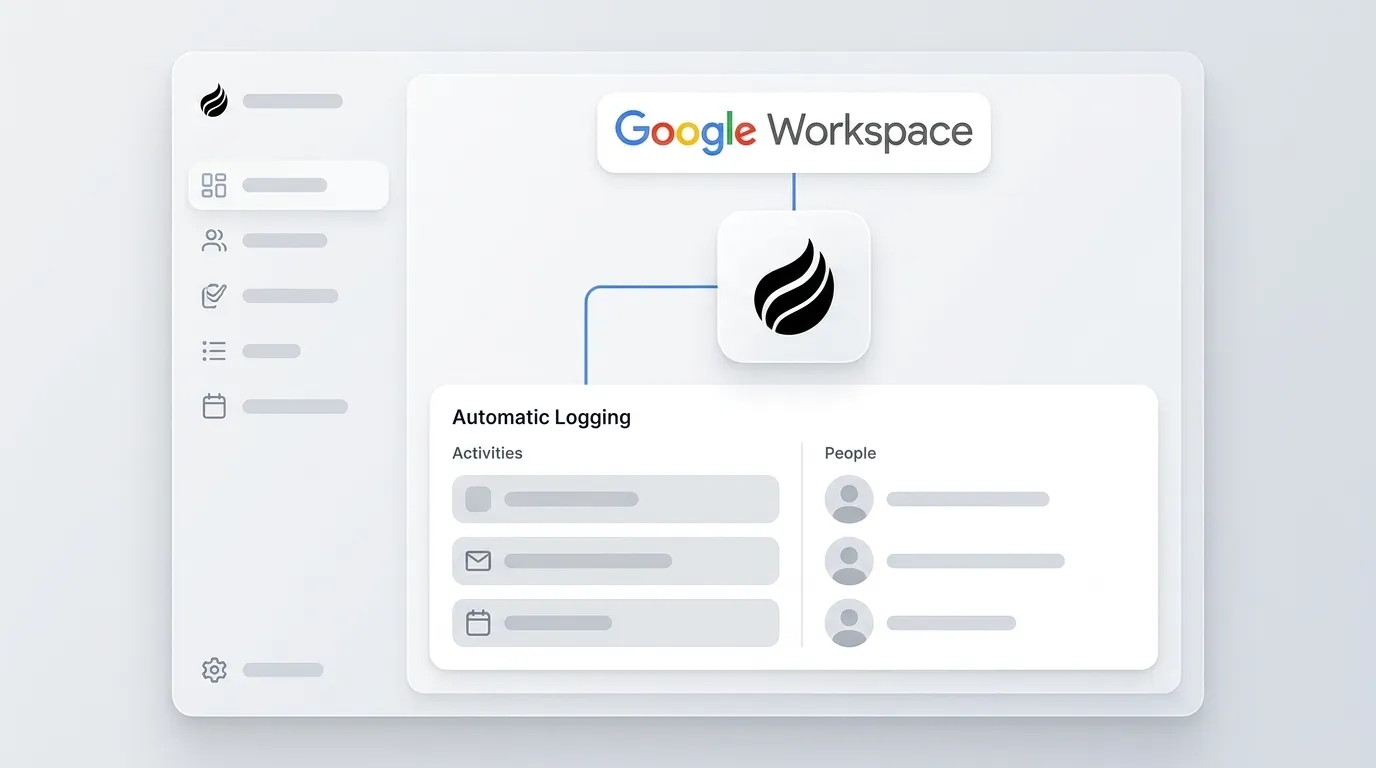
Applying the checklist above to the full field produces one result. Coffee is the only solution that answers yes to all six criteria, not because of a sidebar feature, but because of its architectural model. Upon connection to Google Workspace, the Coffee Agent scans emails and calendars to auto-create contacts and companies, enriches records with job titles, funding data, and LinkedIn profiles via licensed data partners, logs every call and meeting autonomously, and maintains record accuracy without human review cycles.

The agent joins calls via Zoom, Teams, or Meet to record and transcribe, then generates summaries, next steps, and draft follow-up emails in Gmail. Pipeline changes are tracked automatically, which replaces manual CSV exports and spreadsheet updates.

The distinction from every other tool in this comparison is architectural. Copper, Streak, and NetHunt are sidebar tools that reduce manual entry. Coffee is a background agent that eliminates it. Knowledge workers lose an average of 2.5 hours per day to manual data transfers and tool-switching between disconnected Google Workspace apps. Coffee recovers that 2.5 hours by removing the human from the data-entry loop entirely.

Stop losing hours to manual updates and see how Coffee works in your workflow.
Frequently Asked Questions
How long does it take to set up Coffee with Google Workspace?
Setup requires a single OAuth authentication to connect Google Workspace. Once connected, the Coffee Agent begins scanning emails and calendars immediately and starts auto-creating contacts and logging activities without additional configuration. Most teams have a populated CRM within the first 24 hours. There is no field-mapping exercise, no Zapier workflow to build, and no sidebar to install across individual browsers.
What happens to existing contact data during migration?
Coffee is designed for teams that have outgrown spreadsheets or are leaving a legacy CRM. The agent can ingest existing contact lists, and its enrichment layer augments imported records with current job titles, company data, and LinkedIn profiles. Because Coffee stores data in a built-in data warehouse rather than a flat relational database, historical context from imported records is preserved instead of overwritten when fields are updated, which avoids a common limitation in systems like Salesforce and HubSpot.
How does Coffee’s data quality compare to dedicated enrichment tools like ZoomInfo or Apollo?
Coffee’s enrichment data comes from licensed data partners and is roughly on par with standalone enrichment tools for the majority of use cases. The practical difference is consolidation. Coffee performs enrichment, contact creation, activity logging, meeting intelligence, pipeline tracking, prospecting, and outreach sequencing inside a single agent. Teams using Coffee remove the cost and complexity of maintaining separate subscriptions for a CRM, an enrichment database, a meeting recorder, and a sales engagement platform.
Is Coffee secure enough for a sales team handling sensitive prospect data?
Coffee is SOC 2 Type 2 certified and GDPR compliant. Data processed by the Coffee Agent is not used to train public AI models. For teams in heavily regulated industries such as healthcare or finance that require multi-year security reviews or custom compliance frameworks, Coffee is not the right fit. For the small-to-mid-market sales teams this tool is built for, the security posture meets standard enterprise requirements.
Does Coffee work if the team already uses Salesforce or HubSpot?
Coffee supports teams that already rely on Salesforce or HubSpot through a Companion App model. The agent deploys as an intelligent layer on top of the existing instance and handles the data-in process by auto-creating contacts, enriching records, and logging activities from Gmail and Calendar, so the system of record stays accurate without human effort. A simple authentication connects Coffee to the existing CRM, and the agent writes enriched data and insights back to the primary system. This model suits teams that remain committed to their current CRM but face low adoption and poor data quality because reps refuse to act as data-entry clerks.
Watch the agent handle your data entry from day one and explore Coffee’s automation.


