
Written by: Doug Camplejohn, CEO & Co-Founder, Coffee | Last updated: August 17, 2026
Key Takeaways
- Manual contact creation from email signatures consumes expensive RevOps time that could support selling instead of data entry.
- Signature-to-CRM workflows now use hybrid regex plus AI systems that handle most signatures accurately and reserve LLMs for edge cases.
- Three tooling tiers support this workflow: native email features, parser plus middleware stacks, and fully agent-led automation.
- Effective deduplication uses email address as the primary key with upsert operations, backed by clear governance and validation layers.
- Agent-led automation like Coffee ingests, parses, enriches, deduplicates, and writes clean records to Salesforce or HubSpot without human effort.
From Signature Parsing to Complete CRM Records
Signature parsing now relies on hybrid architectures that pair regex for predictable fields with large language model fallback for edge cases. Nylas’s June 2026 developer cookbook recommends regex for most signatures because they follow predictable structures, typically three to six lines with RFC 3676 delimiters. This approach delivers high accuracy on structured signatures at zero per-message cost and microsecond latency, while LLMs handle the remaining edge cases.
Parsing accuracy on a single email does not guarantee complete data across all key fields. Any one signature may omit a phone number, LinkedIn URL, or full job title. Cross-referencing multiple messages from the same sender significantly improves completeness for fields such as name, title, company, phone, and LinkedIn. This multi-message merging strategy now functions as a baseline best practice rather than an advanced technique.
Understanding where each signature element lands in your CRM helps you design automation that behaves predictably. The table below shows how common signature fields map to standard objects in Salesforce and HubSpot so you can see which values flow into contacts, accounts, and activities.
| Signature Element | CRM Field | Salesforce Example | HubSpot Example |
|---|---|---|---|
| Full name | First Name / Last Name | Contact.FirstName, Contact.LastName | contact.firstname, contact.lastname |
| Job title | Title | Contact.Title | contact.jobtitle |
| Company name | Account / Company | Account.Name (linked object) | Company auto-created from domain |
| Phone number | Phone / Mobile Phone | Contact.Phone | contact.phone, contact.mobilephone |
| Email address | Email (deduplication key) | Contact.Email (upsert key) | contact.email (upsert key) |
| LinkedIn URL | Social / Custom field | Contact.LinkedIn__c (custom) | contact.linkedin_bio |
| Website / domain | Website | Account.Website | company.website |
| Physical address | Mailing Address | Contact.MailingStreet, MailingCity | contact.city, contact.state, contact.zip |
Salesforce CRM mapping from email contacts creates a Contact object, an Account object, and a Task object for the email activity. HubSpot creates a Contact object, a Company object from the domain, and an Engagement object. Activity logging, the Task or Engagement record, often gets skipped by manual and parser-based approaches, yet it drives pipeline visibility and forecasting accuracy.
See how Coffee handles these field mappings automatically
Outlook Workflows for Automatic Contact Creation
Microsoft Outlook offers two native paths for contact creation, and both require manual effort. The first path is manual: right-click a sender name in the message header and select “Add to Contacts” to open a contact card that includes only display name and email address. Outlook does not parse title, phone, or company from the signature block. The second path uses People Cards, which surface LinkedIn profile data for senders already in the Microsoft 365 directory but do not create new CRM records.
Add-ins such as LinkPoint360 and Salesforce Inbox extend Outlook with a sidebar that lets reps review and push contacts to Salesforce or HubSpot. These tools reduce typing but still depend on human judgment. The rep must review suggested fields, resolve conflicts, and confirm each record. A 25-person B2B software sales team using n8n email signature parsing into HubSpot previously missed 40% of contact updates during busy periods and spent 15 minutes daily on manual data entry before automation. Outlook add-in workflows tend to show similar patterns when volume spikes.
Teams that want full automation often connect Outlook to middleware and let a workflow handle extraction and CRM updates. A typical automated Outlook workflow using middleware follows these steps:
- Connect Microsoft 365 to an automation platform such as n8n, Zapier, or Power Automate via OAuth.
- Configure a trigger on inbound emails from external domains.
- Route the raw email payload to a parser node that isolates the signature block using delimiter detection and HTML tag stripping.
- Map extracted fields to the target CRM schema using the field-mapping table above as a reference.
- Run an email-address lookup against the CRM before writing, then upsert if a match exists or create a new record if not.
- Log the email as an activity, a Task in Salesforce or an Engagement in HubSpot, linked to the contact record.
This middleware approach requires custom extraction logic, often three or more code nodes with regex patterns for phone numbers, job titles, and company names. That complexity creates implementation overhead and ongoing maintenance whenever signature formats change. For teams without dedicated RevOps engineering capacity, this overhead can outweigh the time savings.
Tools That Extract Contacts from Email
Gmail and Outlook both support native contact extraction, but each tool only captures sender metadata such as name and email address. Gmail’s “Add to Contacts” function and Outlook’s People Cards ignore title, phone, and company fields that live in the signature block.
Third-party parsers fill this gap with different tradeoffs around accuracy and maintenance. Parseur’s AI email parsers extract data from native PDFs and HTML emails without OCR for better speed and accuracy, and the company notes that 95% accuracy still leaves too many errors for production workflows, so they rely on per-sender templates. AI-powered parsers built on large language models such as Google Gemini 2.5 Pro apply semantic understanding to extract fields from any email format without per-sender templates. This approach reduces maintenance but introduces per-message API costs. DigiParser focuses on high extraction accuracy with fast processing and supports more than 50 languages.
AI-based email parsing can reach higher accuracy than template-based systems while demanding less maintenance when source formats change. However, these gains apply mainly to structured digital emails. Many messages contain non-standard signatures such as HTML-only signatures with images, multilingual text, long legal disclaimers, or mobile stubs like “Sent from my iPhone” that expose few usable fields. Any extraction strategy needs a plan for this persistent noise floor.
Zapier and Contacts+ help route parsed email data into CRM fields through no-code workflows. They act as connectors rather than parsers, so they depend on an upstream extraction step and add a per-task pricing layer on top of parser costs.
Preventing Duplicate Contacts from Email Signatures
Reliable deduplication in signature-to-CRM workflows starts with a single authoritative key, the email address. CRM sync pipelines use email-based upsert operations to update existing records instead of creating duplicates. An upsert checks whether a record with the incoming email address already exists and then updates only empty or outdated fields instead of overwriting the full record.
HubSpot AI’s native email scanning only fills a contact property when it has no existing value and has never been updated by a user, and it never overwrites existing data or creates new contacts. This conservative posture protects data but also leaves stale values untouched when new signature data arrives.
Governance rules that reduce duplicate risk work together across validation, filtering, and coordination. First, require that the email address in the signature matches the sender address before converting an email into a contact suggestion. Next, filter edge cases such as ex-employees, mailing lists, and vendor support addresses before the first push to CRM. Then define source-of-truth rules, conflict resolution rules, and sync direction rules, often one-way for sensitive fields, to prevent conflicting updates across systems. Finally, run validation in layers, starting with structure checks, then business-fit rules, then duplicate and consistency handling, and ending with consent and policy review.
Handling parsing edge cases keeps these governance rules effective in real inboxes. Targeted logic for each failure mode improves both accuracy and trust.
- HTML signatures: Many business emails use HTML signatures, so workflows must strip HTML tags before delimiter detection and field extraction.
- International phone formats: Regex patterns that focus on North American formats need E.164 patterns and country-specific rules for global inboxes.
- Mobile stubs: Mobile devices account for 41.6% of all email opens. Minimal mobile signatures often contain no enrichment data and require cross-referencing with desktop messages from the same sender.
- Legal disclaimers: Long footer disclaimers should be excluded from the signature block before extraction to avoid false positives in company name and address fields.
- Display name mismatches: HubSpot contact matching becomes unreliable when the Gmail “from” field includes display names, so additional email cleaning logic is needed before lookup by email address.
Organizations lose between 15% and 25% of revenue due to poor data quality, and Gartner estimates poor data quality costs organizations an average of $12.9 million per year. Strong deduplication and validation turn signature automation into revenue impact instead of record bloat.
Choosing a Signature-to-CRM Automation Strategy
Three tooling tiers support contact creation from email signatures, and each tier fits a different stage of scale and complexity.
Built-in email client features such as Outlook People Cards, Gmail Add to Contacts, and HubSpot’s native AI scanning require no setup and no extra cost. They capture only name and email address, scan only the first email response from a contact, and do not create new CRM records on their own. These tools work for low-volume, high-touch sales motions where reps can review each contact manually.
Parser and middleware stacks such as Parseur, Parsli, Zapier, and n8n deliver higher field completeness and can route data into almost any CRM. They require engineering setup, per-document pricing, and maintenance as signature formats evolve. Parser services need ongoing updates to extraction rules whenever source templates change, and traditional regex-based parsing and static keyword matching struggle with semantic intent, tone, and contextual ambiguity in professional email. This tier suits teams with RevOps engineering resources that can own the maintenance.
Agent-led automation removes human effort across ingestion, parsing, enrichment, deduplication, activity logging, and CRM write-back. Automated data entry can cut CRM data entry time by up to 50%, and email plus calendar automation can sharply reduce manual logging of emails, meeting invites, and threads linked to opportunities.
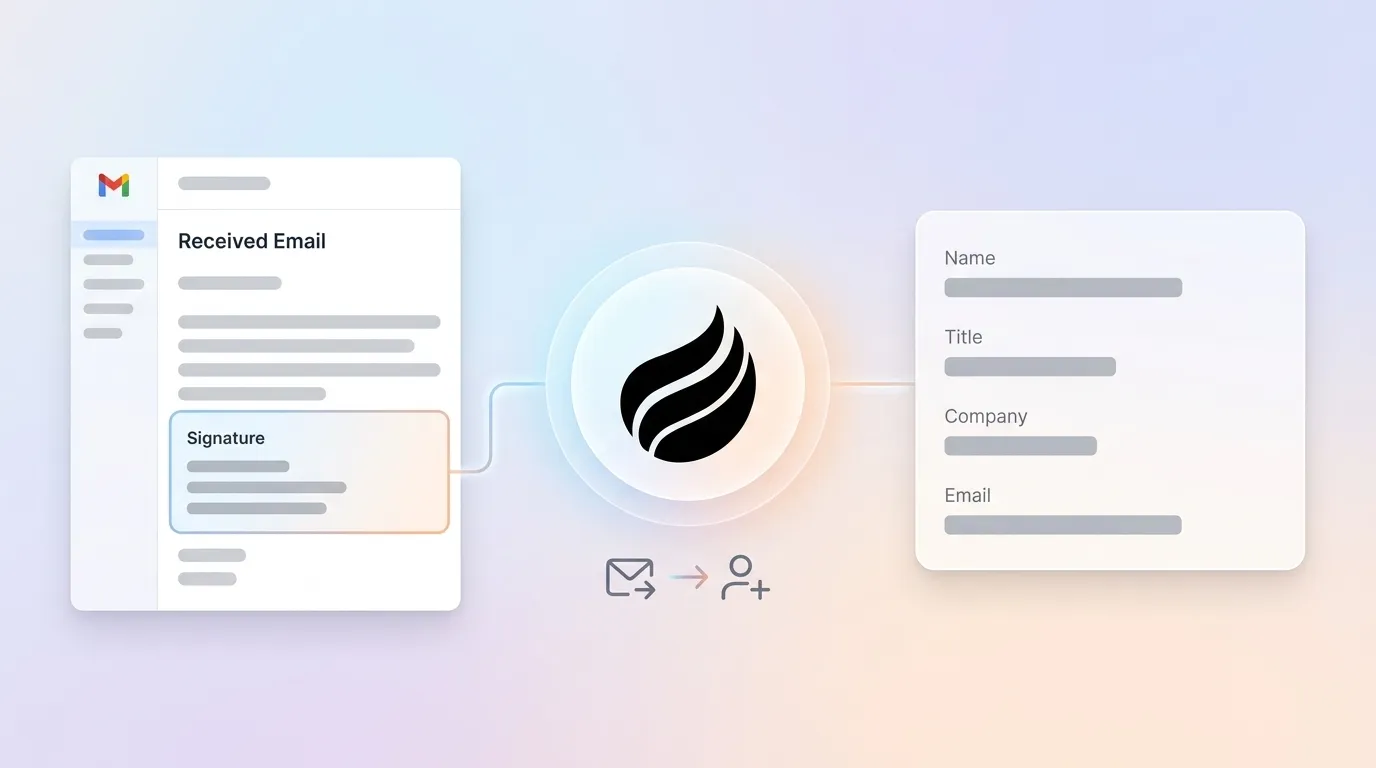
Coffee’s agent operates as a CRM-agnostic solution within this top tier. After you connect Google Workspace or Microsoft 365, the Coffee Agent scans emails and calendars to auto-create contacts and companies, enriches records with job titles, funding data, and LinkedIn profiles via licensed data partners, deduplicates against existing records using email-based upsert logic, logs every interaction as an activity, and writes clean records back to Salesforce or HubSpot without human input. For teams already on Salesforce or HubSpot, Coffee deploys as a Companion App, where a simple authentication lets the agent sync, enrich, and write back to the existing system of record. Many teams see 8 to 12 hours per week of administrative time returned to each rep, which mirrors the capacity of additional full-time sellers without extra headcount.
Explore Coffee’s agent-led automation
Frequently Asked Questions
Is Coffee SOC 2 Type 2 and GDPR compliant?
Coffee is SOC 2 Type 2 and GDPR compliant. Data processed by the Coffee Agent does not train public models. Organizations in regulated industries or with strict governance requirements can deploy Coffee knowing that contact data extracted from email signatures and enriched by the agent stays within their controlled environment.
Does Coffee work as a companion layer on existing Salesforce or HubSpot instances?
Coffee offers a Companion App model for small-to-mid-market companies already committed to Salesforce or HubSpot. A simple authentication connects the Coffee Agent to the existing CRM instance. The agent then manages all data-in operations, including contact creation from email signatures, enrichment, activity logging, and deduplication, and writes clean records back to the system of record. No migration, no parallel CRM, and no disruption to existing workflows, quotas, forecasting, or required fields.
How does Coffee handle signature formatting variations and deduplication?
The Coffee Agent ingests emails from connected Gmail or Outlook accounts and applies multi-message cross-referencing to improve field completeness, which addresses the core limitation of single-message extraction. For deduplication, the agent matches incoming contact data against existing CRM records using the email address as the primary key and executes upsert operations that update empty or outdated fields instead of creating duplicates. Edge cases such as HTML-only signatures, mobile stubs, international phone formats, and legal disclaimers are handled by the agent without manual rule maintenance from the RevOps team.
What is Coffee’s pricing model?
Coffee uses straightforward seat-based pricing. Organizations pay for human seats, and the agent’s work, including contact creation, enrichment, activity logging, deduplication, pipeline intelligence, and meeting management, is included without extra metering on LLM usage or automated processes. This structure keeps the cost of agent-led automation predictable and directly comparable to the manual data entry hours it replaces.
Conclusion: Turning Signatures into Revenue-Ready Data
Manual contact creation from email signatures no longer needs to consume seller time in 2026, but the automation tier you choose matters. Built-in email client features capture minimal data. Parser and middleware stacks capture more but demand engineering ownership and continuous maintenance. Agent-led automation, the approach Coffee’s agent uses, removes human labor from the loop by ingesting signatures from Gmail or Outlook, enriching records via licensed partners, deduplicating against Salesforce or HubSpot, logging activities, and writing clean data back without manual steps. When activity logging and contact creation run automatically, sales teams reclaim meaningful selling time and expand effective capacity without adding headcount.


