Written by: Doug Camplejohn, CEO & Co-Founder, Coffee | Last updated: September 12, 2026
Key Takeaways For HubSpot CRM Adoption
- HubSpot CRM adoption drops when the system centers on management reporting instead of rep selling needs, which creates heavy data-entry friction.
- Interview reps and audit fields to pinpoint the exact steps, screens, and properties that slow down their daily workflow.
- Remove unused properties, hide irrelevant cards, and rely on inbox sync, calendar integration, and smart data features to capture data automatically.
- Rebuild the rep experience with role-based dashboards and saved views that clearly answer “What should I do today?” without extra clicks.
- Where manual entry remains, Coffee’s intelligent agent keeps your HubSpot records accurate without rep effort, so you can see how the Coffee agent works in your environment.
Phase 1: Diagnose Why Reps Avoid HubSpot CRM
Start by talking with reps before you change a single setting. Use questions like:
- What do you hate entering?
- What do you still track outside HubSpot?
- Walk me through logging a call. How long does it take?
- Which HubSpot fields have you never once used?
- Where do you go first when you need to know what to do today?
- What does your manager ask you for that HubSpot does not show?
The answers surface the real friction points. Then run a field-by-field audit: filter properties under Settings > Properties by object type (Contact, Company, Deal), review default properties, and flag every required field that does not map to a real decision in the sales process.
A well-configured CRM should take under a minute to log a routine call. Three or four minutes of irrelevant required fields means adoption is being designed to fail before a single rep has logged in. The scale of the problem is significant: 71% of sales reps say they spend too much time on data entry, leaving only 35% of their time for selling.
The single biggest driver of low CRM adoption is a CRM configured around management reporting instead of rep selling needs. The interviews and audit together reveal which of those two priorities your current HubSpot setup serves.
Phase 2: Strip Friction From The HubSpot Record
Use the audit findings to remove dead weight from your records in a deliberate sequence. Start by archiving unused properties instead of deleting them, since deletion breaks historical data, workflows, and reports. Then hide irrelevant cards on contact and deal records and remove objects reps never touch, such as ticket trackers and marketing-only fields.
Set required fields at key pipeline stages via Settings > Objects > Deals > Pipelines. Reps can then create deals quickly and must supply critical data only when they move a deal forward.
Next, build role-specific left-sidebar views. For contacts, surface job title, industry, phone number, and recent activity date. For deals, surface stage, amount, close date, and next step. Treat everything else as noise that competes with the fields that actually drive decisions.
Restrict edit access to pipeline settings to admins or operations users. This control prevents schema sprawl from creeping back in as individual managers add fields for their own reporting convenience.
Phase 3: Automate Data Capture In HubSpot
Apply a simple rule: if HubSpot can capture a data point, do not make the rep type it. Sales reps spend roughly 25% of their workweek on manual CRM data entry alone. After each call, they typically spend another 10–15 minutes logging notes, updating deal stages, and setting follow-up tasks.
Turn on specific HubSpot features that reduce that manual load:
- Inbox and calendar sync under Settings > General > Email, so emails, meetings, and calls log automatically against the right contact and deal records.
- Native calling, so call duration and outcomes record themselves without a separate logging step.
- Sequences for structured follow-up, connected to CRM events instead of manual rep decisions. For example, a workflow that auto-enrolls a contact in a post-demo sequence when a deal stage changes.
- Smart Data Capture, which scans call and meeting transcripts and suggests deal-property updates for the rep to confirm. This approach replaces manual field entry after every call.
HubSpot Academy’s Sales Admin course covers the configuration fundamentals for each of these features.
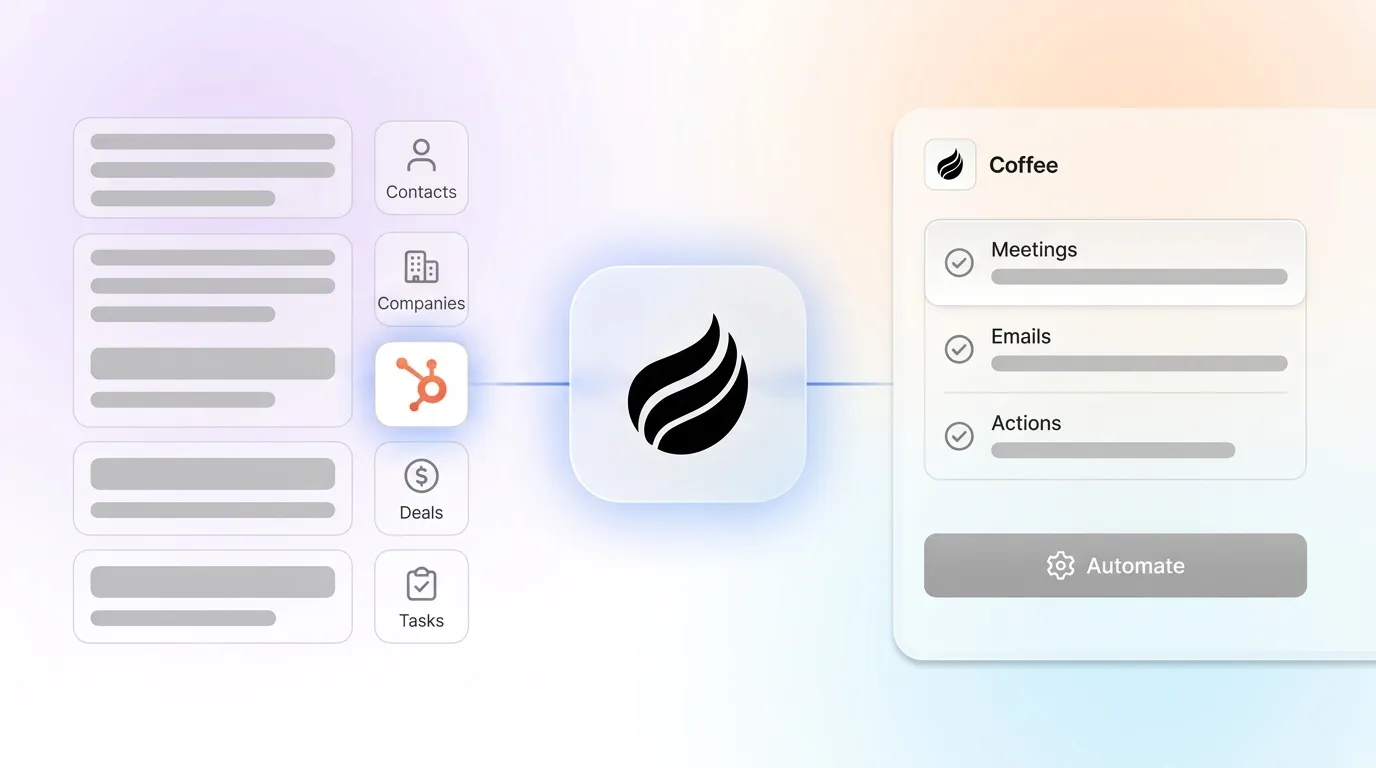
Even with all of that switched on, HubSpot still asks reps to confirm, complete, and maintain records. That residual manual burden is where Coffee closes the gap. Coffee is the companion app that deploys an intelligent agent on top of your existing HubSpot instance. It handles the “data in” process so HubSpot records stay accurate without human effort: it creates and enriches contacts, companies, and activities, logs last and next activity, and unifies structured and unstructured data like emails and call transcripts. Coffee meets HubSpot users where they are, with no rip-and-replace. It is SOC 2 Type 2 and GDPR compliant and does not use data to train public models. Reps save 8–12 hours per week.

See how the Coffee agent keeps your HubSpot data clean.
Phase 4: Rebuild The Rep-Facing HubSpot Experience
Design the daily view so reps always know exactly what to do next. Build a dashboard that surfaces:
- Deals with no activity in 7 days
- Follow-ups due today
- Open deals without a documented next step
- New inbound leads with no calls logged
Create role-based saved views on the contacts, companies, and deals index pages. Use “New inbound leads with no calls logged” for BDRs, “Deals in negotiation closing this month” for AEs, and “All team deals in pipeline by stage” for managers.
Configure the Sales Workspace so reps see only the record types, default columns, and task queues they need, with task types and due dates mapped to prospecting stages. Then test the setup with real workflows. Ask two or three reps to work only from the Sales Workspace for a day, gather what they could not find, and adjust. HubSpot’s own workspace configuration guidance recommends this iterative approach.
Phase 5: Lock In Manager Behavior
Manager behavior is the third lever of adoption and often the most neglected. When a manager still asks “What is in your pipeline this week?” in a meeting instead of pulling it up live from the CRM, reps correctly read that the system is optional.
Set a clear manager contract so every review reinforces CRM usage. 1:1s, pipeline reviews, and forecasting should happen inside HubSpot, not in Slack or a spreadsheet. A deal missing a current close date, a documented next step, and an owner does not get reviewed. It gets flagged for cleanup and returns next cycle. Enforcing that rule twice causes reps to update records before the call.
Keep executives out of weekly deal-level reviews. Executive presence turns inspection into performance and reps stop surfacing risk. Executives belong in the monthly and quarterly views where composition and coverage decisions get made.
CRM adoption improves when sales managers review CRM activity during pipeline discussions, forecast meetings, and one-on-one coaching sessions. This practice makes CRM part of the sales process instead of a separate administrative task.
Measuring HubSpot CRM Adoption Without Counting Logins
Login counts are a weak proxy for CRM adoption. A rep who opens HubSpot once a day to check a contact name is technically active and still unadopted. A user can log in every day and still avoid the data that makes the revenue process work.
Focus on behaviors that show whether reps truly run their deals in HubSpot:
- Share of open deals with a genuine next step attached
- Close dates current and not stale
- Required fields complete on active deals
- The gap between when an activity happens and when it is logged
Publish behavioral adoption metrics in pairs that are expensive to satisfy dishonestly at the same time. For example, pair activity volume with deal progression and property completeness with forecast accuracy. One metric in a pair can be inflated cheaply, but inflating both usually requires doing the real work.
Measure adoption by role and cohort, not portal average, and date-stamp the baseline. A healthy mean reliably conceals abandoners and heroes in the same number.
Where HubSpot’s Own Design Creates Adoption Drag
Even with the right metrics in place, some adoption drag comes from the platform itself. HubSpot bolted a CRM onto a marketing tool, so it was not built as a unified intelligence system. Key deal context from emails and meeting transcripts does not automatically become structured CRM data. A rep’s call with a key prospect becomes a logged activity with a duration and outcome. It does not become a searchable, structured record of what was discussed, what objections were raised, or what was promised.
HubSpot cannot create management discipline. It can prompt, automate, and report, yet it still relies on humans to own follow-up and resolve disagreements about deal stages. Attribution problems and data quality issues land on the record before a rep ever touches it, which makes HubSpot less useful as a daily selling tool.
HubSpot’s flexibility allows users to easily create additional properties, lists, workflows, pipelines, or reports. Without standards and owners, the portal accumulates duplicates and abandoned experiments. Users then stop trusting the system because the same concept appears under several names.
This pattern explains why a companion layer often becomes the pragmatic answer. Coffee exists because HubSpot’s architecture assumes humans will reliably input data, and real teams rarely behave that way. The Coffee agent handles the data-in process so the system of record stays accurate without human effort, with no rip-and-replace required.

The comparison below shows why configuration alone cannot close the gap. Even a well-administered HubSpot instance still depends on reps to enter data, while a companion layer removes that dependency and gives time back to the team.
| Dimension | HubSpot Alone | HubSpot + Manual Admin Work | HubSpot + Coffee |
|---|---|---|---|
| Who Enters The Data | Sales reps, manually after every interaction | Sales reps plus a RevOps admin running periodic cleanups | The Coffee agent, with contacts, companies, and activities created and enriched automatically from emails, calendars, and call transcripts |
| How Current The Record Stays | Reps do not reliably update deals and often forget to log calls, so HubSpot can quickly diverge from reality | Improved during cleanup sprints. Drift returns between cycles because manual updating remains tedious and automations break. | Last activity and next activity logged autonomously, so deal state stays current without rep action |
| What The Rep Gets Back | A record that reflects what the rep chose to type, often the minimum required to avoid a flag | Cleaner data for management reporting, while the rep experience stays largely unchanged | The same 8–12 hours per week saved, plus pre-meeting briefings, automated summaries, and next-step drafts returned to the rep after every call |
The Shadow CRM Problem: What Reps Use Instead
Reps often treat alternative tools as their real CRM. They rely on spreadsheets, Notion, personal task lists, sticky notes, and voice memos. When the official CRM creates friction, reps build workarounds, and leadership cannot see any of it, so pipeline reviews run on partial data and forecasts on guesswork.
Treat workarounds as product feedback instead of behavior to ban. Manager spreadsheets suggest CRM reports do not answer the review question. Slack handoffs suggest handoff fields are too weak or slow. Personal task lists suggest CRM task workflow creates noise.
The fix focuses on what the workaround captures that HubSpot does not surface. Identify that gap, then close it in HubSpot or automate it away. Stricter CRM discipline without immediate value to the rep produces compliance theater. Reps enter the minimum required to avoid a performance conversation, and data quality deteriorates instead of improving.
Frequently Asked Questions
Why Won’t My Sales Reps Use HubSpot CRM?
Reps avoid HubSpot when updating a record takes longer than the value it gives back in the moment. They are rejecting a system that serves management’s reporting more than their selling. When a rep logs a call summary and gets no faster follow-up reminder, no easier forecast, and no reduction in manual reporting, there is no rational reason to keep doing it once launch-week enthusiasm fades.
The sequence that works is:
- Fix friction first by stripping unused fields and automating capture.
- Prove the system saves time on the basics.
- Hold the line on single-source discipline.
How Do I Measure HubSpot CRM Adoption?
Measure behaviors instead of logins. Four signals indicate real adoption: the share of open deals with a genuine next step attached, close dates that stay current, required fields complete on active deals, and a short gap between when an activity happens and when it is logged. Pair each behavioral metric with an outcome metric, such as activity volume with deal progression and completeness with forecast accuracy, so neither can be inflated cheaply. Review adoption by role and cohort instead of portal average, and date-stamp the baseline so every later reading is interpretable against the deployment’s own history.
Can I Improve HubSpot Adoption Without Replacing HubSpot?
Yes. Strip the record by archiving unused properties and removing irrelevant required fields. Automate capture by switching on inbox sync, calendar sync, native calling, and smart data capture. Rebuild the rep-facing view with role-based saved views and a “What should I do today?” dashboard. Make managers run every pipeline review, 1:1, and forecast call from inside HubSpot. Where manual entry remains, and some always will, Coffee’s companion app deploys an intelligent agent on top of your existing HubSpot instance and handles the data-in process automatically.

What Are The Weaknesses Of HubSpot That Hurt Adoption?
As covered earlier, HubSpot’s marketing-tool origins mean the platform was not architected as a unified sales intelligence system. The key takeaway for adoption is that these are architectural realities, so teams need process, configuration, and companion tools to work around them.
Conclusion: Make HubSpot The Easiest Way To Sell
The sequence is clear: diagnose why reps avoid HubSpot, strip friction from the record, automate data capture, rebuild the rep-facing experience, lock in manager behavior, and then measure the right behaviors. Each phase depends on the one before it. Skipping the diagnosis produces a stripped-down CRM that still does not match how the team sells. Skipping the manager behavior phase produces a well-configured system that reps correctly read as optional.
HubSpot CRM adoption grows when every behavior in the sales process becomes easier inside the system than outside it. Where HubSpot’s architecture still demands manual entry, and it always will to some degree, a companion layer becomes a practical answer. Ready to stop chasing reps for data and give them time back? Explore Coffee pricing and deployment options and see how the Coffee agent keeps your HubSpot records clean without extra rep effort.