Written by: Doug Camplejohn, CEO & Co-Founder, Coffee | Last updated: August 6, 2026
Key Takeaways
- Clay sales prospecting combines data enrichment, AI research, and CRM sync in a spreadsheet interface, but it relies on several paid tools and technical setup.
- The Clay workflow follows a clear sequence: define an ICP, build a table, configure a multi-source waterfall, run Claygent prompts, and export to a CRM.
- Teams often run into silent enrichment gaps, duplicate records, sync lag, sequence bleed, and rising costs from a growing tool stack.
- Coffee replaces the Clay stack with a single autonomous agent that writes directly to Salesforce or HubSpot in near-real time.
- Teams ready to remove multiple subscriptions can review Coffee pricing and consolidate prospecting into one seat.
How Clay supports outbound prospecting
Clay is a data enrichment and workflow automation platform built around a spreadsheet interface. Users import or source a list of companies or contacts, then attach enrichment columns that call external APIs, such as LinkedIn, Apollo, Clearbit, and Hunter, to fill in job titles, emails, funding data, and firmographics. An AI research layer called Claygent can browse the web and synthesize findings into custom fields. The finished table is exported as a CSV or pushed to a CRM through a native integration or Zapier.
Clay’s strengths and tradeoffs for prospecting
Clay is well-regarded among growth engineers and technical sales teams for its flexibility. Its waterfall logic reduces enrichment cost by falling back to cheaper providers only when premium sources fail. The tradeoff is complexity. Building a reliable Clay workflow requires familiarity with API credits, column logic, prompt engineering, and CRM field mapping. Teams without a dedicated RevOps engineer often discover that setup time and ongoing maintenance exceed their initial estimates.
1. Define your ICP before you open Clay
Start by documenting the firmographic and demographic criteria that define your ideal customer profile. Typical fields include industry vertical, employee count range, revenue band, geography, and technology stack. A tightly defined ICP reduces the number of records you enrich, which directly lowers the API costs you incur in the next step when you configure Clay’s multi-source waterfall.
2. Create a Clay table and map CRM-ready columns
Inside Clay, create a new table and decide on the columns that map to your CRM fields. Standard columns include:
- Company name and domain
- Contact first name, last name, and title
- Work email and LinkedIn URL
- Employee count and funding stage
- Custom research fields such as recent hiring signals or tech stack
Mapping columns to CRM fields at this stage reduces duplicate records and sync errors later.
3. Set up the multi-source enrichment waterfall
A waterfall runs enrichment providers in priority order and stops calling additional providers once a field is successfully populated. A typical email enrichment waterfall might sequence Apollo, then Hunter, then Dropcontact. Each provider charges per successful lookup, so waterfall order directly affects cost.
Clay data waterfall in practice
The waterfall logic works in a simple sequence. Clay evaluates whether a field is empty, then calls the first provider in the list. If that provider returns a result, the field is marked complete and no further providers are called for that record. If the result is empty or flagged as invalid, Clay moves to the next provider. This cascading approach increases coverage while limiting redundant API spend. The failure mode is silent. If every provider in the waterfall misses a record, the field stays blank with no alert, and that contact enters your CRM incomplete.
4. Run Claygent AI prompts for deeper research
Once your waterfall has populated the standard firmographic fields, you can layer in custom research using Claygent, Clay’s built-in AI agent that can browse the web and return structured answers. This step adds personalization hooks and buying signals that standard enrichment providers cannot capture. Paste these prompts directly into a Claygent column:
- Recent funding signal: “Visit {company_website} and tell me whether this company has announced a funding round in the last 12 months. Return the round size and date, or ‘No recent funding’ if none found.”
- Tech stack detection: “Search for {company_domain} on BuiltWith or similar sources and list the top five sales or marketing tools they use.”
- Hiring signal: “Search LinkedIn Jobs for {company_name} and list any open sales or revenue roles posted in the last 30 days.”
- Personalization hook: “Find a recent blog post, press release, or podcast appearance by {first_name} {last_name} at {company_name} and write one sentence I can use to open a cold email.”
5. Export or sync Clay data to your CRM
Clay offers native integrations with Salesforce and HubSpot, plus a Zapier fallback. The native integrations support field mapping and deduplication logic, but they require manual configuration for each object type such as Contact, Lead, and Account. Sync lag, which is the delay between a Clay table update and the CRM record reflecting that change, is a common complaint, particularly for teams running Clay on a schedule rather than in real time.
6. Calculate Clay stack cost and time investment
Before committing to this workflow, tally the full cost and time investment required to run Clay at scale. A realistic Clay-based outbound stack for a mid-market team typically includes Clay itself, a prospecting database such as Apollo or ZoomInfo, and a sequencing platform such as Outreach, Salesloft, or alternatives like Instantly. Each carries its own subscription, seat minimum, and implementation overhead. The table below breaks down where hidden costs and friction points emerge in the multi-tool approach compared with Coffee’s bundled model, so focus on the “Hidden fees” and “CRM sync lag” rows, which reveal the operational tax that compounds over time.
| Dimension | Clay-based Stack | Coffee Single-Seat Agent |
|---|---|---|
| Subscription cost | Varies by tools selected, seat count, and tier | Seat-based pricing, agent labor included at no additional metered cost |
| Hidden fees | API credit overages (Clay), data add-ons (Apollo), implementation and admin hours (sequencing platform) | No per-process or LLM usage metering |
| Estimated hours saved per rep per week | Partial, each tool automates one layer, manual stitching between tools remains | 8–12 hours/week per rep (Coffee internal estimate) |
| CRM sync lag | Varies depending on update schedule and integration method | Agent writes directly to Salesforce or HubSpot |
Clay vs Apollo in a modern stack
Apollo is a prospecting database with a built-in sequencing layer. Clay is an enrichment and workflow orchestration platform with no native database, so it pulls from Apollo and others through API connections. The two tools serve different functions and are frequently used together. Apollo focuses on volume prospecting from its own contact database. Clay focuses on enriching lists from any source with multi-provider logic and AI research. Teams that need both often pay for both, plus a CRM sync layer on top.
Replace Clay with an AI agent
Coffee’s Lead Finder and Campaigns features replicate the Clay workflow inside a single autonomous agent that writes directly to Salesforce or HubSpot. A user issues a natural language command such as “Find me VPs of Sales at SaaS companies with 50–200 employees,” and the agent builds the list, enriches each record with job titles, funding data, and LinkedIn profiles, and makes the list available for immediate enrollment into a multi-step email sequence. No CSV export, no field mapping session, no sync schedule.

See Coffee’s pricing and start consolidating your stack today.
Common Clay failure modes and how Coffee helps
Clay-based workflows fail in predictable ways:
- Silent enrichment gaps: Waterfall misses leave blank fields that enter the CRM undetected. Coffee’s agent flags incomplete records before they reach the CRM.
- Duplicate records: Importing a Clay CSV into a CRM that already contains partial records creates duplicates. Coffee deduplicates against the existing Salesforce or HubSpot instance at write time.
- Sync lag: A Clay table updated on a nightly schedule means reps work with stale data during the day. Coffee’s agent updates records in near-real time, eliminating the staleness window.
- Sequence bleed: Contacts who reply to an Outreach sequence can still receive follow-up steps if the stop-on-reply logic misfires or if the Clay-to-Outreach sync is delayed. Coffee’s Campaigns feature has stop-on-reply enabled by default.
- Stack sprawl cost creep: Each tool in the Clay stack renews independently, and seat minimums compound. Coffee’s seat-based model includes agent labor with no additional metered fees.
Migration checklist: move from Clay to Coffee
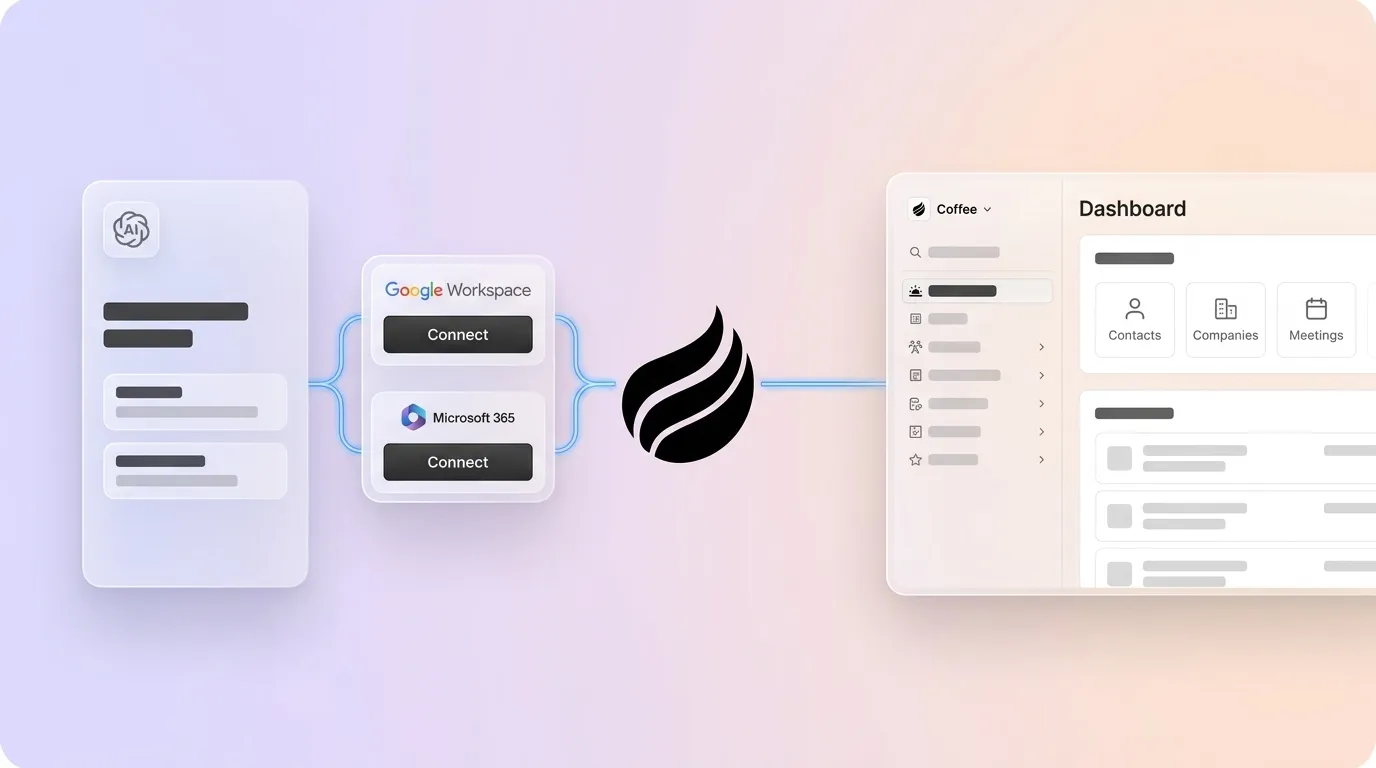
- Connect: Authenticate Coffee with your Salesforce or HubSpot instance. Coffee’s Companion App is designed for teams already committed to either CRM and maps to existing objects and fields.
- Authenticate: Connect your Google Workspace or Microsoft 365 account so the agent can begin logging activity and enriching existing contacts automatically.
- Query: Use Lead Finder to run your first ICP search in natural language. Review the agent’s interpretation and sample results before committing the full list.
- Launch: Enroll the list into a Campaign. Describe the sequence in plain English and review the AI-generated steps, subject lines, and delays before activating.
The entire migration path, from CRM connection to first sequence send, is designed to complete in a single session without a dedicated RevOps engineer.

Launch your first Coffee campaign and see enriched prospecting in action.
Conclusion
Clay sales prospecting is a legitimate and capable workflow for teams with the technical resources to build and maintain it. The six-step process, ICP definition, table setup, waterfall configuration, AI research, CRM sync, and cost management, delivers enriched, activated prospect lists. The cost is tool sprawl, with four or more subscriptions, manual stitching between platforms, sync lag, and ongoing maintenance that falls on RevOps.
Coffee collapses those six steps into one autonomous agent. Lead Finder replaces the prospecting database. The enrichment layer replaces the waterfall. Campaigns replaces the sequencing platform. Because the agent maintains a live connection to your CRM, the sync step disappears entirely. For mid-market RevOps and sales leaders evaluating Clay, Coffee offers a path from a multi-tool workflow to a single seat that does the same work.
Explore Coffee’s single-agent model and eliminate your Clay stack.
Frequently Asked Questions
How does Coffee integrate with Salesforce and HubSpot?
Coffee deploys as a Companion App on top of existing Salesforce or HubSpot instances. A simple authentication connects the Coffee Agent to your CRM, after which it begins syncing data, enriching records, and writing insights, including contact details, activity logs, and meeting summaries, back to the primary system of record in near-real time. Coffee is built with a deep understanding of Salesforce and HubSpot’s object structures, required fields, quota logic, and forecasting hierarchies, which distinguishes it from newer CRM alternatives that lack that integration depth.
Is Coffee SOC 2 compliant?
Yes. Coffee is SOC 2 Type 2 and GDPR compliant. Data processed by the Coffee Agent is not used to train public AI models. For mid-market teams in non-regulated industries, Coffee’s security posture is sufficient for standard procurement reviews. Teams in heavily regulated industries such as healthcare or finance with multi-year security review requirements fall outside Coffee’s current ideal customer profile.
What is Coffee’s pricing model?
Coffee uses seat-based pricing. You pay for the human seats on your team, and the agent’s labor, including enrichment lookups, campaign sends, meeting summaries, pipeline tracking, and CRM writes, is included without additional per-process or LLM usage metering. This contrasts with the Clay stack model, where API credit overages, data add-ons, and seat minimums across multiple tools create unpredictable monthly costs.
Can Coffee replace Apollo and Outreach in one seat?
For most mid-market use cases, yes. Coffee’s Lead Finder serves as a built-in prospecting database, allowing natural language searches for people and companies that match your ICP. The resulting lists feed directly into Coffee’s Campaigns feature, which runs multi-step, AI-generated email sequences from the rep’s own connected mailbox with stop-on-reply logic and send throttling built in. Teams that rely on Apollo exclusively for its high-volume database or on Outreach for advanced enterprise sequencing logic should evaluate coverage and feature parity against their specific requirements before migrating.