
Written by: Doug Camplejohn, CEO & Co-Founder, Coffee | Last updated: September 4, 2026
Key Takeaways
- Sales reps spend only 35% of their time selling because of manual CRM data entry, losing 8–12 hours per week to this work.
- CRM data entry automation tools range from native CRM AI features to point solutions and full agent-led platforms that manage end-to-end workflows.
- The right tool depends on your current CRM, your main bottleneck, your team size, and whether you want a point solution or full agent automation.
- Point solutions like Gong, Sybill, and Attention solve specific problems but require separate CRMs, while native tools like HubSpot Breeze AI and Salesforce Agentforce stay within their own ecosystems.
- Get started with Coffee to automate CRM data entry and reclaim 8–12 hours per rep per week for actual selling.
How CRM Data Entry Automation Works and Why It Matters
What CRM Data Entry Automation Means
CRM data entry automation uses AI agents and integrations to capture, log, and enrich customer data, such as emails, calls, and meeting notes, directly into your CRM. This approach removes manual entry and keeps records accurate and current.
Why Automated CRM Data Entry Changes Sales Productivity
Market data shared by Coffee shows that sales reps spend only about 35% of their time selling because of excessive data entry, a number that has barely moved since Salesforce first measured it in 2018. Manual entry remains the single largest contributor. 37% of sales staff admit to fabricating CRM data because manual entry conflicts with quota pressure, and 85% of sellers admit making embarrassing mistakes because of faulty CRM data.
The downstream impact shows up across the entire revenue engine.
- 68% of sales leaders do not trust their forecasts because of limited pipeline visibility.
- B2B contact data decays at roughly 2–3% per month as people switch jobs, so a record that looks accurate in January drifts off by summer.
- CRM logging automation recovers up to 6 hours per rep per week, based on the Revenue Velocity Lab 2026 benchmark of 938 reps.
- Teams that fully automate data entry can save 8–12 hours per rep per week, according to Coffee’s market data.
The Main Types of CRM Data Entry Automation Tools
Automation tools fall along a spectrum that runs from native CRM features, such as HubSpot Breeze AI and Salesforce Agentforce, to point solutions like Gong for call notes and Clay for enrichment, and then to agent-led platforms like Coffee that manage data entry end to end. The position of a tool on this spectrum shapes how much of your workflow it can actually handle.
How to Match a CRM Automation Tool to Your Stack
Four practical factors help narrow your options before you compare individual tools.
- Identify your CRM. Salesforce, HubSpot, Pipedrive, or no CRM at all. Some tools are native to a single CRM, while others work as companion apps across platforms.
- Determine your primary bottleneck. Post-call notes, email logging, data enrichment, and activity capture each point toward different categories of tools.
- Consider team size. Small teams from 1–20 employees need different levels of structure than mid-market teams from 20–200 or enterprise organizations with 200+ employees.
- Evaluate integration complexity. Native integrations usually set up faster. Companion apps that connect through API or Zapier need more configuration, especially with Salesforce custom fields, quotas, and forecasting.
Ask every vendor a consistent set of questions before you commit.
- “Does it work with my CRM’s required fields?”
- “How does it handle unstructured data like call transcripts?”
- “Does it write structured data to fields, or only paste notes?”
- “What happens when the automation fails, and is there a human review queue?”
Most CRMs are built to store information, not to collect it automatically, so most tools in this space solve one narrow problem. Clear awareness of your main bottleneck keeps you from buying a tool that fixes the wrong issue.
Top CRM Data Entry Automation Tools Compared
This list covers both agent-led platforms and point solutions. Coffee appears first as the recommended option for SMBs and mid-market teams. The right choice for your team still depends on your CRM, your bottleneck, and your team size.
Coffee: Best Overall AI Agent for CRM Data Entry Automation
Category: AI CRM Agent (Standalone CRM or Companion App for Salesforce/HubSpot)
Coffee acts as a CRM agent that captures, enriches, and logs customer data automatically. It can power a Standalone CRM for SMBs or run as a Companion App on top of Salesforce or HubSpot. The platform understands required fields, quotas, and forecasting in depth, which newer tools often miss.

Strengths:

- Auto-creates and enriches contacts, companies, and activities from email and calendar, saving reps 8–12 hours per week.
- AI Meeting Bot joins Zoom, Teams, and Meet calls to record, transcribe, and generate summaries, action items, and follow-up emails.
- Custom Meeting Briefings and Summaries, launched February 2026, let users define exact formats, from executive summaries to technical breakdowns, and write them back to Coffee, HubSpot, or Salesforce.
- An Intelligence layer introduced in February 2026 stores deep context on business model, ICP, and competitors for tailored AI suggestions.
- Stripe integration, launched January 2026, imports customers and companies, enriches them, and adds paid invoices to deals as Closed Won.
- QuickBooks integration, launched February 2026, syncs invoices and payment statuses for real-time financial visibility inside the CRM.
- Pipeline Compare feature shows week-over-week changes without manual CSV exports.
- Consolidates the stack by replacing CRM, enrichment, recording, prospecting, and sequencing tools.
- SOC 2 Type 2 and GDPR compliant, with data kept out of public model training.
- Connects to thousands of apps through Zapier.
Limitations: Coffee does not target large enterprises with 200+ employees that run highly complex custom workflows or operate in heavily regulated industries that require multi-year security reviews.
Ideal Fit: SMBs and mid-market teams from 1–200 employees that want an AI-first CRM or a companion agent on top of Salesforce or HubSpot.
Pricing: Seat-based pricing with unlimited agent labor and no complex metering on LLM usage.
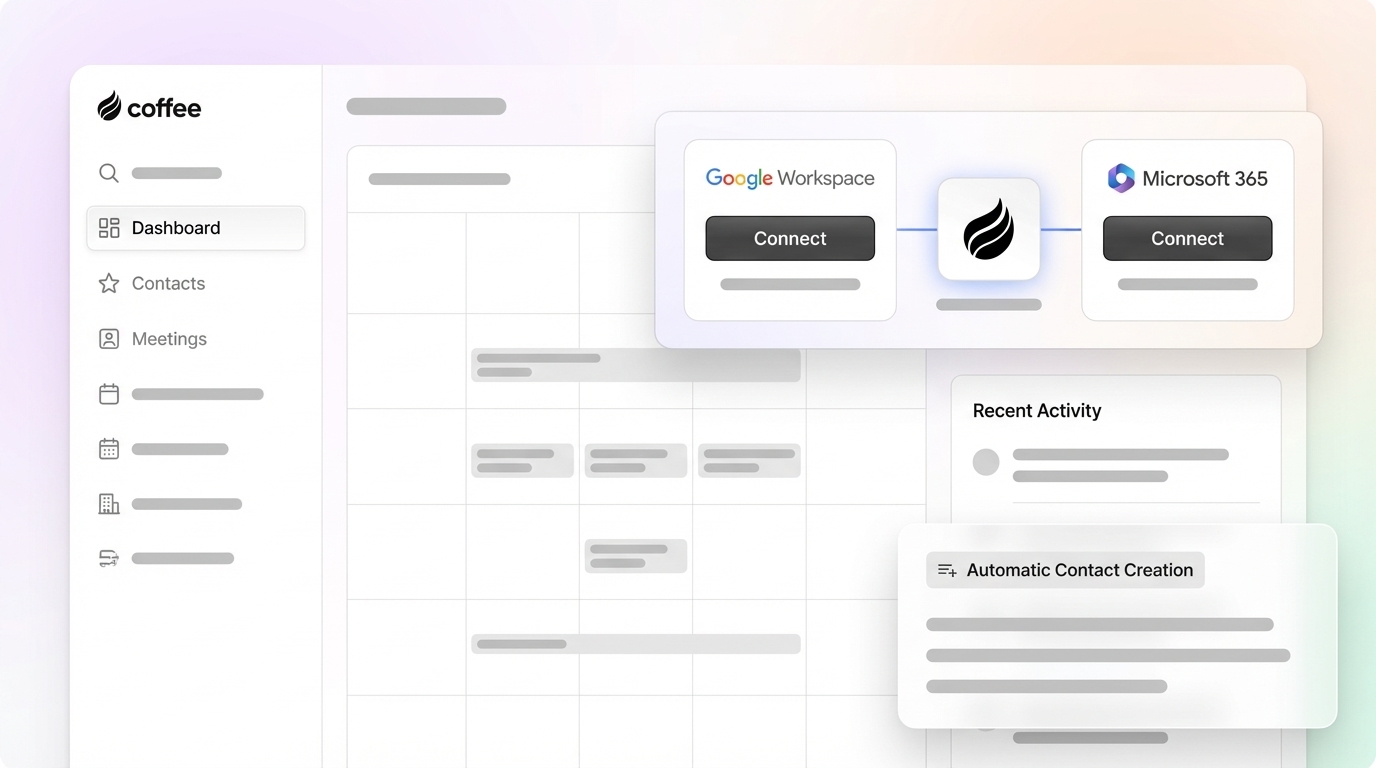
Implementation: Simple authentication connects Google Workspace or Microsoft 365, with native integrations for Zoom, Teams, Meet, QuickBooks, and Stripe.
Get started with Coffee and automate your CRM data entry today.

HubSpot with Breeze AI: Best Native Choice for HubSpot Users
Category: Native CRM with built-in AI layer
HubSpot’s Breeze AI adds natural-language workflow building, AI agents for prospect research and enrichment, and AI Audit Cards that explain automated decisions. This setup works well for teams already committed to HubSpot that want native AI features without adding another tool.
Strengths: Native automation, 2,000+ marketplace integrations, and Breeze Intelligence for enrichment and scoring.
Limitations: Breeze agents and enrichment rely on credits and add-ons, and the Workflows engine requires a Professional tier.
Ideal Fit: Growing SMBs already using HubSpot that want native AI features without a companion app.
Salesforce with Agentforce: Best Enterprise-Scale AI Platform
Category: Native CRM with AI agent platform
Salesforce Agentforce introduces autonomous AI agents inside the Salesforce ecosystem that handle data entry, lead routing, and workflow automation at enterprise scale. 94% of sales leaders using agents say agents are essential for meeting business demands, and Agentforce provides the native path for Salesforce-focused organizations.
Strengths: Deep customization, enterprise-grade governance, and native integration with Sales Cloud.
Limitations: Implementation is complex and needs significant admin resources. Pricing scales with usage, and the 25-year legacy architecture struggles with unstructured data.
Ideal Fit: Enterprise organizations with 200+ employees, dedicated RevOps teams, and complex custom workflows.
Pricing: Enterprise from $165 per user per month and Unlimited from $330 per user per month, usually with Salesforce consultants or internal admins.
Gong: Best for Conversation Intelligence and Post-Call Notes
Category: Conversation intelligence platform (point solution)
Gong records, transcribes, and analyzes sales calls to provide deal insights and coaching analytics. Call analytics platforms like Gong record, transcribe, and analyze conversations but do not write data to CRM fields, so reps still have to update the CRM themselves.
Strengths: Deep conversation intelligence, deal risk signals, and coaching scorecards.
Limitations: Does not write structured data to CRM fields and requires a separate CRM, with custom pricing.
Ideal Fit: Mid-market and enterprise teams with heavy call volume that want conversation analytics alongside their CRM.
Pricing: Custom quotes on request.
Clay: Best for Outbound Data Enrichment Workflows
Category: Enrichment and research platform (point solution)
Clay pulls waterfall data from dozens of providers, including LinkedIn, OpenAI, and Clearbit, to enrich leads and build targeted prospect lists. Edward White, head of growth at beehiiv, saves 8–10 hours per week using Clay to remove manual data cleanup.
Strengths: Powerful enrichment, natural-language “Claygent” research, and the ability to merge outputs from multiple data sources.
Limitations: Focuses on enrichment rather than full CRM data entry, requires a separate CRM, and includes a workflow builder with a learning curve.
Ideal Fit: Outbound sales teams and RevOps professionals who need enriched prospect data at scale.
Pricing: Free plan available, with paid plans that scale with credits.
Pipedrive: Best Visual Pipeline-First CRM with Built-In Automation
Category: CRM with native automation
Pipedrive offers drag-and-drop pipeline management, workflow automations, and built-in AI assistants for data entry and follow-up. It gives small teams a straightforward visual CRM with basic automation.
Strengths: Intuitive visual pipeline, easy setup, and native automation features.
Limitations: Provides less depth for complex data entry automation, and AI features lag behind dedicated tools.
Ideal Fit: Small teams from 1–20 employees that want a simple, visual CRM with basic automation.
Pricing: Essential from $14 per user per month and Professional from $49 per user per month.
Sybill: Best for Post-Call CRM Field Updates
Category: AI assistant for call capture (point solution)
Sybill records calls, generates summaries, and writes call outcomes and next steps directly into CRM fields. It appears frequently in Reddit recommendations for post-call automation and focuses tightly on teams that struggle with post-call notes.
Strengths: Automated CRM field updates, call summaries, and next-step capture.
Limitations: Focuses on post-call notes, requires a separate CRM, and remains less comprehensive than agent-led platforms.
Ideal Fit: Teams whose main bottleneck is post-call notes and CRM field updates.
Pricing: Paid plans with a free trial.
Attention: Best for AI-Powered Meeting Notes and CRM Logging
Category: AI meeting assistant (point solution)
Attention delivers AI-powered meeting notes, action items, and CRM logging. It also appears in Reddit threads about post-call automation and suits teams that want automated meeting capture while keeping their current CRM.
Strengths: Automated meeting capture, CRM logging, and action item extraction.
Limitations: Focuses on meeting notes, requires a separate CRM, and offers less coverage than agent-led platforms.
Ideal Fit: Teams that want automated meeting notes while staying on their existing CRM.
Pricing: Paid plans with a free trial.
Side-by-Side Comparison of CRM Automation Tools
| Tool | Best For | CRM Compatibility | Pricing Model |
|---|---|---|---|
| Coffee | Agent-led automation and end-to-end data entry | Salesforce, HubSpot, or Standalone | Seat-based with unlimited agent labor |
| HubSpot + Breeze AI | Native HubSpot automation | HubSpot only | Per-seat plus credits, Starter from $20 per seat per month |
| Salesforce + Agentforce | Enterprise-scale automation | Salesforce only | Per-seat plus usage, Enterprise from $165 per user per month |
| Gong | Conversation intelligence | Salesforce, HubSpot | Custom quote |
| Clay | Outbound enrichment | Any CRM via export or import | Credit-based with a free plan |
| Pipedrive | Visual pipeline and basic automation | Pipedrive only | Per-seat, Essential from $14 per user per month |
| Sybill | Post-call CRM updates | Salesforce, HubSpot | Per-seat with free trial |
| Attention | AI meeting notes and CRM logging | Salesforce, HubSpot | Per-seat with free trial |
The main tradeoff in this market sits between point solutions and all-in-one agents. Gong, Sybill, and Attention each solve one problem well but require a separate CRM and often leave reps updating fields manually. Clay covers enrichment but not logging. HubSpot and Salesforce native tools work well inside their ecosystems but usually sit behind higher pricing tiers. Coffee stands out as the only option that consolidates CRM, enrichment, recording, prospecting, and sequencing into a single agent, which reduces both cost and the number of tools each rep must juggle.
Recommended CRM Automation Stacks by Scenario
Scenario 1: Salesforce or HubSpot users who want to keep their CRM but remove manual entry. Deploy Coffee as a Companion App. Its deep understanding of required fields, quotas, and forecasting lets the agent write structured data to the correct fields automatically. Native AI features such as Agentforce for Salesforce and Breeze AI for HubSpot can sit alongside Coffee for additional workflow automation inside each platform.
Scenario 2: Small teams from 1–20 employees starting fresh. Use Coffee as a Standalone CRM. The product includes automation, enrichment, meeting intelligence, prospecting through Lead Finder, and outreach through Campaigns in one place. This setup replaces separate tools such as HubSpot, ZoomInfo, Gong, and Outreach.
Scenario 3: Teams with a specific bottleneck such as heavy call volume. Point solutions like Gong or Sybill address post-call notes effectively but still require a separate CRM and do not manage email logging, enrichment, or pipeline intelligence. Teams that start with a point solution usually add more tools over time, which raises cost and complexity. Coffee covers all of these bottlenecks through a single agent.
Implementation Tips and Common Pitfalls
Four Stages of Implementing CRM Data Entry Automation
A standard implementation sequence for CRM data entry automation follows four clear stages.
- Connect email and calendar through Google Workspace or Microsoft 365 to start automatic contact and activity capture.
- Set up the meeting bot to join Zoom, Teams, or Meet calls for recording and transcription.
- Configure required fields and map conversation data points to CRM fields, including any custom properties for BANT, MEDDIC, or SPICED qualification frameworks.
- Train reps on the new workflow and show that their role shifts from data entry to reviewing a short queue of flagged uncertain records.
Common Pitfalls When Rolling Out Automation
Several recurring mistakes cause most implementation failures.
- 46% of sellers do not use their CRM as intended, and 66% say they would rather do unpleasant tasks than update their CRM, so low adoption from poor training remains the top failure mode.
- Teams often underestimate integration complexity, especially around Salesforce custom fields, required fields, and forecasting logic.
- Automating a messy schema creates inconsistency at scale, so teams should clean the data model before turning on automation.
- Automation shifts the team’s focus toward reviewing and acting on information instead of entering it, while CRM quality still matters.
- Skipping the human review queue allows unresolved duplicates and mismatched records to pile up and become difficult to clean after six months.
Best Practices for Reliable CRM Automation
- Start with a pilot group of two or three reps to build trust in automated data and let them review entries for one week before a full rollout.
- Automate one workflow at a time, beginning with email and calendar sync, then meeting capture, then enrichment.
- Choose tools that require minimal human effort, such as Coffee’s agent, to encourage adoption, since reps stick with tools that help them more than they demand from them.
- Assign a data quality owner and run monthly audits, because automated systems can miscategorize data when external inputs change.
Frequently Asked Questions
Which CRM works best for sales teams?
The right CRM depends on team size and your current stack. For small teams from 1–20 employees starting from scratch, Coffee’s Standalone CRM includes automation, enrichment, meeting intelligence, and outreach in one product, which removes the need to stitch together multiple tools. For mid-market teams already using Salesforce or HubSpot, Coffee as a Companion App keeps the system of record in place while the agent manages data entry automatically. Pipedrive suits very small teams that want a simple visual pipeline and do not need advanced automation.
What are the best CRM automation tools?
This comparison highlights several leaders by use case. Coffee stands out as the best overall agent-led solution for end-to-end CRM data entry automation. HubSpot with Breeze AI works best for teams already committed to HubSpot. Salesforce with Agentforce fits enterprise organizations with dedicated RevOps teams. Gong leads for conversation intelligence and post-call analytics. Clay excels at outbound data enrichment workflows. Sybill and Attention serve teams whose main bottleneck is post-call notes and CRM field updates.
Will AI replace CRM systems?
AI will not replace CRM systems. AI agents like Coffee enhance CRMs by automating data entry while the CRM remains the system of record for pipeline, contacts, and revenue data. AI changes who handles the work of keeping data accurate. Instead of busy sales reps logging every call and updating every field, an agent manages the input automatically. The CRM becomes more valuable because the data stays accurate and complete.
How much time does CRM data entry automation save?
Teams can save 8–12 hours per rep per week, based on Coffee’s market data. The Revenue Velocity Lab 2026 benchmark of 938 reps shows that CRM logging automation alone recovers up to 6 hours per rep per week. Total savings depend on how many workflows you automate. Teams that use five or more integrated AI tools reach the 12-hour weekly savings benchmark, while single-tool pilots usually land between 3 and 5 hours. Over a year, 8–12 hours per week equals 416–624 hours of recovered selling time per rep.
Do these tools integrate with Salesforce and HubSpot?
Many tools integrate with Salesforce and HubSpot, but depth of integration varies. Coffee offers a Companion App for both platforms with deep knowledge of required fields, quotas, forecasting, and custom properties, which newer tools often lack. Gong, Sybill, and Attention integrate with both platforms for call logging but do not write structured data to all field types. Clay exports enriched data to any CRM but still needs manual import or a Zapier connection. HubSpot’s Breeze AI and Salesforce’s Agentforce remain native to their own platforms.
Are any CRM data entry automation tools free?
Some CRMs include basic native automation at no extra cost. HubSpot’s free CRM supports Zapier integrations and limited workflow triggers, and Pipedrive’s entry plan includes basic automations. Agent-led tools that manage end-to-end data entry operate as paid products, although most offer free trials. Coffee provides a free trial so teams can experience automated contact creation, meeting capture, and pipeline intelligence before they commit.
Get started with Coffee and try the agent that manages your CRM data entry automatically.
Conclusion: Choosing a CRM Automation Strategy That Scales
The best CRM data entry automation tool for your sales team depends on three variables. Your current CRM, your primary bottleneck, and whether you want a point solution or an agent that manages the full data entry workflow all shape the right choice. Point solutions like Gong, Sybill, and Attention solve specific problems but require additional tools to cover the rest of the stack. Native CRM AI features from HubSpot and Salesforce work well inside their ecosystems but often sit behind higher tiers and stay limited to their own platforms.
For SMBs and mid-market teams, whether starting fresh or already running Salesforce or HubSpot, Coffee delivers the most complete solution. Its agent captures data from email, calendar, and calls automatically, enriches contacts and companies without manual work, writes structured data back to the correct CRM fields, and consolidates enrichment, recording, prospecting, and sequencing tools into one platform. Sales reps gain a CRM they can trust, and managers gain pipeline data they can rely on.
Get started with Coffee today and give your sales team 8–12 hours back every week.


