
Written by: Doug Camplejohn, CEO & Co-Founder, Coffee | Last updated: August 2, 2026
Key Takeaways for Busy RevOps and Sales Leaders
- Native CRM contact tools still require 5–15 hours of manual data entry per rep each week, which hurts accuracy and adoption.
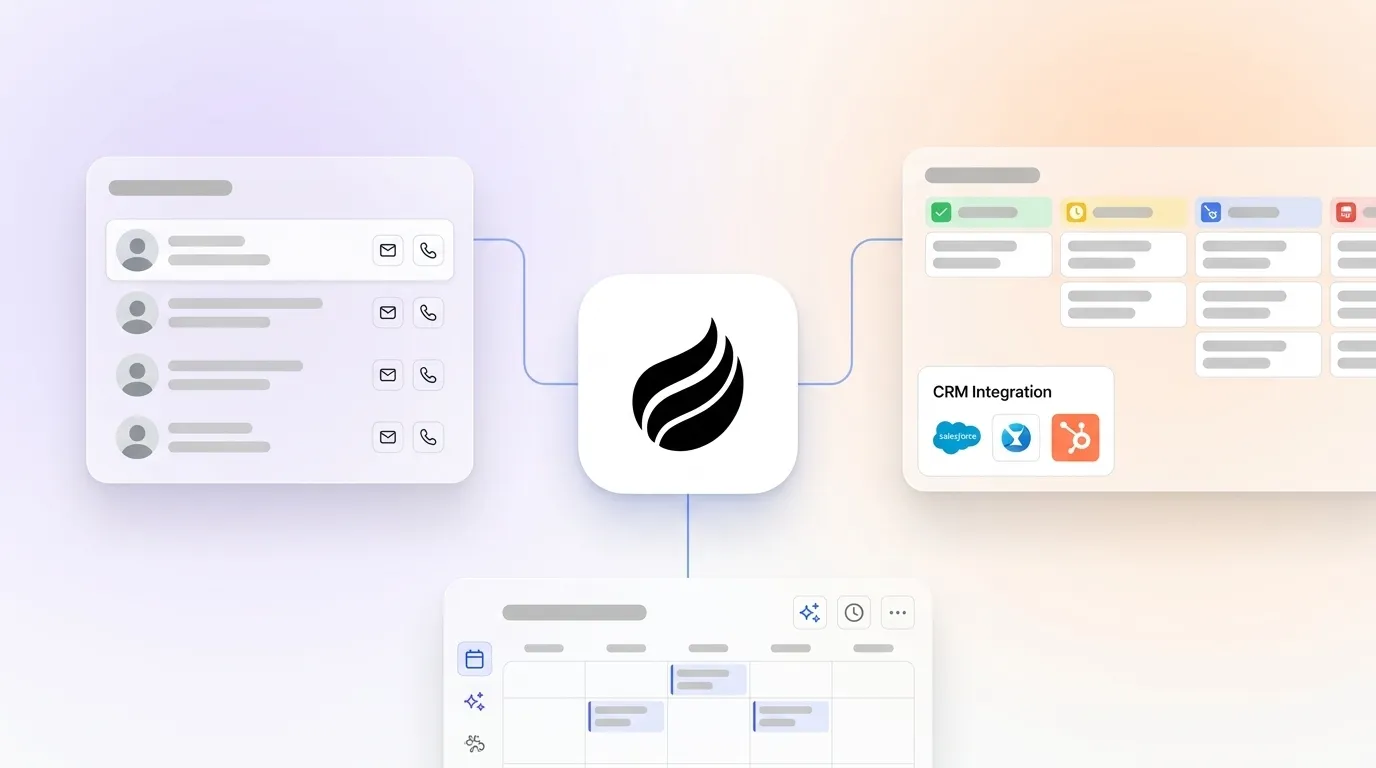
- AI companion layers like the Coffee Companion App remove manual entry by creating, enriching, and logging contacts directly into Salesforce or HubSpot.
- Integration and maintenance overhead drops sharply, because one-time authentication replaces ongoing field mapping, API monitoring, and quarterly audits.
- Reps reclaim 8–12 hours per week while managers gain accurate, real-time pipeline visibility without relying on self-reported updates.
- Teams ready to stop manual CRM upkeep can get started with Coffee and add an autonomous agent layer to their existing Salesforce or HubSpot instance.
How This Guide Evaluates CRM Contact Management
Five criteria show whether a contact management layer is genuinely useful or just another tool to maintain.
- Integration friction: How much setup, field mapping, and ongoing API management the tool needs before it reliably writes data to Salesforce or HubSpot.
- Data quality: Whether the tool produces accurate, enriched, deduplicated contact records instead of raw data that humans must still clean.
- Automation depth: Whether the tool automates contact creation, enrichment, activity logging, and meeting follow-up autonomously instead of only assisting humans.
- Time saved: How many hours per rep per week the tool gives back from administrative work.
- Long-term scalability: Whether the maintenance burden grows linearly with headcount or the agent model absorbs scale without extra configuration.
The benchmarks are significant. B2B sales reps spend an average of 11.5 hours per week on CRM data entry. Industry research on CRM data quality found that sales reps lose 546 hours annually, roughly 10.5 hours per week, on manual data entry and chasing inaccurate records. The Salesforce 2026 State of Sales report states that sales reps at small businesses and startups spend 60% of their time on non-selling tasks. These numbers represent the baseline that any contact management solution must improve.
Side-by-Side Scorecard: Native Tools vs. Coffee Companion App
The table below compares native HubSpot, Zoho, and Salesforce contact management against the Coffee Companion App across these five criteria. The first three criteria, integration friction, data quality, and automation depth, appear as four measurable dimensions in the table. Time saved and long-term scalability are covered in the sections that follow.
| Criteria | Native HubSpot / Zoho / Salesforce | Coffee Companion App | Winner |
|---|---|---|---|
| Sync latency | Near-real-time with connector, but Streaming API replay IDs expire after 72 hours and cause silent gaps | Continuous passive ingestion from email and calendar, then writes back to Salesforce or HubSpot on each interaction | Coffee |
| Enrichment accuracy | HubSpot AI enrichment populates job title, seniority, company size, and social links on contact creation, and still requires human review for edge cases | Autonomous enrichment via licensed data partners that augments job titles, funding data, and LinkedIn profiles without manual triggers | Coffee |
| Activity logging completeness | Activity timelines log inbound and outbound emails, calls, and meetings when integrations are configured correctly, but gaps appear when reps use tools outside the native stack | Logs last activity and next activity autonomously from email, calendar, and call transcripts across all connected tools | Coffee |
| Zero-plugin capture | Requires field mapping, API quota management, and a dedicated integration owner for sustained health | Uses single authentication to Google Workspace or Microsoft 365 with no ongoing plugin maintenance | Coffee |
See how the Companion App fits your existing Salesforce or HubSpot instance
Setup Effort and Ongoing Administrative Burden
Native CRM integrations create a permanent maintenance stream rather than a one-time project. Field mapping drift occurs when Salesforce admins rename or delete fields, which causes silent pipeline breaks that can take days to detect in downstream dashboards. Maintaining long-term HubSpot-Salesforce integration health requires a dedicated integration owner, weekly sync health checks, coordinated schema changes, and quarterly audits of field mappings and inclusion lists.
Salesforce Enterprise Edition has a base limit of 100,000 API calls per 24 hours plus 1,000 additional calls per user. Teams running ZoomInfo, Gong, and a marketing automation platform alongside their CRM often hit this ceiling without realizing it until records stop updating.
The Coffee Companion App uses a passive agent model that keeps setup simple. A single authentication to Google Workspace or Microsoft 365 activates the agent. From that point, the agent scans emails and calendars continuously, creates and enriches contacts, and writes summaries back to Salesforce or HubSpot. Coffee released improved summary templates in November 2025, which are customizable to match workflows and writable back to Coffee, HubSpot, or Salesforce. Teams avoid field mapping files, API quota dashboards, and quarterly audits.
For RevOps teams already stretched across stack management, the gap between one authentication and a permanent integration maintenance workstream has real operational impact.
Data Capture, Enrichment, and Ongoing Maintenance
Native CRM tools now ship stronger enrichment features. HubSpot provides AI-powered enrichment through its Breeze platform, offering automated data enrichment, predictive insights, and tools across marketing, sales, and service teams. Salesforce offers AI capabilities through Agentforce, including predictive lead scoring, opportunity insights, and automated prospecting.
The main limitation comes from architecture, not configuration. The absence of a reliable External ID strategy is the most common cause of data sync issues in Salesforce, which leads to duplicate record creation instead of updates. HubSpot treats every person as a single contact deduplicated by email, while Salesforce separates people into Lead and Contact objects, and most integrations ignore this structural difference. These issues reflect architectural mismatches that require ongoing human governance.
Coffee’s agent approaches the problem differently. After connection, the agent auto-creates contacts and companies by scanning emails and calendars, enriches records with job titles, funding data, and LinkedIn profiles via licensed data partners, and logs last activity and next activity autonomously. Coffee’s Stripe integration, launched in January 2026, automatically imports customers and companies, enriches them, and adds paid invoices to deals as Closed Won. The QuickBooks integration, launched in February 2026, automatically syncs invoices and payment statuses and provides real-time visibility within the CRM. These flows run as autonomous agent actions that keep the system of record current without human intervention.

Frontline Rep Experience and Manager Visibility
The rep experience with native CRM tools appears clearly on forums like Reddit. Reps log calls after the fact, skip activity updates when busy, and maintain shadow CRMs in spreadsheets or Notion because the official system feels like a reporting obligation instead of a productivity tool.
Coffee’s agent gives reps back 8–12 hours per week by handling contact creation, enrichment, activity logging, meeting briefings, post-call summaries, and follow-up drafts autonomously. Reps review and send while the agent handles the busywork.

Managers gain a different view of the pipeline. The Pipeline Compare feature visualizes week-over-week changes, including progressed deals, stalled opportunities, and new additions, without CSV exports or manual pipeline reviews. Because the agent captures history in a built-in data warehouse, the output stays accurate instead of depending on rep self-reporting. Pipeline reviews shift from interrogation sessions to strategic discussions.

Get started with Coffee and give your reps back 8–12 hours every week.
Choosing Between Salesforce, HubSpot, and Zoho for Contact Management
Salesforce and HubSpot remain the dominant systems of record for mid-market sales teams, and both ship strong native contact management features. Salesforce’s depth fits complex enterprise workflows. HubSpot’s interface feels more accessible for smaller teams. Zoho CRM offers competitive pricing with solid enrichment features for budget-conscious buyers.
Native CRM contact tools in 2026 still cannot remove manual upkeep on their own. A CRM functions as the structured memory or database while AI acts as the processor, and without the CRM’s historical data as the source of truth, AI systems are prone to hallucinations when generating sales strategies. The companion-layer model preserves that source of truth while assigning an agent to handle data capture. For teams already committed to Salesforce or HubSpot, adding Coffee as a companion layer offers a lower-risk path than migrating platforms and produces cleaner contact data than native tools alone.
How Microsoft Fits into Contact Management
Microsoft Dynamics 365 Sales includes native contact management with integration across the Microsoft 365 ecosystem. For teams already using Teams, Outlook, and SharePoint, Dynamics offers a coherent stack. The trade-off comes from implementation complexity and licensing cost, which usually positions Dynamics for larger enterprise deployments instead of small-to-mid-market teams.
Microsoft 365 users who prefer Salesforce or HubSpot as their system of record can connect Coffee through Microsoft 365 authentication. The Coffee agent then ingests emails and calendar events from Outlook and Teams, creates and enriches contacts, logs activities, and writes summaries back to the existing CRM. This setup preserves the Microsoft 365 productivity environment while keeping Salesforce or HubSpot as the authoritative contact database and avoids a Dynamics migration.
Best-Fit Scenarios and Operational Considerations
The Coffee Companion App fits specific organizational profiles especially well.
- Small-to-mid-market teams (10–200 employees) committed to Salesforce or HubSpot that have low CRM adoption, incomplete activity logs, and reps spending more than five hours per week on manual entry.
- RevOps leaders managing fragmented stacks, with separate enrichment, recording, and sequencing tools, who want consolidation without replacing the CRM.
- Heads of Sales who need accurate pipeline data for forecasting but cannot trust self-reported rep updates.
Change management considerations stay straightforward. Because Coffee operates as a passive agent rather than a new interface, rep training remains minimal. The agent works in the background and surfaces outputs in Gmail, the existing CRM, and a lightweight Today page. This low-touch model also simplifies data governance, because SOC 2 Type 2 and GDPR compliance are built in and customer data is not used to train public models.
The passive agent architecture also improves scaling. Costs scale linearly with headcount through seat-based pricing, while the agent’s workload scales without extra configuration. Native integrations often require re-auditing field mappings as the team and data volume grow, which Coffee avoids.
By the end of 2026, 40% of enterprise applications will include task-specific AI agents, up from less than 5% in 2025. Teams that adopt an agent-layer model now gain a structural data quality advantage over those that still rely on manual entry when that shift completes.
Risks and Practical Decision Checklist
Every tool carries trade-offs, and the Coffee Companion App is no exception.
- Deeper third-party integrations beyond Google Workspace, Microsoft 365, Salesforce, and HubSpot currently run through Zapier, with direct integrations on the roadmap.
- Teams in heavily regulated industries, such as healthcare and finance, that require multi-year security reviews may face longer procurement timelines.
- Large enterprises with complex custom Salesforce objects and multi-org architectures may need scoping before deployment.
Before selecting any contact management layer, apply this checklist to your constraints.
- Confirm whether the tool writes data back to your existing CRM or creates a parallel system of record.
- Estimate the ongoing maintenance burden, including field mapping, API quota management, and integration owner time.
- Check whether automation covers contact creation, enrichment, activity logging, and meeting follow-up or only a subset.
- Verify that the tool can handle unstructured data such as email text and call transcripts in addition to structured fields.
- Review whether pricing is seat-based and predictable or metered on usage in ways that scale unpredictably.
Frequently Asked Questions
How long does Coffee Companion App implementation take?
Implementation runs quickly by design. The core setup uses a single authentication to Google Workspace or Microsoft 365, after which the Coffee agent begins scanning emails and calendars immediately. For teams connecting to Salesforce or HubSpot, the agent starts writing enriched contacts, activity logs, and meeting summaries back to the CRM within the same session. Most teams become fully operational within one business day. There is no field mapping configuration, no data migration, and no rep training required before the agent begins producing value.
What is the migration effort when adding Coffee to an existing Salesforce or HubSpot instance?
Coffee acts as an additive layer, not a replacement. The existing Salesforce or HubSpot instance remains the system of record. Coffee does not move, overwrite, or restructure existing data. The agent reads from email and calendar, enriches new and existing contacts, and writes summaries and activity logs back to the CRM using the existing record structure. There is no traditional data migration. Teams with complex custom objects or validation rules in Salesforce should confirm field compatibility during onboarding, and standard contact, company, and activity objects are supported out of the box.
How does Coffee handle data security and governance?
Coffee is SOC 2 Type 2 certified and GDPR compliant. Customer data ingested by the agent, including emails, calendar events, and call transcripts, is not used to train public AI models. Data processed by the agent is stored in Coffee’s built-in data warehouse, which powers Pipeline Compare and historical activity views. Teams with specific data residency or retention requirements should review those constraints during procurement. Coffee is not currently positioned for heavily regulated industries such as healthcare or financial services that require multi-year security review cycles.
What pricing model does Coffee use for the Companion App?
Coffee uses seat-based pricing. Each human user on the team occupies one seat, and the agent’s labor, including contact creation, enrichment, activity logging, meeting briefings, post-call summaries, and pipeline intelligence, is included without extra metering on AI usage, API calls, or automated processes. This structure keeps cost predictable as headcount grows. There are no separate charges for enrichment data, recording, or sequencing features that would otherwise require standalone tool subscriptions. Full pricing details are available at the Coffee pricing page.
Conclusion: Picking the Right Contact Management Layer for 2026
Native CRM contact tools in 2026 outperform their predecessors but still depend on human upkeep to stay accurate. Manual entry, field mapping maintenance, API quota management, and incomplete activity logging reflect an architectural gap that a passive database cannot solve alone.
For small-to-mid-market teams committed to Salesforce or HubSpot, the Coffee Companion App adds an autonomous agent layer that removes 8–12 hours of manual work per rep per week while keeping the existing CRM as the system of record. Teams avoid migrations, new systems of record, and plugin maintenance.


