
Written by: Doug Camplejohn, CEO & Co-Founder, Coffee | Last updated: July 31, 2026
Key Takeaways for B2B Contact Management
- Effective B2B contact management in 2026 requires automatic account linking, real-time activity syncing, and pipeline intelligence without spreadsheets.
- Five evaluation criteria guide any vendor comparison: automation depth, account hierarchy, integration effort, time-to-value, and total cost of ownership.
- Coffee’s AI agent auto-creates contacts, enriches records, logs activities, and orchestrates meetings, reclaiming 8–12 hours per rep each week.
- Deploying Coffee as a companion app on Salesforce or HubSpot lets the agent clean data and write insights back without disrupting existing workflows or quotas.
- Eliminate add-on sprawl and start reclaiming hours today by seeing pricing for your team size.
Five Evaluation Criteria for Contact-Management Tools
Use a consistent scoring framework before comparing vendors. The five criteria below apply equally to standalone CRMs and companion-layer tools.
- Automation depth: The platform should capture contacts, enrich records, and log activities with minimal rep input instead of relying on manual entry.
- Account hierarchy and linking: The system should map parent-child company relationships and associate contacts to the correct account automatically.
- Integration effort: Teams need a clear view of configuration effort to connect the tool to an existing Salesforce or HubSpot instance and confirm bidirectional sync.
- Time-to-value: A 10–50 person team should reach productive use quickly after sign-up, not after a long implementation project.
- Total cost of ownership (TCO): Pricing should scale predictably and consolidate point solutions such as enrichment, sequencing, and visitor ID instead of requiring extra tools.
Side-by-Side Comparison of Coffee and Legacy CRMs
The table below scores five platforms across the evaluation criteria. Scores reflect publicly documented capabilities as of July 2026. Metrics that cannot share a common unit appear in more detail in the category sections below.
| Criterion | Coffee | Salesforce + add-ons | HubSpot Sales Hub | Pipedrive |
|---|---|---|---|---|
| Automation depth | Agent auto-creates contacts, enriches records, logs all activity, and saves 8–12 hrs/week per rep | Einstein Activity Capture logs emails/calendar, while enrichment requires ZoomInfo or Clay add-on | CRM-native sequences log touches, and enrichment runs through third-party integrations | Basic activity logging, with enrichment via marketplace add-ons |
| Account hierarchy | Automatic account-based linking on contact creation | Two native fields, with hierarchies deeper than four levels requiring custom Apex | Company associations with limited native parent-child hierarchy | Organization records without native multi-level hierarchy |
| Integration effort | Single auth connects to Salesforce or HubSpot, and the agent writes enriched data back automatically | Native platform, while third-party enrichment requires separate connectors | Native platform, with Salesforce sync available at higher tiers | API and Zapier, without deep bidirectional CRM sync natively |
| Time-to-value | Agent begins populating records on first Google Workspace or Microsoft 365 connection | Weeks to months depending on configuration and data migration | Days to weeks, with onboarding complexity scaling with team size | Days, while limited automation requires manual setup |
| TCO | Seat-based, with agent labor included and consolidation of enrichment, sequencing, visitor ID, and forecasting | High, with seat licenses plus enrichment, engagement, and forecasting add-ons | Moderate to high, with advanced automation and reporting at higher tiers | Lower base cost, while point solutions add up for enrichment and sequencing |
The comparison table highlights Coffee’s advantage in automation depth and consolidation. The next sections explain how those capabilities work in practice and why they matter for B2B teams.
Compare Coffee’s pricing to your current stack and see how much you can save by eliminating add-on sprawl.
Automatic Contact Capture That Replaces Manual Data Entry
B2B sales reps lose 8 to 13 hours per week to manual CRM data entry, admin tasks, and tool-switching, which represents roughly 70% of their workday spent on non-selling tasks instead of prospect conversations.
Legacy CRMs act as passive databases and store data only when a human enters it. Coffee’s agent inverts this model. After connecting Google Workspace or Microsoft 365, the Coffee Agent scans emails and calendars to auto-create contact and company records, enriches them with job titles, funding data, and LinkedIn profiles via licensed data partners, and logs every activity autonomously.

Reps no longer spend hours each week on manual CRM updates, because the agent handles capture, enrichment, and logging in the background.
Meeting Orchestration With Briefings, Notes, and Follow-ups
Coffee’s agent functions as a pre- and post-meeting executive assistant for every rep. Before each call, it surfaces a briefing that covers attendee roles, deal history, and open action items. During the call, the agent joins via Zoom, Teams, or Meet to record and transcribe the conversation.

After the call, it generates a structured summary, identifies next steps, and drafts a follow-up email in Gmail for the rep to review and send. The agent structures notes according to BANT, MEDDIC, or SPICED, which keeps qualification data consistent regardless of who ran the call. Gartner predicts that by 2027, 95% of sellers’ research workflows will begin with AI, shifting from manual data gathering to agentic systems that analyze data and surface insights.

Coffee delivers that agent-driven meeting workflow today, without extra tools or manual note formatting.
Pipeline Intelligence With Full Historical Context
The “Time-to-value” criterion in the evaluation framework depends on how quickly a tool surfaces actionable insights. Legacy CRMs use relational databases where field updates overwrite prior values, so historical context disappears and teams export CSVs to reconstruct deal movement.
Coffee runs on a data warehouse architecture that retains every state change. The Pipeline Compare feature visualizes week-over-week deal movement and highlights progressed opportunities, stalled deals, and new additions without any spreadsheet exports.
AI sales tools can increase leads, reduce costs, and cut call time, and those outcomes depend on clean, continuous data that passive CRMs cannot guarantee.
Visitor Identification That Feeds Contact Records and Outbound
A typical B2B site converts visitor-to-lead around 2–3%, leaving roughly 97% of traffic unidentified and invisible to traditional lead capture methods without visitor identification technology.
Contact management begins the moment a prospect signals interest, not when they fill out a form. Coffee closes this 97% anonymous-traffic gap with a single tracking pixel that identifies visitors by name, title, email, and LinkedIn profile, alongside company, pages visited, and session duration.

Real-time Slack notifications surface high-fit visitors the moment they land. One click adds the prospect to Coffee with enrichment pre-filled, ready for LinkedIn outreach or auto-enrollment in a Campaign sequence. Where competitors like RB2B and Warmly surface company-level data or undifferentiated people lists, Coffee’s Suggested Leads feature uses the buyer persona to recommend the two or three specific individuals inside the visiting company most worth contacting.
AI visitor intelligence then identifies up to 65% of anonymous B2B visitors at the company level, feeding the same contact records the agent maintains elsewhere.
Companion-App Deployment on Salesforce or HubSpot
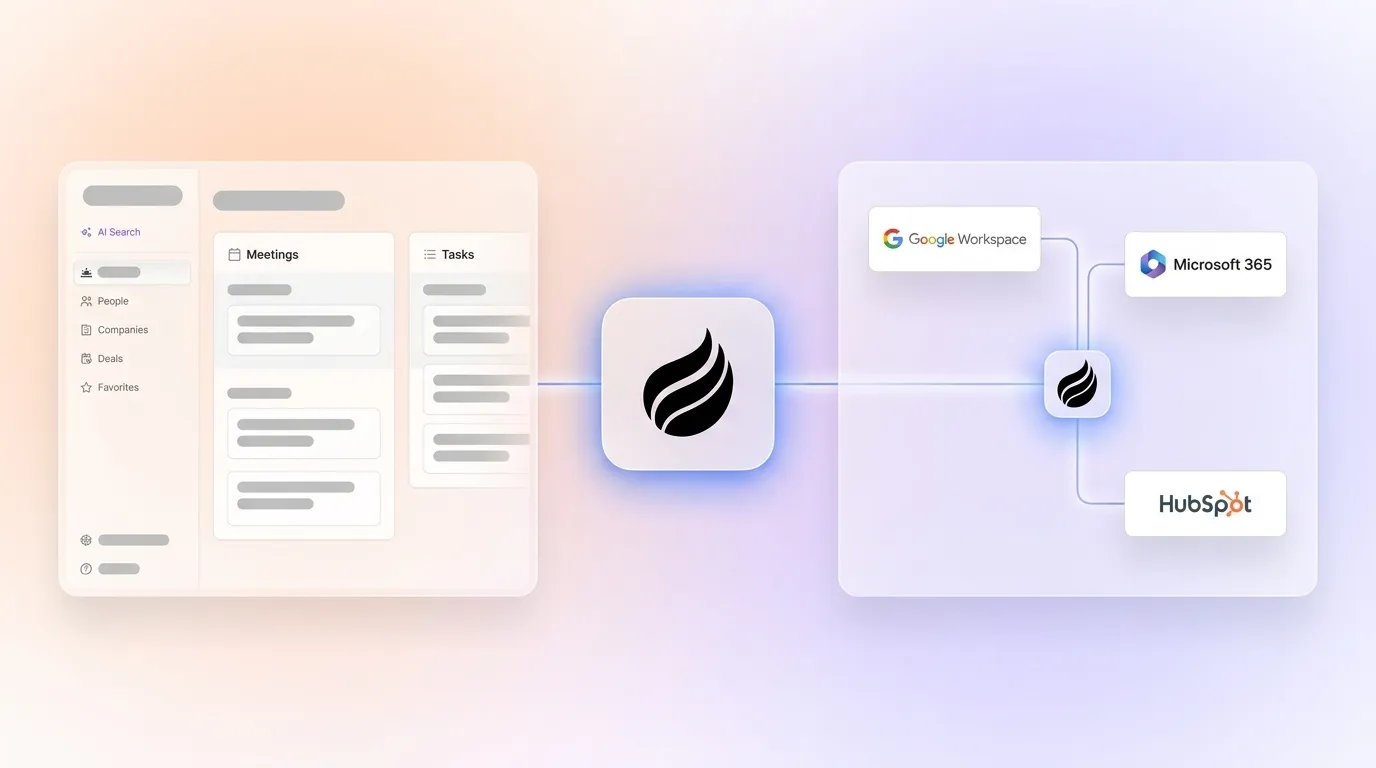
Teams committed to Salesforce or HubSpot can keep their primary CRM and still gain an agent. Coffee deploys as a companion app via a single authentication. The agent handles the “data in” process by capturing emails, calls, enrichment, and meeting notes, then writing clean, structured records back to the primary CRM automatically.
Salesforce has limited native account hierarchy capabilities, and Coffee’s agent supplements this by automatically associating contacts to the correct account on creation. This reduces the orphaned-record problem that plagues large Salesforce instances.
Newer AI-native CRMs such as Clarify lack the integration depth to handle Salesforce quotas, forecasting, and required-field logic at scale. Coffee’s companion model fits teams that cannot afford to break existing Salesforce or HubSpot workflows but still want an AI agent improving data quality.
Best-Fit Guidance for Three Common Scenarios
Scenario 1 — Outgrown spreadsheets, no CRM yet: Use Coffee’s Standalone CRM. The agent populates the system of record from day one with zero manual entry.
Scenario 2 — Salesforce or HubSpot in place, low adoption and dirty data: Deploy Coffee as a companion app. The agent handles the “data in” process, capturing emails, enrichment, and meeting notes, then writes those clean, structured records back to Salesforce or HubSpot automatically so existing workflows, quotas, and reporting continue uninterrupted.
Scenario 3 — Stack sprawl with separate tools for enrichment, sequencing, visitor ID, and forecasting: Replace the point solutions with Coffee. The agent consolidates the enrichment, sequencing, visitor ID, and forecasting tools listed in the comparison table above, which eliminates redundant subscriptions.
Operational Details: Compliance, Integrations, and Pricing
Coffee is SOC 2 Type 2 and GDPR compliant. Data ingested by the agent does not train public models. Current third-party integrations run via Zapier, and deeper native integrations sit on the roadmap.
Pricing is seat-based, with all agent labor included in the seat cost, including unlimited contact creation, enrichment, activity logging, meeting bots, and campaign sends. This structure removes the credit meters, LLM usage fees, and enrichment overages that drive unpredictable TCO in competing tools. For long-term TCO, buyers should factor in seat licenses, credit consumption rates, overage fees, and projected costs at 2× and 5× current team size, a calculation that consistently favors Coffee’s flat seat model over credit-based enrichment tools.
View seat-based pricing for your team size and calculate your total cost of ownership.
Risks and Limitations of Current Options
Every category carries trade-offs worth naming explicitly.
- Legacy CRMs (Salesforce, HubSpot): Deep feature sets and large ecosystems, but the manual data-entry burden discussed earlier, which the platform itself does not recover, remains unaddressed.
- Pipedrive: Lower entry cost but limited automation depth, while enrichment and sequencing require additional subscriptions that erode the cost advantage.
- Clarify and Day.ai: Modern architectures but insufficient integration depth for established Salesforce or HubSpot environments with complex field requirements.
- Coffee: Not suited for large enterprises with custom multi-cloud workflows, heavily regulated industries requiring multi-year security reviews, or buyers seeking a static feature-checklist database instead of an autonomous agent.
Decision-Framework Checklist for Coffee
Use this checklist to determine whether Coffee fits the current environment.
- Reps spend more than five hours per week on manual CRM data entry or enrichment
- CRM adoption is below 80% because of perceived administrative burden
- Pipeline reviews require manual CSV exports or spreadsheet assembly
- The team pays separately for enrichment (ZoomInfo/Apollo), sequencing (Outreach/Salesloft), and visitor identification (RB2B/Warmly)
- Salesforce or HubSpot records are incomplete because reps skip logging
- The team has 10–50 employees and cannot justify a dedicated CRM admin
Three or more checks indicate that Coffee delivers measurable ROI within the first billing cycle.
Frequently Asked Questions
How long does Coffee take to implement for a 10–50 person team?
Implementation begins the moment a team authenticates Google Workspace or Microsoft 365. The Coffee Agent immediately scans emails and calendars to auto-create contacts and companies, so the CRM begins populating on day one without manual data migration.
For teams deploying Coffee as a companion app on Salesforce or HubSpot, a single authentication connects the agent to the existing instance. Most teams reach productive use, with clean records, active pipeline tracking, and meeting bots running, within the first week.
The rollout does not require a lengthy onboarding project, professional services engagement, or configuration backlog before the agent starts working.
What is the migration effort when moving from spreadsheets or another CRM?
Teams migrating from spreadsheets typically import existing contact lists directly into Coffee, and the agent then enriches and deduplicates records automatically. Teams moving from a legacy CRM can export their existing data and import it into Coffee’s standalone CRM, or they can keep the legacy CRM in place and deploy Coffee as a companion app that writes enriched data back to it.
In either path, the agent handles ongoing data quality from the migration date forward, so the team does not need to manually clean historical records before going live. The most common migration scenario for 10–50 person teams, spreadsheets to Coffee Standalone, takes less than a day of active effort.
How does Coffee’s data quality compare with ZoomInfo?
Coffee’s enrichment data, sourced through licensed data partners, is roughly on par with ZoomInfo for the most common use cases at 10–50 person B2B companies. These use cases include job titles, company firmographics, LinkedIn profiles, and email addresses for decision-maker outreach.
ZoomInfo maintains a larger raw database and offers more granular intent data signals as a dedicated standalone product. The practical difference for most small-to-mid-market teams is minimal, and Coffee’s enrichment is included in the seat cost rather than metered separately.
Teams with highly specialized data requirements, such as specific verticals, international coverage depth, or technographic signals, should request a sample export matched to their ICP from both providers before deciding.
What security certifications does Coffee hold?
Coffee is SOC 2 Type 2 certified and GDPR compliant. Data processed by the Coffee Agent does not train public AI models. For teams in lightly regulated industries, which represent Coffee’s primary market, these certifications satisfy standard vendor security reviews.
Teams in healthcare or financial services with multi-year security review requirements or custom data residency mandates should confirm whether Coffee’s current certification scope meets their specific compliance obligations before committing.
Conclusion: Choose an Agent That Removes the Data-Entry Burden
Legacy CRMs do not solve the manual data-entry problem; they create it. Their passive architecture requires humans to serve the database instead of the reverse.
Coffee’s agent reverses that relationship. Whether deployed as a standalone CRM for teams that have outgrown spreadsheets or as a companion layer on an existing Salesforce or HubSpot instance, the agent handles contact creation, enrichment, activity logging, meeting orchestration, pipeline tracking, visitor identification, and outbound sequencing without rep input.
Roughly 90% of CEOs expect AI agents to generate measurable ROI in 2026, while only 12% of organizations have deployed them. Teams that act now recover the hours, clean the data, and build the forecasting accuracy their competitors still assemble manually.
Put an AI agent to work on your CRM today and see pricing before you start your trial.


