Written by: Doug Camplejohn, CEO & Co-Founder, Coffee | Last updated: September 21, 2026
Key Takeaways
- Deliverability infrastructure is now mandatory for any email sequence tool, because Google, Yahoo, and Microsoft enforce strict bulk sender rules.
- Five evaluation criteria – CRM sync depth, deliverability features, stop-on-reply behavior, pricing model, and post-sequence data hygiene – predict whether a tool will still work for you six months from now.
- Most sequencing platforms leave CRM records stale because they do not automatically write replies, activity, and outcomes back to the system of record.
- Team size, sales motion, and existing CRM shape the right choice, so route by those inputs instead of chasing feature lists.
- Coffee’s single-system approach to sequencing and CRM data capture (detailed below) is the main reason it leads this list.
Quick Answer: Best Automated Email Sequence Tool By Use Case
If you want the short version before the full breakdown, this list shows the strongest fit for each common buying scenario.
- Coffee: Best for teams that want sequencing and CRM data hygiene in one agent.
- Apollo.io: Best all-in-one for small outbound teams that need data and sequences together.
- HubSpot Sales Hub: Best when HubSpot is already your CRM.
- Salesloft: Best for 50+ rep orgs needing cadence governance.
- Outreach: Best for enterprise revenue orgs with deep workflow customization needs.
- Instantly: Best for high-volume cold email with inbox rotation.
- Lemlist: Best for personalized cold outreach with multichannel touches.
How To Choose: A Routing Framework For Sales Teams
Three inputs determine your shortlist: your sales motion, your team size, and your CRM. Use them to map your options.
- Cold outbound + 1–10 reps + no CRM: Coffee (standalone), Apollo.io, or Instantly.
- Cold outbound + 1–10 reps + HubSpot or Salesforce: Coffee (companion app) or Apollo.io.
- Inbound nurture + 1–10 reps + HubSpot: HubSpot Sales Hub or Coffee (companion app).
- Cold outbound + 10–50 reps + Salesforce: Coffee (companion app), Apollo.io, or Outreach.
- Inbound nurture + 10–50 reps + HubSpot: HubSpot Sales Hub or Salesloft.
- Any motion + 50+ reps + Salesforce: Salesloft or Outreach.
- High-volume cold email + any size + any CRM: Instantly or Lemlist, with a separate CRM sync layer.
Cold outbound teams prioritize prospect data quality and deliverability infrastructure. A good inbox placement rate is 90% or higher, and bounce rates above 3% damage sender reputation. Inbound teams prioritize CRM-native sequencing so context stays in the system of record. Small teams care most about affordability and fast setup. Larger teams care most about governance, analytics, and rep-level accountability.
See how Coffee routes sequences from your CRM
Tool Profiles: How Each Platform Actually Works
The routing framework narrows your options. The profiles below show how each recommended tool behaves in practice, using the same criteria you will use in evaluation.
Coffee
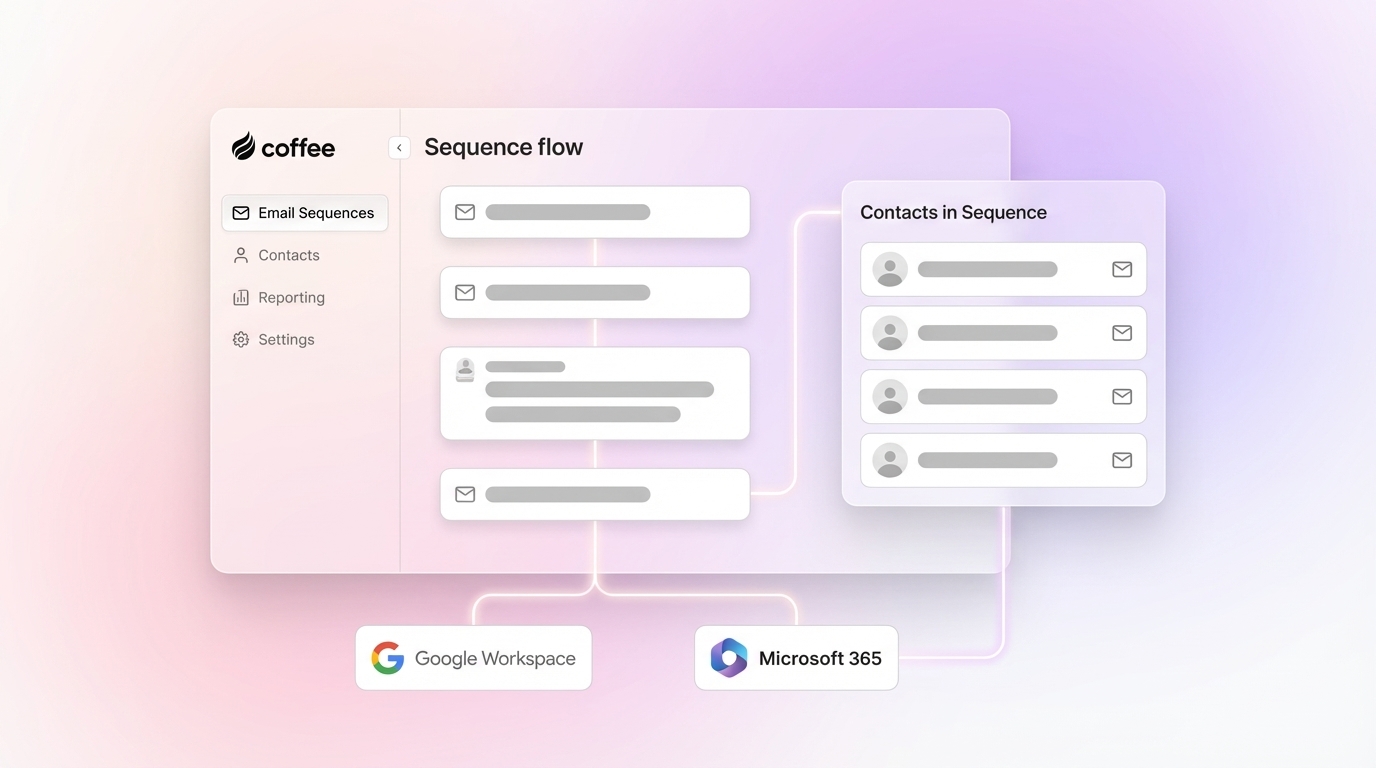
Coffee is a CRM Agent that runs Campaigns natively. It sends multi-step AI-generated email sequences from the rep’s own connected mailbox with stop-on-reply on by default. It can operate as a standalone CRM for small and mid-sized teams or as a companion app on top of existing Salesforce or HubSpot instances.

Strengths:
- Sequences live in the same system that enriches contacts and logs activity. Replies and activity data write back to the CRM automatically, so no manual copy-paste or third-party sync tool is required.
- Dynamic lists auto-enroll new contacts as campaigns run, and built-in send throttling protects sender reputation. The AI also generates subject lines, body copy, and step delays from a plain-English description.
Limitations:
- Best suited to small and mid-sized teams. Large enterprises with heavily custom Salesforce workflows may need more governance controls than Coffee currently offers.
- Multichannel steps beyond email, such as LinkedIn, SMS, or dialer, are not part of the current Campaigns feature set.
Ideal Fit: Teams that want sequencing without adding another silo, whether using Coffee as a standalone CRM or as a companion app on Salesforce or HubSpot.

Pricing: Simple seat-based pricing. Agent labor is included without additional metering.
Integration: Native two-way sync with Salesforce and HubSpot, plus Zapier for additional connections.
Apollo.Io
Apollo combines a B2B contact database of 275 million+ contacts with built-in email sequencing, a dialer, and CRM sync, so it often becomes the first-stack pick for SDR teams that want prospecting and outreach in one subscription.
Strengths:
- Prospect data and sequencing live together, which reduces the need for a separate enrichment tool for most small outbound teams.
- Native bidirectional integrations with Salesforce and HubSpot sync contacts, accounts, activities, and deal data.
Limitations:
- G2 reviewers consistently flag data accuracy issues with Apollo, particularly for phone numbers and international contacts, and its credit system creates budget unpredictability.
- Sequencing depth is shallower than dedicated cold-email platforms. Apollo’s sequencer is noted as less capable than a dedicated cold-email tool for high-volume rotation.
Ideal Fit: Small outbound teams that need data plus sequences in one subscription and are primarily targeting North American markets.
Integration: Bidirectional sync with Salesforce and HubSpot. Field mapping requires careful configuration.
HubSpot Sales Hub
HubSpot Sales Hub builds sequencing directly into the HubSpot CRM, so there is no sync layer. The outbound tool and the system of record share a single database.
Strengths:
- Seamless for teams already standardized on HubSpot. Sequences can use CRM properties to determine enrollment and stop automatically when a contact replies or a deal progresses.
- Effective for inbound nurture workflows where context from marketing interactions already lives in HubSpot.
Limitations:
- HubSpot Sequences sends from a single primary mailbox, lacks inbox rotation, and caps daily sends, so it does not suit true high-volume cold outbound.
- Sequences are gated to Sales Hub Professional at $100/seat/month plus a $1,500 onboarding fee. A 10-person team pays $12,000 a year before add-ons.
Ideal Fit: Teams already standardized on HubSpot running inbound nurture or warm follow-up sequences at moderate daily volume.
Pricing: Tiered per-seat. Sequences require the Professional tier or above.
Integration: Native to HubSpot only. No external CRM sync is needed or available.
Salesloft
Salesloft is an enterprise sales engagement platform with cadence governance, analytics, and coaching features designed for large revenue teams. After its merger with Clari, it now connects engagement tracking to revenue forecasting.
Strengths:
- Cadence governance and team-level analytics make it well-suited to organizations with dedicated RevOps functions.
- Salesloft’s CRM sync keeps Salesforce or Microsoft Dynamics 365 updated in near real time. Administrators control which system wins field conflicts.
Limitations:
- Quote-based pricing. Typical ranges are $125–$165/user/month before add-ons, with the dialer sold separately, so it often feels like overkill for teams under 50 reps without dedicated RevOps.
- Prospect data is separate, and CRM data hygiene still depends on rep discipline for unstructured inputs.
Ideal Fit: Organizations with 50+ reps and dedicated RevOps that need cadence governance and pipeline visibility in one platform.
Pricing: Quote-based with annual contracts.
Integration: Bidirectional sync with Salesforce and Microsoft Dynamics 365. Data hygiene still depends on rep-level discipline for activity logging.
Outreach
Outreach is an enterprise sales engagement platform with deep workflow customization, a multi-step sequence builder, and forecasting capabilities for large revenue organizations.
Strengths:
- Outreach offers granular scheduling and conditional step logic, plus task queue management. Its reporting dashboards track sequence performance at both team and individual levels.
- Mature bidirectional integrations with Salesforce and HubSpot support teams with complex object and field mapping needs.
Limitations:
- Outreach offers no native email warmup, so teams rely on third-party tools. Implementation often takes weeks or months because of enterprise governance layers.
- Quote-based pricing. Historical estimates put a 10-user team at roughly $1,000–$1,600/month, with implementation fees on top.
Ideal Fit: Enterprise revenue organizations with dedicated sales ops and complex, custom workflow requirements.
Pricing: Quote-based. Consumption-based AI-credit allotments make total cost difficult to predict.
Integration: Salesforce and HubSpot integrations with similar data hygiene caveats to Salesloft. Clean data out still depends on clean data in.
Instantly
Instantly is a high-volume cold email platform built around deliverability infrastructure. It supports unlimited inbox connections, automatic rotation, and built-in warmup across all plans.
Strengths:
- Free built-in email warmup across all plans using a network of 4.2 million accounts. Flat-fee pricing stays fixed regardless of user count.
- Setup is fast enough to be operational in hours. Inbox rotation keeps any single domain under safe daily sending limits.
Limitations:
- Instantly’s native Salesforce connector only pulls contacts in; it does not write sends, replies, or activity back into Salesforce. Its native HubSpot connector is also one-way only.
- Instantly does not drive a CRM-based sales process. Replies and activity data need a third-party sync layer, such as OutboundSync or Zapier, to land in the CRM.
Ideal Fit: High-volume cold email teams that prioritize deliverability infrastructure over CRM integration depth.
Pricing: Flat-fee tiers starting at $37.60/month (Growth), $77.60/month (Hypergrowth). CRM and lead database modules are priced separately.
Integration: One-way native sync. Full CRM writeback requires a third-party integration layer.
Lemlist
Lemlist is a personalized cold outreach platform with strong personalization features, multichannel touches across email, LinkedIn, and SMS, and built-in email warmup via Lemwarm.
Strengths:
- Delivers personalization at scale with image and video personalization, plus multichannel sequence steps including LinkedIn automation.
- Lemwarm email warmup is bundled into every plan, so teams can protect sender reputation without a separate tool.
Limitations:
- Lemlist does not drive a CRM-based sales process. Post-sequence data hygiene is largely manual without a dedicated sync layer.
- LinkedIn automation features on platforms like Lemlist violate LinkedIn’s User Agreement, and users report temporary and permanent account restrictions.
Ideal Fit: Teams that prioritize personalization and multichannel outreach over deep CRM integration.
Pricing: Email Pro at $63/user/month and Multichannel Expert at $87/user/month, billed annually.
Integration: Limited CRM sync with one-way activity logging unless a dedicated sync tool is added.
Comparison Table: How The Shortlist Stacks Up
The table below compares the seven tools on two factors that usually decide the purchase: CRM sync depth and pricing model as your team grows.
| Tool | Best For | CRM Sync Depth | Pricing Model |
|---|---|---|---|
| Coffee | Sequencing + CRM hygiene in one agent | Native two-way (Salesforce, HubSpot); activity auto-logged | Seat-based; agent labor included |
| Apollo.Io | Small outbound teams needing data + sequences | Two-way with Salesforce and HubSpot; field mapping required | Tiered per-seat + credits; from $49/user/month |
| HubSpot Sales Hub | HubSpot-native inbound nurture teams | Native to HubSpot only; no external sync needed | Tiered per-seat; sequences from $100/seat/month |
| Salesloft | 50+ rep cadence governance | Two-way with Salesforce/Dynamics; rep-dependent hygiene | Quote-based; annual contract |
| Outreach | Enterprise revenue orgs | Two-way with Salesforce and HubSpot; rep-dependent hygiene | Quote-based; consumption-based AI credits |
| Instantly | High-volume cold email | One-way native; full writeback requires third-party layer | Flat-fee subscription; from $37.60/month |
| Lemlist | Personalized cold outreach | One-way, limited; manual hygiene without sync tool | Per-user; from $63/user/month annually |
Compare Coffee to your current sequencing tool
What Sequencing Tools Do Not Fix
The table above highlights differences in sync depth and pricing, but every platform shares the same blind spot. Sequencing is the easy part, and every tool here can send a multi-step cadence and stop on reply. What happens to the data after the sequence runs is the harder problem, and no competitor addresses it directly.
Three gaps persist across almost every sequencing tool on the market:
- CRM data quality: Most sequencing tools do not write clean records back to the CRM. Sends, opens, replies, and sequence outcomes live in the sequencing platform’s own database. Reps copy-paste what they need, or they skip it, and the CRM record stays stale. Instantly, for example, is one-way only (see its profile above).
- Siloed replies: When a prospect responds, the conversation often happens in the sequencing tool’s inbox instead of the CRM. Context disappears. The next rep to touch that account starts cold, even if a meaningful exchange already happened.
- Manual activity logging: According to Salesforce’s State of Sales research, sales reps spend less than 30% of their time actually selling, with the rest lost to admin, data entry, and internal meetings. Sequencing tools automate the send but rarely automate the record-keeping that follows.
Coffee takes a different approach. The Coffee Agent automatically creates and enriches contacts, logs activities, and writes insights back to the CRM, whether that CRM is Coffee’s own standalone system or an existing Salesforce or HubSpot instance. Sequencing and data hygiene happen in the same system.
See how Coffee keeps your CRM clean
Sales Sequencing, Marketing Automation, And AI Sales Assistants
Sales sequencing and marketing automation solve related problems with very different architectures. A sales engagement platform is the system of action that automates outbound activity from a rep’s own mailbox. It orchestrates email sequences, call cadences, and social touches, and stops the moment a prospect replies. Marketing automation platforms like Mailchimp or Klaviyo focus on one-to-many broadcast campaigns to subscriber lists. They optimize for engagement metrics such as opens and clicks rather than individual reply-aware conversations. HubSpot’s acceptable-use policy explicitly prohibits unsolicited bulk cold outreach, which reinforces that marketing automation tools do not serve cold sales sequences.
AI sales assistants, including meeting recorders, note-takers, and conversation intelligence platforms like Gong, occupy a separate category. Gong captures and analyzes conversations, then writes structured activity data back to the CRM. It exports calls, emails, and other activities as CRM objects such as Salesforce tasks or HubSpot meetings. Its AI Data Extractor can optionally write extracted structured data to existing CRM fields. These tools form an Analyze layer rather than an Execute layer.
Coffee’s Campaigns combine reply-aware sequencing with agent-led data capture. The same agent that runs the sequence enriches the contact record, logs the activity, and surfaces insights in the CRM. Teams can avoid juggling separate tools for outreach, conversation intelligence, and data hygiene.
Frequently Asked Questions
What Is The Best Automated Email Sequence Tool For Small Sales Teams?
For teams of 1–10 reps who want sequencing and CRM data hygiene in one system, Coffee is the strongest fit, especially for teams on Salesforce or HubSpot who are tired of manual data entry. For small outbound teams that need a built-in prospect database alongside sequencing and are comfortable managing CRM sync separately, Apollo.io is the most common alternative. For pure high-volume cold email on a flat-fee budget, Instantly is worth evaluating, with the understanding that CRM writeback requires a third-party sync layer.
Do I Need A Separate Sequencing Tool If I Use HubSpot Or Salesforce?
You may not need a separate tool, depending on volume and complexity. HubSpot Sales Hub includes native sequencing, but it is gated to the Professional tier and does not support true high-volume cold outbound. Salesforce does not include a visual sequence builder natively, so building multi-touch cadences requires complex Flow Builder configuration and custom reply-detection logic. Coffee’s companion app runs sequences from the rep’s own mailbox and writes activity data back to whichever CRM the team already uses, without a separate sequencing subscription or a manual sync setup.
How Do I Choose Between Apollo, HubSpot, Salesloft, And Outreach?
Route by team size and CRM. Apollo fits small outbound teams with 1–10 reps that need prospect data and sequencing in one tool and focus mainly on North American markets. HubSpot Sales Hub suits teams already standardized on HubSpot that run inbound nurture or warm follow-up at moderate volume. Salesloft and Outreach serve organizations with 50+ reps and dedicated RevOps functions. Both are quote-based, require annual contracts, and carry implementation overhead that rarely makes sense for smaller teams.
What Should I Look For In A Sequencing Tool In 2026?
Five criteria matter most in 2026:
- CRM sync depth: Does the tool write replies, activity data, and contact updates back to your CRM automatically, or does it require manual reconciliation?
- Stop-on-reply: Is it on by default, or does it require configuration?
- Deliverability features: Does the tool include send throttling, inbox rotation, and warmup, or do those require separate tools?
- Post-sequence data hygiene: What happens to the record after the sequence ends?
- Pricing model: Does the cost scale by seat, by volume, or by contacts, and does that model fit how your team grows?
In 2026, Google, Yahoo, and Microsoft all enforce authentication requirements (SPF, DKIM, DMARC) for bulk senders, so any tool that does not support or guide proper domain setup creates a deliverability risk from day one.
Conclusion
Three dimensions determine the right sequencing tool: your sales motion, your team size, and your CRM. Use those inputs with the routing framework above to create a shortlist of two or three tools, then evaluate each against the five criteria that predict whether the tool will still serve your team six months from now.
The best automated email sequence tool for sales teams in 2026 is the one whose replies and activity data land in your CRM automatically, without a manual sync step or a third-party middleware layer. Coffee’s Campaigns are built into the agent for exactly this reason, so sequencing and data hygiene stay in the same system.
Before committing, run a trial, involve RevOps in the CRM sync evaluation, and test activity writeback on a real sequence before signing an annual contract. The data quality problem compounds quietly, so prevention is far easier than cleanup.