
Written by: Doug Camplejohn, CEO & Co-Founder, Coffee | Last updated: August 6, 2026
Key Takeaways
- Traditional B2B contact tools force sales reps to spend 28-30% of their week on manual data entry, costing small teams thousands of hours each year.
- Legacy CRMs typically reach only 60-70% data accuracy because they rely on passive databases that cannot parse emails, transcripts, or calendar events.
- Agent-led automation captures and structures unstructured data automatically, reaches 95%+ accuracy, and frees reps to focus on selling instead of admin work.
- Coffee’s agent handles contact creation, enrichment, activity logging, meeting prep, and follow-up drafting in the background, often replacing tools like ZoomInfo or Gong.
- Eliminate manual data entry and reclaim hours every week — get started with Coffee today.
Why Legacy CRMs Struggle and Agent Automation Wins
Legacy contact management tools and agent-led systems differ at the architecture level, not just in features. Traditional CRMs act as relational databases that store only what a human explicitly enters. They cannot read an email thread, parse a call transcript, or infer a deal’s health from unstructured signals. Traditional database-first CRMs require users to enter data into fields, update records, and drag deals through pipeline stages, so they function as passive repositories that only return what the user queries.
Agent-led systems flip this model. The agent ingests unstructured data, such as emails, calendar events, and call transcripts, then structures it automatically and writes clean records back to the system of record. AI-automated pipelines improve data accuracy by capturing transcripts, extracting structured information, and updating records without rep intervention.
| Capability | Traditional Contact Management Software | Agent-Led Automation (Coffee) |
|---|---|---|
| Data entry method | Manual, rep-dependent | Autonomous ingestion from email, calendar, and calls |
| Unstructured data handling | Not supported, structured fields only | Emails, transcripts, and meeting notes parsed and structured automatically |
| CRM data accuracy | 60–70% with manual entry | 95%+ with automated capture |
| Activity logging | Rep logs manually after each interaction | Agent logs last activity and next activity autonomously |
| Pipeline updates | Manual drag-and-drop by rep | Agent updates stages based on observed email, call, and meeting behavior |
| Meeting prep and follow-up | Rep researches manually, notes typed post-call | Agent generates briefings pre-call and drafts summaries and follow-ups post-call |
| Contact enrichment | Requires separate ZoomInfo or Apollo subscription | Built-in enrichment via licensed data partners |
| Forecasting data foundation | 30–50% activity completeness typical with manual entry | 95%+ activity completeness with automated capture |
| Team size fit | Designed for large teams with admin support | Standalone for 1–20 seats, companion layer for 20–50 seats on Salesforce or HubSpot |
| Pricing model | Per seat plus add-ons for enrichment, recording, and sequencing | Seat-based, unlimited agent labor included |
Forrester’s 2026 State of Business Buying report states that 94% of buyers with groups of six or more report clear benefits from large buying groups. These larger buying committees expect faster responses and coordinated outreach across channels. Tool sprawl slows that execution by scattering relationship data across disconnected systems. For 5-50 person teams without RevOps headcount to manage integrations, consolidation is a survival requirement.
How Agent-Based Contact Management Fits Different Team Sizes
Agent-based contact management replaces the passive database model with an autonomous system that handles data capture, enrichment, and activity logging in the background. Reps work from clean, current records instead of maintaining them.
This category supports two main deployment modes based on team size and existing infrastructure. Teams with 1-20 seats that have outgrown spreadsheets, yet find legacy CRMs like HubSpot or Pipedrive too heavy, can use the agent as the full system of record. Teams with 20-50 seats already committed to Salesforce or HubSpot can deploy the agent as a companion layer that handles the data-in process so the existing system of record stays accurate without human effort.
Both models share one core guarantee. The agent performs the work that reps currently handle manually, so leaders can trust the data that comes out. AI-enabled B2B sales teams achieve 79% forecasting accuracy compared with approximately 51% for non-AI teams. That gap compounds every quarter as pipeline reviews drive hiring, quota, and investment decisions.
Get started with Coffee, the agent-based B2B CRM built for 1-50 seat revenue teams.
How the Coffee Agent Delivers Clean Data and Actionable Insights
Reduced Admin Time
Coffee automatically creates and enriches contacts, companies, and activities, reclaiming the 28-30% of weekly time reps currently lose to manual entry. Sellers using AI tools save several hours per week by automating account research, CRM updates, and outreach personalization. For a 10-person team, that recovery equals the output of roughly one additional full-time seller without adding headcount.

Unified Structured and Unstructured Data
An AI agent analyzing sales performance needs structured data from the CRM to calculate deal values and close rates, and also needs unstructured data from Slack conversations and call transcripts to understand why deals closed or stalled. Coffee ingests both types. Emails, calendar events, and call transcripts are parsed and structured into the same record alongside firmographic data. This creates a complete relationship history that legacy CRMs cannot match.
Automated Meeting Prep and Follow-Up
Before each call, Coffee’s agent generates a briefing that covers attendees, roles, and past interaction context. After the call, it produces a summary, identifies next steps, and drafts a follow-up email in Gmail for the rep to review and send. Notes can follow BANT, MEDDIC, or SPICED formats to keep qualification data consistent across the team.

Pipeline-Change Visualization
Coffee’s Pipeline Compare feature visualizes week-over-week changes, including progressed deals, stalled opportunities, and new additions, without CSV exports or manual preparation. Teams using AI forecasting report a 44% reduction in forecast preparation time. Pipeline reviews shift from data interrogation to strategic discussion.
Visitor Identification and Suggested Leads
A single tracking pixel turns anonymous website traffic into named, qualified prospects with name, title, email, LinkedIn profile, pages visited, and time on site. Many competitors surface only company-level data or generic people lists. Coffee’s Suggested Leads feature highlights the two or three specific individuals inside a visiting company who match the buyer persona, ready for LinkedIn outreach or automatic enrollment in a Campaign sequence.

High-Level Workflow: From Calendar and Email to Updated Records
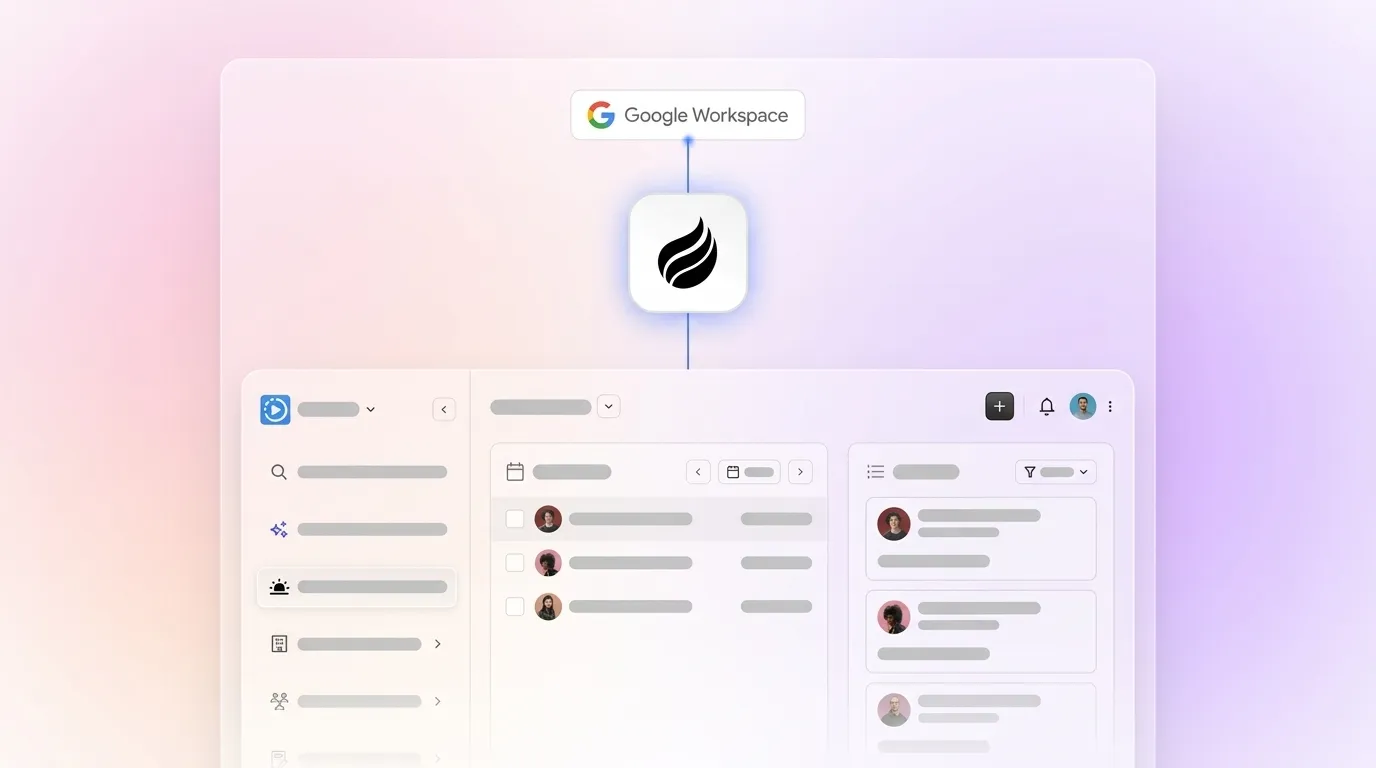
The Coffee agent activates through a simple authentication with Google Workspace or Microsoft 365. From that point, the workflow runs without rep intervention.

- The agent scans emails and calendar events to auto-create contact and company records, associating every note and interaction with the correct record.
- Records are enriched with job titles, funding data, and LinkedIn profiles via licensed data partners, which removes the need for a separate Apollo or ZoomInfo subscription.
- The agent logs last activity and next activity autonomously, keeping deal state current at all times.
- An AI meeting bot joins Zoom, Teams, or Google Meet calls to record and transcribe in real time.
- After the call, the agent generates a structured summary, extracts next steps, and drafts a follow-up email.
- The Lead Finder accepts natural-language queries such as “Find me VPs of Sales at SaaS companies with 50-200 employees” and builds targeted prospect lists that live directly in Coffee, ready for Campaign enrollment.
For 20-50 seat teams running Salesforce or HubSpot, a simple authentication allows the Coffee agent to sync data, enrich it, and write insights back to the primary CRM. Existing workflows, quotas, and required fields stay intact while the manual entry burden disappears.
2026 Market Shifts That Favor Agent-Led Systems
Current market conditions make manual data entry harder to justify for lean revenue teams. 71% of sales reps cite excessive data entry as a top frustration in 2026. Despite widespread CRM adoption, 76% of organizations say less than half their CRM data is accurate, according to Validity’s 2025 State of CRM Data Management report.
Deloitte Digital 2026 research shows that 24% of B2B suppliers already deploy agentic AI in their sales workflows, which allows systems to execute multi-step tasks without rep approval at each step. Gartner forecasts that by 2027, 95% of sellers’ research workflows will begin with AI, shifting work from manual data gathering to agentic systems. Most 2026 listicles for “best contact management software for B2B” still feature only passive legacy tools such as HubSpot, Pipedrive, Zoho, and Salesforce, and omit agent automation entirely. This gap leaves buyers without a clear way to compare passive databases with autonomous systems.
Given this gap between what most vendors offer and what agent-based systems deliver, teams need a framework that separates passive databases from autonomous automation.
Evaluation Checklist for 5-50 Person Revenue Teams
When choosing a contact management platform in 2026, 5-50 person revenue teams can use the following criteria to evaluate vendors.
- Integration depth: Confirm that the agent connects natively to Google Workspace and Microsoft 365. Check that it writes back to Salesforce and HubSpot with full field fidelity, including required fields, quotas, and forecasting categories. Zapier-only integrations add latency and failure points.
- Unstructured data handling: Verify that the system can ingest and structure email threads, call transcripts, and meeting notes without manual formatting. Legacy relational databases cannot handle this reliably.
- Security and compliance: Treat SOC 2 Type 2 and GDPR compliance as non-negotiable for prospect and customer data. Confirm that data is not used to train public models.
- Persona fit by seat count: A 1-20 seat team usually needs a standalone system of record. A 20-50 seat team committed to Salesforce or HubSpot typically needs a companion layer. Verify that the vendor supports both deployment modes with equal depth.
- Pricing model transparency: Favor seat-based pricing with unlimited agent labor included for predictable scaling. Avoid vendors that meter LLM usage, charge per enrichment credit, or require separate subscriptions for sequencing and prospecting.
- Stack consolidation potential: Many B2B sales tech stacks include numerous tools, while top-performing teams consolidate to fewer tightly integrated products and save on annual subscription costs. Evaluate whether the agent can replace ZoomInfo, Gong, Outreach, and RB2B instead of adding to the stack.
Frequently Asked Questions
What is the difference between a B2B CRM and contact management software?
A traditional CRM is a relational database that stores structured records such as contacts, companies, deals, and activities, and it requires users to enter and update data manually. Contact management software is a broader category that includes the CRM record layer and also covers the tools and workflows used to capture, enrich, and act on contact data. Agent-led platforms like Coffee collapse this distinction by automating data capture and enrichment so the contact record stays current without manual input. In practice, the CRM finally functions as a strategic asset instead of a maintenance burden.
Can Coffee replace our existing Salesforce or HubSpot instance?
For teams of 20-50 seats already committed to Salesforce or HubSpot, Coffee deploys as a Companion App rather than a replacement. The Coffee agent authenticates with the existing CRM, handles data ingestion and enrichment, and writes clean records back to Salesforce or HubSpot. Existing workflows, required fields, quotas, and forecasting categories remain in place. For teams of 1-20 seats that have not yet committed to a legacy CRM, Coffee operates as a full standalone system of record and removes the need for a separate CRM.
How does Coffee handle data security and compliance?
Coffee is SOC 2 Type 2 and GDPR compliant. Data ingested by the agent, including emails, calendar events, and call transcripts, is not used to train public AI models. For teams in regulated-adjacent industries, Coffee’s compliance posture covers the standard requirements for most 5-50 person revenue teams. Large enterprises in healthcare or finance with multi-year security review processes fall outside Coffee’s current ideal customer profile.
What tools does Coffee replace in a typical B2B sales stack?
Coffee consolidates the fragmented point solutions that 5-50 person teams often stitch together manually. A team currently running HubSpot for records, ZoomInfo for enrichment, Salesloft for sequencing, Fathom for call recording, and RB2B for visitor identification can replace all five with a single Coffee subscription. The agent handles contact and company creation, enrichment via licensed data partners, multi-step email campaigns from the rep’s own mailbox, AI meeting recording and transcription, and named visitor identification with persona-matched Suggested Leads. All of this lives in one platform with seat-based pricing and unlimited agent labor included.
How quickly does the Coffee agent produce results after setup?
Setup requires a single authentication with Google Workspace or Microsoft 365. From that point, the agent begins scanning emails and calendar events to populate contact and company records. Enrichment, activity logging, and meeting bot functionality are active from day one. Teams typically see a complete, current record for every active contact within the first week, without any manual data entry. The Pipeline Compare feature starts surfacing week-over-week deal movement as soon as the first pipeline snapshot is established.
Conclusion: Choosing a Contact Platform That Reps Will Actually Use
The core problem with legacy contact tools is architectural, not cosmetic. Systems built on relational databases that depend on human data entry will always produce incomplete records, stale fields, and unreliable forecasts. The humans responsible for entry stay busy selling, and the data quality suffers.
Agent-based automation provides a structural fix. When the agent handles ingestion, enrichment, activity logging, meeting prep, follow-up drafting, and pipeline visualization, the resulting data is accurate enough to drive real decisions. For 1-20 seat teams, Coffee replaces the legacy CRM entirely. For 20-50 seat teams on Salesforce or HubSpot, Coffee’s agent manages the data layer so the existing system of record finally reflects reality.
The result is a CRM that reps trust because they did not have to build it, and insights that revenue leaders can act on because the underlying data is clean. Get started with Coffee and see how agent-led contact management eliminates manual data entry for your team.


