Written by: Doug Camplejohn, CEO & Co-Founder, Coffee | Last updated: August 12, 2026
What You Will Learn About Granola, Zapier, and Coffee
- Granola + Zapier still relies on a human review step after every meeting, so a manual gate sits between notes and CRM records.
- Granola lacks native Salesforce connectivity and cannot create new contacts in HubSpot, which forces teams to use Zapier or manual workarounds.
- Coffee’s autonomous agent writes structured data directly to CRM fields without review and removes the post-meeting workflow entirely.
- Granola + Zapier requires ongoing Zap maintenance and folder configuration, while Coffee needs a single authentication to start working.
- Teams ready to remove manual data entry from their Granola workflow can get started with Coffee today.
How Granola Connects to HubSpot with Zapier
Teams that connect Granola to HubSpot through Zapier follow a standard 2026 workflow with four setup steps and a recurring review step.
- Create a dedicated Granola folder. In Granola, create a named folder (for example, “Sales Calls – HubSpot”) and enable the HubSpot integration on that folder through Settings. Auto-sync applies only to notes added to the folder after the integration is enabled; existing notes are not backfilled.
- Set the Zapier trigger. In Zapier, select Granola as the trigger app and choose the “New Note in Folder” event. Authenticate your Granola Business or Enterprise account. The native HubSpot integration requires a Business plan or higher, starting at $14 per user per month.
- Configure field mapping in Zapier. Map Granola note fields such as title, date, participants, body, and action items to HubSpot properties. Custom object or custom field mapping is not available natively and must be configured entirely within Zapier.
- Set the HubSpot action. Choose “Create or Update Engagement” in HubSpot. Granola’s write access attaches notes only to existing Contact, Company, or Deal records and does not create new contacts.
Ongoing workflow after setup. After each meeting, users open the note in Granola, click “Enhance notes,” review and approve AI additions, then trigger the sync. Granola’s sync checklist explicitly instructs users to review enhanced notes before each sync runs. The Zap fires only after this review step.
Why Granola’s Salesforce Path Stays Zapier-Only
As of early 2026, Granola does not offer a native Salesforce connector. All Salesforce routing occurs through Zapier, so field mapping and record handling live in Zapier rather than in a Granola-native Salesforce integration. Teams must maintain both the Granola folder structure and the Zapier workflow as separate configurations.
Granola has no native Salesforce integration on any plan as of 2026. For RevOps leaders managing Salesforce instances with required fields, validation rules, and quota-linked objects, a Zapier-only path introduces fragility. Structured extraction workflows from meeting notes to CRM often break at the write-back stage, where data can attach to the wrong contact, land on incorrect CRM objects, or fail silently when API calls do not behave as expected.
How Granola’s HubSpot Integration Handles Notes
Granola’s native HubSpot integration syncs notes only to existing HubSpot Contact records and does not automatically create new contacts. When a meeting attendee has no matching record in HubSpot, the note stays unattached until someone creates the record manually.
Granola matches meeting attendees to HubSpot records from the connected calendar invite. If no matching Contact, Company, or Deal record exists, the note remains unattached until a matching record is created manually in HubSpot.
Granola’s note-push approach to CRM integration creates a “blob-note problem” where summaries appear in the CRM but cannot support filtering pipeline by deal attributes, reporting on competitor mentions, or other structured data actions that require field-level writes. The CRM looks populated, yet teams cannot query it for pipeline intelligence.
Granola + Zapier vs Coffee: Side-by-Side View
To clarify how these integration choices differ in practice, the table below compares Granola + Zapier with Coffee across key operational dimensions.
| Evaluation Criterion | Granola + Zapier | Coffee Agent |
|---|---|---|
| Automation Completeness | Human-in-the-loop, mandatory review before every sync | Fully autonomous, zero review required |
| Salesforce Connectivity | Zapier only, no native connector on any plan | Native Companion App with deep field and object support |
| HubSpot Connectivity | Native on Business/Enterprise ($14+/user/month), no custom field mapping | Native Companion App, writes to standard and custom fields |
| New Contact Creation | Not supported, existing records only | Automatic, agent creates contacts from emails and calendar |
| Implementation Effort | Folder setup, Zapier build, ongoing Zap maintenance | Single authentication, agent begins immediately |
| Pipeline Reporting | Blob-note only, no field-level filtering or structured reporting | Pipeline Compare with week-over-week deal tracking, automated |
| Data Enrichment | Not included, requires separate tools | Built-in, job titles, funding, LinkedIn via licensed partners |
| Long-Term Admin Burden | Zap maintenance, review discipline, manual record selection | Agent handles ongoing hygiene, no recurring manual steps |
Setup and Onboarding Effort
The Granola + Zapier path requires folder configuration in Granola, Zapier account setup, trigger and action mapping, and testing across record types. Mapping extracted fields to CRM properties is the slowest part of building an automated sales-call-to-CRM pipeline because it forces resolution of deferred CRM-admin decisions; teams should budget two weeks for this mapping step. Any change to the CRM schema, such as a new required field or a renamed property, requires a matching Zap update.
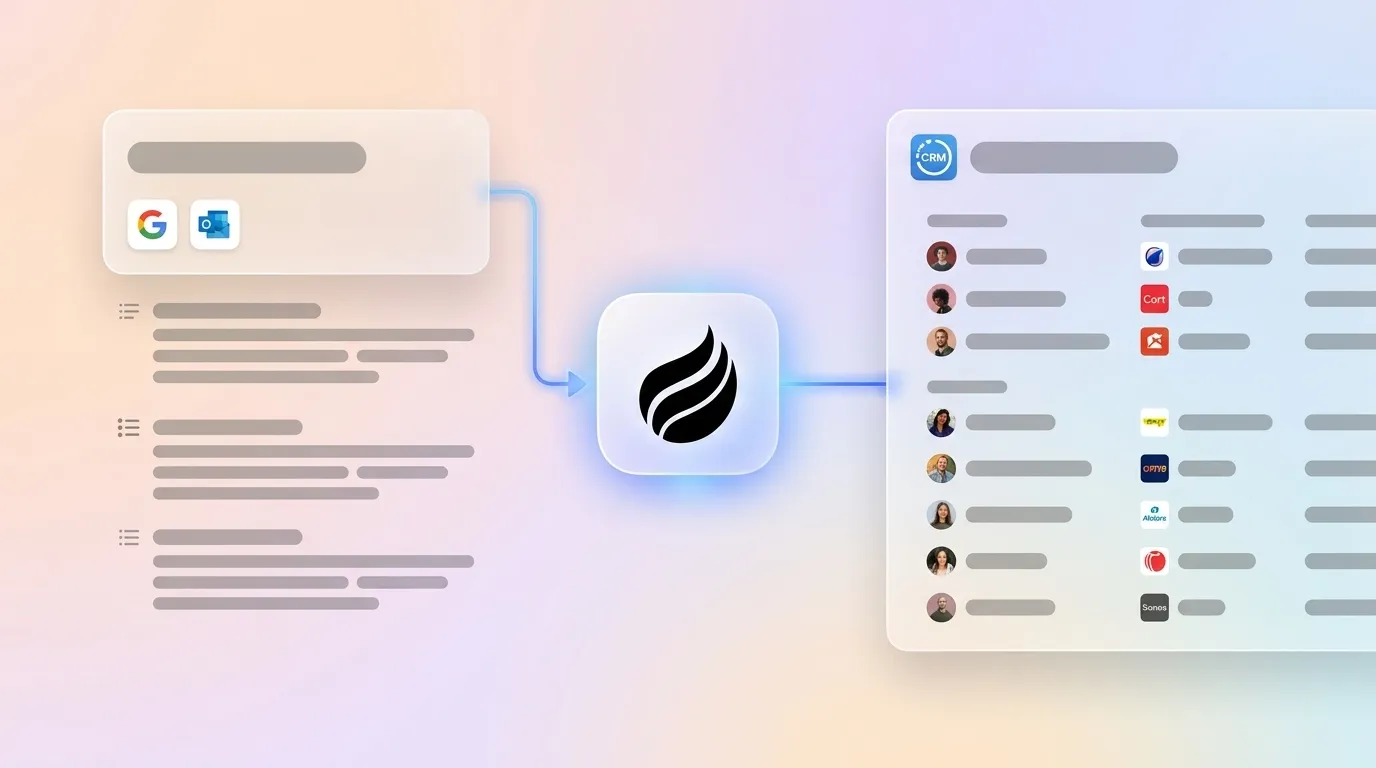
Coffee’s onboarding uses a single authentication to Google Workspace or Microsoft 365. The agent immediately scans emails and calendars to populate records, log activity, and prepare meeting briefings. No Zap build or folder structure maintenance is required.

Data Capture and Ongoing Maintenance
Rushed manual note-taking after meetings often misses deal-stalling reasons, competitor mentions, and specific commitments, which produces incomplete CRM records and weakens pipeline forecasting. Granola reduces this risk by capturing device audio and generating AI-enhanced notes, yet data quality still depends on the post-call review step that reps must complete after every conversation.
A typical manual post-call workflow of transcribing notes, updating CRM fields, creating tasks, and drafting follow-ups takes 25–45 minutes per call. Granola shortens this window but does not remove it. Coffee’s agent removes it completely by processing transcripts, extracting structured fields, and writing to the CRM without human intervention.
Usability for Frontline Sales Teams
Data capture quality matters only when reps actually use the tool. Granola achieves 70%+ weekly retention, which reflects strong product quality. The friction appears in the post-meeting workflow, not in the note-taking experience.
Reps must open each note, review AI additions, select the correct CRM record, and trigger the sync. For teams running back-to-back calls, this post-meeting review described earlier is often deferred or skipped.
Coffee removes the post-meeting action entirely. The agent joins the call, processes the transcript, and writes structured data to the CRM. Reps use Coffee’s “Today” page for briefings and review drafted follow-up emails before sending, which adds value instead of extra tasks.

Manager Visibility and Reporting Quality
Granola’s blob-note approach described earlier means summaries appear in the CRM but cannot support filtering pipeline by deal attributes, reporting on competitor mentions, or other structured data actions that require field-level writes. Managers reviewing pipeline in HubSpot or Salesforce see notes attached to records but cannot query across them for deal stage signals, budget mentions, or competitor flags.
Coffee’s Pipeline Compare feature visualizes week-over-week changes automatically and highlights progressed deals, stalled opportunities, and new additions. Because the agent writes structured data to fields instead of appending blob notes, pipeline reviews become queryable and forecastable without manual CSV exports.
Integration Complexity and Customization Options
Granola’s native CRM integrations with HubSpot, Affinity, and Attio are one-way only, so Granola pushes notes to the CRM while the CRM does not write back to Granola. Custom objects and custom field mapping require Zapier on top of the native integration, which adds a second configuration layer. As noted earlier, Granola’s lack of native Salesforce connectivity means every Salesforce workflow depends on this Zapier layer.
Coffee’s Companion App authenticates directly with Salesforce or HubSpot and writes to standard and custom fields. This approach supports required fields, validation rules, and object relationships that enterprise-grade Salesforce instances depend on. Newer AI CRM alternatives often lack this depth, while Coffee’s integration model targets teams that cannot risk breaking existing CRM configurations.
Best-Fit Use Cases for Granola and Coffee
Granola + Zapier fits teams where reps already follow a disciplined post-call review habit, the CRM schema stays simple, and Salesforce is not part of the stack. Early-stage teams with low call volume and tolerance for manual steps can treat it as a reasonable starting point.
Coffee suits three distinct profiles, each facing a version of the same constraint: manual data entry that does not scale with growth. Early-stage teams with 1–20 employees have outgrown spreadsheets but cannot absorb the setup overhead of HubSpot or Salesforce. As these teams grow into 20–50 person sales organizations, rep time becomes the binding constraint, and manual review steps that felt tolerable at five people compound into hours of lost selling time at twenty. Finally, teams that already run Salesforce or HubSpot need an agent that writes structured data into existing fields, objects, and workflows without forcing a migration or disrupting current configurations.
Operational and Long-Term Data Health
The average B2B CRM loses 25–30% of its data accuracy every year because contacts change jobs, companies merge, email addresses retire, and titles shift. A human-in-the-loop workflow degrades faster than an agent-driven one because accuracy depends on rep review consistency, which drops as workload pressure rises.
Gartner forecasts that 40% of enterprise applications will include task-specific AI agents by the end of 2026, up from less than 5% in 2025, which signals a shift from copilots that recommend actions to agents that execute them. Teams that build workflows around mandatory human review work against this trajectory.
Risks and Limitations of Each Path
The primary risk of the Granola + Zapier approach is hidden maintenance. Zaps break when CRM schemas change, when Granola updates its API, or when folder structures are reorganized. A missed review gate or silent failure in automated meeting-note-to-CRM workflows can leave gaps in the record that surface later during audits. The human review gate also creates inconsistency, since reps who skip review produce lower-quality records than reps who complete it, which makes pipeline data unreliable at the team level.
For Coffee, the primary consideration is fit. Coffee does not target large enterprises with heavily customized Salesforce environments or industries that require multi-year security reviews. Teams evaluating Coffee should confirm that their use case aligns with the 10–50 person tech company profile before committing.
No 2026 Forrester study reports an 11% annual revenue cost from poor sales-CRM handoffs; related estimates attribute roughly 10% or more revenue loss and $1T global costs to marketing-sales misalignment from non-Forrester sources. Both approaches reduce this cost compared with fully manual workflows, yet only Coffee removes the handoff entirely.
Decision Framework for RevOps and Sales Leaders
| Team Constraint | Granola + Zapier | Coffee Agent |
|---|---|---|
| No Salesforce, simple HubSpot schema | Viable starting point | Viable, faster setup |
| Salesforce with required fields and validation rules | Not recommended, Zapier-only path | Recommended, native Companion App |
| Rep review discipline is inconsistent | High risk of data gaps | No review required, agent handles it |
| Need structured pipeline reporting | Not supported, blob-note only | Supported, field-level writes enable filtering |
| Starting fresh without a CRM | Requires separate CRM purchase | Standalone CRM included |
| Budget-sensitive, minimal tooling | Granola Business + Zapier + CRM costs stack | Seat-based pricing, agent labor included |
Frequently Asked Questions
How long does it take to set up Coffee versus Granola + Zapier for CRM data entry?
Coffee connects in minutes through a single authentication to Google Workspace or Microsoft 365. The agent begins creating contacts, logging activity, and preparing meeting briefings shortly after connection. The Granola + Zapier path requires folder configuration in Granola, Zapier account setup, trigger and action mapping, field-by-field CRM mapping decisions, and end-to-end testing. Teams with complex CRM schemas should budget one to two weeks for the Zapier build alone, plus ongoing maintenance when either platform updates.
Does Coffee work with existing Salesforce or HubSpot instances, or does it replace them?
Coffee operates in two modes. As a Companion App, it runs as an intelligent layer on top of an existing Salesforce or HubSpot installation and writes structured data into existing fields and objects without disrupting current configurations, required fields, or validation rules. As a Standalone CRM, it replaces legacy systems entirely for teams that have not yet committed to Salesforce or HubSpot. Teams with established CRM instances do not need to migrate, since they authenticate Coffee and the agent begins handling data entry into the existing system of record.
What happens to data quality when the human review step is removed?
Coffee’s agent ingests ground-truth data from emails, calendars, and call transcripts and structures it before writing to the CRM. The agent applies sales methodologies such as BANT, MEDDIC, and SPICED to ensure consistent qualification data enters the system. Because the agent writes to discrete CRM fields instead of appending blob notes, the output remains queryable and reportable in ways that unreviewed summary text cannot match. Coffee is SOC 2 Type 2 certified, and data is not used to train public models.
Can Coffee handle Granola notes from past meetings, or only future ones?
Coffee connects to Google Workspace or Microsoft 365 and immediately scans existing emails and calendar history to populate the CRM with contacts, companies, and past activity. Historical context appears from the moment of connection, not just from future meetings. Granola’s native HubSpot integration, by contrast, does not backfill existing notes, so historical notes must be shared manually one by one.
Is Coffee suitable for a team that is still evaluating whether to use Salesforce or HubSpot?
Yes. Teams that have not yet committed to a CRM can use Coffee’s Standalone CRM, where the agent manages the system of record entirely. If the team later adopts Salesforce or HubSpot, Coffee’s Companion App model allows the agent to continue handling data entry into the new system without rebuilding workflows. This flexibility keeps teams from locking into a CRM decision before they feel ready.
Conclusion: Choosing Between Granola + Zapier and Coffee
Granola is a strong meeting note tool. Its human-in-the-loop model reflects a deliberate design choice that favors accuracy through review, and for teams with low call volume and simple CRM schemas, the Granola + Zapier workflow can serve as a functional starting point. The limitations remain structural: no native Salesforce connector, no custom field mapping, no automatic contact creation, and a mandatory review step that compounds across every rep and every call.
Coffee’s autonomous agent removes each of these constraints. It writes structured data to CRM fields without human review, creates contacts automatically, supports both Salesforce and HubSpot natively, and delivers pipeline intelligence that teams can query instead of digging through blob notes. For Heads of Sales and RevOps leaders at 10–50 person tech companies where rep time is the binding constraint, the agent-led path scales while manual review does not.