Written by: Doug Camplejohn, CEO & Co-Founder, Coffee | Last updated: September 26, 2026
Key Takeaways
- Automating CRM data entry uses AI agents to capture emails, calls, meetings, and forms without manual typing.
- Prioritize email and calendar automation first, then calls, web forms, and finally spreadsheet migration.
- Setup differs by CRM: Coffee Companion App works with Salesforce and HubSpot, while Coffee Standalone serves teams outgrowing spreadsheets.
- Deduplication rules and data-quality checks must be configured before any sync to prevent duplicate records.
- Coffee delivers agent-led automation across Salesforce, HubSpot, Pipedrive, and its own CRM without requiring rep approval.
Four Core Capabilities For Automated CRM Data Entry
- Connect Data Sources. Authenticate Google Workspace or Microsoft 365, your meeting platform (Zoom, Teams, or Meet), and any web forms or lead sources to your CRM or agent layer.
- Deploy Meeting Capture. Install an AI meeting bot that joins calls, records, transcribes, and generates structured summaries and follow-ups without rep action.
- Enrich Records. Auto-populate job titles, company size, funding data, and LinkedIn profiles at the point of contact creation so reps never research from scratch.
- Deduplicate. Define match keys per object (email for contacts, domain for companies), configure upsert logic, and schedule recurring deduplication jobs to catch edge cases.
Step 1: What To Automate First With Coffee
Some data sources matter more than others for missing records and data quality. Start with the highest-volume, highest-impact channels.
Email And Calendar First. Gmail-to-CRM and Outlook-to-CRM flows generate the highest volume of unstructured interaction data, which is why they are the single largest source of contacts and activities that never make it into the CRM. Research from Clari found that 72% of salespeople spend up to one hour per day on CRM data entry, and email processing consistently ranks as the largest category of that repetitive time. Automating this flow alone eliminates the majority of manual logging.

Calls And Meetings Second. Zoom-to-CRM, Teams-to-CRM, and Meet-to-CRM flows carry qualification context such as BANT signals, objections, and next steps. Transcripts are the richest source of deal intelligence in any pipeline. Reps almost never log that level of detail manually.

Web Forms Third. Form-to-CRM flows are already structured, so they are the easiest to automate and the least likely to produce missing records. The main risk is duplicate creation when a known contact submits a new form, which Step 3 addresses.
Spreadsheets Last. A team still running sales in spreadsheets has a migration problem before it has an automation problem. Automating a spreadsheet does not fix the underlying architecture. The migration scenario appears in a dedicated section below.
Step 2: Setup For Salesforce, HubSpot, And Pipedrive
Each CRM has its own data model and constraints. The Coffee Agent supports three paths: a Companion App on top of Salesforce or HubSpot, and a Standalone AI-First CRM for teams moving off spreadsheets.
For Salesforce. Salesforce carries required fields, validation rules, quotas, and forecasting logic that break when an external tool writes records without understanding the data model. Salesforce Agentforce is Salesforce-native, but its outbound pipeline generation is bounded by the quality and completeness of data already in the CRM. Agentforce Operations can extract data from documents and work across disconnected systems such as email and ERP platforms. The Coffee Companion App for Salesforce connects via a simple authentication. It scans Google Workspace or Microsoft 365 to auto-create contacts and companies, logs last and next activity autonomously, and deploys a meeting bot for Zoom, Teams, and Meet. It also generates post-call summaries and follow-up drafts, and enriches records with job titles, funding, and LinkedIn profiles. None of this touches required-field validation rules or breaks existing Flows and Apex automation.

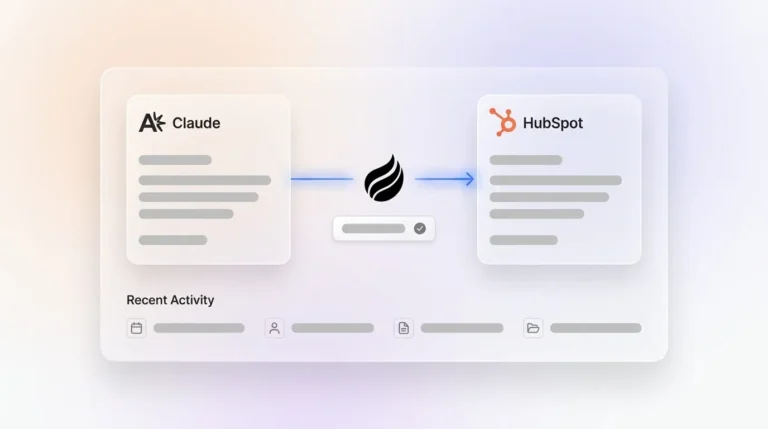
For HubSpot. HubSpot began as a marketing tool with a CRM added later, so it handles structured field updates well but struggles with unstructured data at scale. HubSpot’s Breeze Smart Deal Progression analyzes meeting transcripts and suggests CRM updates, but the update does not happen automatically. A human must review and approve each suggestion, which puts a person back into the loop that automation was meant to remove. The Coffee Companion App for HubSpot writes structured values directly to deal and contact properties from email and call data. It performs these updates without requiring rep approval at each step.
For Pipedrive. Pipedrive’s lighter-weight setup makes initial connection faster. Pipedrive’s Nova feature generates pre-call briefs and post-call recaps that reps review and approve in one click, which improves productivity but still requires rep action. An agent layer on top of Pipedrive, or Coffee’s Standalone CRM as a replacement, removes that approval step entirely. It also adds enrichment and meeting orchestration that Pipedrive’s native stack does not provide.
Across these CRMs, the Coffee Agent handles data entry, auto-creates and enriches contacts and companies, logs activity autonomously, orchestrates meetings, and delivers pipeline intelligence. Coffee is SOC 2 Type 2 and GDPR compliant, and data is not used to train public models.
Step 3: Deduplication And Data-Quality Rules
Deduplication is where many automation rollouts fail silently. Clear rules prevent duplicates before they appear.
The concrete rules that prevent duplicate creation are:
- Normalize Before Matching. Phone numbers, company names, and email addresses must be standardized before any match key comparison. The same phone number entered as “(555) 123-4567,” “555-123-4567,” and “5551234567” will not match without normalization.
- Require Key Fields Before Record Creation. Email is the primary match key for contacts, and company domain is the primary match key for companies. A worked example from PipelineDecoded shows that 460 Salesforce leads with no email address created 460 duplicate HubSpot contacts because HubSpot’s match-by-email logic had nothing to match on. That is why the rule is to block record creation when the match key is absent.
- Use Upsert Instead Of Create. Every sync operation should check for an existing record before writing. The most common cause of Zapier-style duplicate creation is using a straight create action where the process requires find-or-create logic.
- Define Merge Rules In Advance. When duplicates occur, the primary record should be the one with the most recent activity or most complete data. In HubSpot, a merge cannot be undone, so survivorship rules must be documented before any bulk merge operation.
- Route Records By Owner. Every object type needs one system of authority. When multiple integration sources write to the same CRM object without coordinating on record ownership, duplicate creation becomes a structural outcome.
- Schedule Recurring Deduplication Jobs. Daily deduplication detection jobs are standard, and hourly is recommended for high-volume syncs. These jobs act as a safety net for race conditions and bulk import edge cases that create-time logic cannot catch.
An agent-led system like Coffee maintains historical context in a built-in data warehouse rather than overwriting fields and losing history. Legacy relational CRMs like Salesforce and HubSpot update fields in place, so prior values disappear when a field changes. Coffee’s data warehouse architecture preserves every version of a record. Merge decisions gain an audit trail, and pipeline reviews reflect what actually happened, not just the current state of a field.
Step 4: Failure Modes And How To Fix Them
Even with strong rules, a few predictable failure modes cause most rollout issues. Treat this section as a diagnostic checklist.
Duplicate Creation. Trigger-action tools create duplicates when they use a create action instead of find-or-create logic, when multiple Zaps write to the same object without an ownership rule, or when a feedback loop between two connected apps causes the same record to be created twice. A typical multi-Zap duplicate loop follows six steps: a scheduling tool creates a person, a Zap sends them to the CRM, the CRM updates a field, another Zap sends the update to an enrichment tool, that tool writes back to the CRM, and the original trigger sees a new event and creates another record. Agent-led matching prevents this by resolving entity identity before writing.
Common Mistake: Teams often build deduplication as an afterthought. Dedup logic must be configured before the first sync runs. Cleaning a production database after the fact is a four-to-eight-week project. LeadHQ estimates a focused CRM data audit and cleanup effort takes four to eight weeks depending on database size.
Broken Field Mappings. CRM sync errors fall into six documented causes: broken auth, field mapping mismatches, picklist and value conflicts, dedupe-key mismatches, two-way overwrite loops, and API rate or storage limits. When a CRM field changes, such as a renamed picklist value, a new required field, or a changed property type, any automation writing to that field can fail silently or produce corrupt data. The fix is to audit field mappings quarterly and assign one owner per field for sync direction.
Pro Tip: For Salesforce, define an External ID field on Contact, Account, Lead, and any custom objects before the first sync. This enables upsert via the REST API and prevents a common class of duplicate creation in Salesforce integrations.
Rep Adoption. CRM adoption improves when using the CRM is easier than avoiding it. Reps abandon CRMs that feel like chores because the CRM serves the software rather than the software serving the rep. Removing data entry from the rep’s job description is the single most effective adoption lever. When the Coffee Agent handles logging, enrichment, and meeting notes, the CRM becomes a tool reps consult rather than a database they resent.
Zapier Vs. AI Agent For CRM Data Entry
Choosing between Zapier and an AI agent for CRM data entry comes down to architecture. The two approaches handle data in fundamentally different ways. The table below compares them across the four capabilities that determine whether unstructured data actually reaches the CRM.
| Capability | Zapier (Trigger-Action) | Coffee (Agent-Led) |
|---|---|---|
| Structured Field Routing | Yes, moves defined fields between apps | Yes, reads and writes structured fields natively |
| Unstructured Data (Email Bodies, Transcripts) | No, cannot understand meaning of text and requires a separate AI step chained in | Yes, ingests, structures, and writes unstructured data natively |
| Historical Context Preservation | No, has no internal database so state must live in an external system | Yes, built-in data warehouse preserves full record history |
| Deduplication | Must be hand-built as an extra step, and default behavior creates on no match | Entity resolution before write, with upsert as the default |
Zapier-style trigger-action automation moves structured fields between apps reliably. It cannot process unstructured data like email bodies or call transcripts without chaining a separate AI step, and even then, the structure of the CRM note is determined by prompt engineering rather than by the CRM’s data model. It does not preserve historical context, and deduplication must be built manually as an additional workflow step.
Native CRM AI and third-party automation tools form a separate comparison. Salesforce Agentforce is Salesforce-native and requires significant technical expertise to configure, but Agentforce Operations can extract data from documents and work across disconnected systems such as email and ERP platforms. HubSpot Breeze suggests CRM updates but requires human approval before any field changes, which reintroduces the manual step automation was meant to eliminate. Both options remain platform-locked.
Coffee’s agent-led approach ingests unstructured data, structures it, maintains a data warehouse of history, and works across Salesforce, HubSpot, and its own Standalone CRM. It does this without requiring a rep to approve each write or a developer to maintain prompt engineering for each field.
Migrating From Spreadsheets To Automated CRM Entry
Teams still running sales in spreadsheets or Notion face a migration challenge. Spreadsheet-based tracking breaks down as teams grow because there is no shared record of activity, no deduplication, no enrichment, and no reliable pipeline visibility beyond the last manual update.
The migration path can be straightforward. The Coffee Standalone AI-First CRM is built for companies with one to twenty employees that have outgrown spreadsheets but find manual CRMs like HubSpot or Pipedrive to be expensive chores. The Coffee Agent auto-creates contacts and companies from Google Workspace or Microsoft 365 on day one. That approach avoids a manual spreadsheet import into a system that would immediately require manual maintenance.

That pattern is not hypothetical. One company generating tens of millions in revenue was managing sales in spreadsheets and knew manual entry would not scale. They rejected Salesforce and HubSpot for requiring too much manual work. After deploying Coffee, automatic contact creation from Google Workspace kept the CRM clean without human effort, and the Pipeline Compare feature automated their weekly reviews.
Teams asking “Which AI Is Best For Excel?” or “How Can I Automate Data Entry In Excel?” are really facing a system choice. Excel is not a CRM and cannot be automated into one. The right move is a migration to a system where the agent handles data entry from day one, rather than automating a spreadsheet that will still require manual maintenance.
How To Measure Whether CRM Data Entry Automation Is Working
Measurement should begin in week one and continue weekly for the first month. Four metrics show whether automation is doing its job.
- Data Completeness Rate. RevOps guidance recommends tracking completeness separately for must-have fields versus nice-to-have fields, with a practical target of 90%+ for critical fields. A blended completeness score can hide the problem. A database can look 85% complete overall while the seniority field used by an ICP filter sits at 40%.
- Activity Logging Coverage. Automatic activity capture provides an independent signal of every email, meeting, and call captured at the source; the gap between what the CRM contains and what capture found is the underreporting rate. A practical target is 85% or more of open opportunities with at least one logged activity in the last 14 days.
- Duplicate Rate. Gangly sets a duplicate rate target of under 2% of total records, with anything above 5% treated as a process problem rather than a data quality problem, though other benchmarks treat under 5% as healthy.
- Rep Time Saved. The Coffee Agent saves reps 8–12 hours per week. 71% of sales reps say they spend too much time on data entry, leaving only 35% of their time for selling. Measure this directly in hours recovered, not inferred from tool adoption rates.
Gangly’s 2026 CRM hygiene benchmark data shows that teams scoring 90+ on a composite hygiene score see forecast variance drop to under 10%, while teams scoring below 75 see 20–30% forecast variance. The measurement framework takes about 40 minutes to set up and 15–20 minutes per week to maintain.
Frequently Asked Questions
Will CRM Be Replaced By AI?
The passive CRM, which only stores whatever humans type into it, is giving way to agent-led systems that handle data entry autonomously. The CRM category is evolving from a system of record that requires human maintenance into an active agent that maintains itself. Coffee represents this shift. The agent handles data entry, enrichment, meeting orchestration, and pipeline intelligence, so the CRM becomes a tool reps consult rather than a database they serve. Legacy architectures like Salesforce and HubSpot are adding AI layers on top of relational database foundations that were not designed for unstructured data or autonomous agents. Teams that adopt agent-led systems now will be better positioned than those that wait.
What Is The Best Software For Automating Data Entry Tasks?
The most effective software for automating CRM data entry handles both structured and unstructured data, maintains historical context, and works without requiring rep action at each step. Coffee is the agent-led solution that meets all three criteria. It works in two models: as a Companion App on top of existing Salesforce or HubSpot instances, and as a Standalone AI-First CRM for companies that have outgrown spreadsheets. Zapier moves structured fields between apps but cannot process email bodies or call transcripts without additional configuration. Native CRM AI tools like Salesforce Agentforce and HubSpot Breeze are platform-locked and, in HubSpot’s case, still require human approval before writing field updates. Coffee is the only solution in this comparison that works across both structured and unstructured data, is built on a data warehouse, and is available to teams regardless of their current CRM stack.
How To Do CRM Automation?
CRM automation starts with connecting your data sources such as Google Workspace or Microsoft 365, your meeting platform, and your web forms to your CRM or agent layer. From there, the sequence is straightforward. Deploy meeting capture so calls are recorded, transcribed, and summarized without rep action. Enrich records at the point of creation with job titles, company data, and LinkedIn profiles. Configure deduplication rules so every write operation checks for an existing record before creating a new one. Coffee handles all of these steps through a single authentication. The agent auto-creates contacts and companies from email and calendar, joins calls via an AI meeting bot, enriches records from licensed data partners, and writes back to Salesforce, HubSpot, or Coffee’s own CRM without breaking existing automation or requiring manual field updates.
Does The Agent Talk To My Other Tools?
Coffee connects to Google Workspace, Microsoft 365, Zoom, Teams, and Meet, with current integrations running via Zapier and deeper native integrations on the roadmap. For the core data entry use case covering email, calendar, calls, and enrichment, the agent handles capture and enrichment directly. The Companion App for Salesforce and HubSpot syncs data, enriches records, and writes insights back to the primary CRM through a direct integration. As noted earlier, Coffee is SOC 2 Type 2 and GDPR compliant.
Is The Agent’s Data As Good As ZoomInfo?
Coffee’s enrichment data is roughly on par with ZoomInfo for most use cases, and it is built into the agent rather than sold as a separate subscription. The Coffee Agent augments records with job titles, funding data, and LinkedIn profiles via licensed data partners, which removes the need for a standalone enrichment tool. For teams currently paying for ZoomInfo, Apollo, or Clearbit on top of their CRM subscription, Coffee consolidates that spend into a single seat-based price. The agent also enriches records continuously as contacts change jobs or companies update their profiles, rather than relying on a manual re-enrichment cadence.
Conclusion: Treat Data Entry As A System Design Problem
Manual CRM data entry reflects a structural design choice. Expecting reps to maintain data quality on top of their selling responsibilities is a structural mistake, since data entry and hygiene are operational tasks that require dedicated time and clear ownership. The fix is to remove the task from the rep’s job description entirely, rather than to train or enforce harder.
Coffee is the agent-led solution that handles CRM data entry across Salesforce, HubSpot, Pipedrive, and its own Standalone AI-First CRM. The agent now handles capture, enrichment, logging, and pipeline intelligence without human typing. Good data in produces good data out. That path leads to a CRM that reps trust and leadership can forecast from.