Written by: Doug Camplejohn, CEO & Co-Founder, Coffee | Last updated: July 29, 2026
Key Takeaways
-
Revenue teams lose pipeline intelligence when Gong calls go unread and objections remain unlogged in the CRM.
-
Essense AI runs batch-level pattern analysis across entire call libraries at a scale Gong Assistant cannot match.
-
Coffee’s autonomous CRM Agent closes the last-mile gap by writing Essense-derived insights directly into Salesforce, HubSpot, or Coffee Standalone.
-
The five-step workflow (API credentials, auto-ingest, custom metrics, monthly re-analysis, and Zapier export) converts hundreds of recordings into continuously updated CRM data.
-
Unlock automated CRM action from your Gong calls with Coffee today.
Prerequisites for the Gong–Essense–Coffee Workflow
Set up a few core systems before you start the integration workflow so each step connects cleanly.
-
Active Gong account with a connecting user holding a Technical Administrator (Tech admin) role, as Gong API integrations require this role and are available on any Gong plan
-
Essense AI workspace with admin credentials
-
Coffee account, either Standalone CRM or Companion App for Salesforce or HubSpot
-
Google Workspace or Microsoft 365 connected to Coffee for activity logging and enrichment
-
Defined buyer persona configured in Coffee for Suggested Leads and dynamic list enrollment in Campaigns
-
Zapier account (free tier works for initial setup, paid tier suits higher call volume)
Once these prerequisites are ready, you can move into the five-step integration workflow that connects Gong, Essense AI, and Coffee into one continuous loop.
5-Step Integration Workflow for Gong, Essense, and Coffee
-
Generate Gong API Credentials
In Gong, go to Company Settings > Ecosystem > API and create a new API key pair (Access Key and Secret). Store both values in a password manager immediately because the Secret appears only once. Verify the connecting user’s Technical Administrator role from the prerequisites is active, since a single Gong Technical Administrator authorizes the connection for the entire workspace. Troubleshooting: If the API menu is missing, your Gong plan does not include API access, so contact your Gong account manager to enable it.
In Essense AI, open Settings > Integrations and select Gong, then enter the Access Key and Secret from Step 1. Set the initial sync window to the previous 30 days so you start with a meaningful baseline corpus. Subsequent syncs continue from the last successful import, skip calls already ingested, and exclude private calls, and Essense follows this same incremental pattern. Confirm that the Connected badge appears before moving on. Troubleshooting: Missing call IDs in the first sync usually indicate private calls or calls recorded before the API key’s permission scope was set; re-authorize with full read access to call recordings and transcripts.
Inside Essense AI, create metric sets that match your sales methodology, such as MEDDIC, BANT, or SPICED. Each metric should ask one focused question, since Gong AI scoring performs better when you avoid compound questions and split multi-part questions into separate prompts, and the same approach improves Essense output quality. Once your metrics are defined, segment the call cohort by CRM deal outcome, such as won versus lost, before running analysis so you can compare language patterns across outcomes instead of treating all calls as one group. A practical workflow filters the call cohort by CRM attributes first, then runs one prompt across the entire selection to analyze cohort-level patterns rather than per-call answers. Troubleshooting: Incomplete buyer-persona mapping can cause Essense to misclassify prospect calls as customer success calls, so verify CRM deal-type fields are populated before syncing.
In Essense AI, configure a scheduled job that re-runs your metric sets on the prior month’s call cohort on the first business day of each month. Best practice is to run the same prompt across all calls in a target segment so you capture voice-of-customer themes in the buyer’s own language for messaging validation. Add Slack or email alerts for anomalies, since a spike in a specific objection theme between cycles can signal early pipeline risk. Troubleshooting: Gong API rate limits can throttle large batch pulls, so schedule syncs during off-peak hours and confirm your Gong plan’s rate limit tier with your account manager.
After Essense produces structured outputs such as objection themes, sentiment scores, MEDDIC field values, and next-step commitments, route those fields into Coffee. A hybrid integration pattern uses webhook-based real-time sync for high-urgency fields and scheduled nightly batch exports for bulk summaries and analytics. In Zapier, create a Zap with Trigger set to new Essense export row and Action set to Coffee, or Salesforce or HubSpot via Coffee Companion, then map Essense output fields to Coffee contact and deal properties. Coffee’s Agent enriches the record, logs the activity, and updates pipeline stage, so reps do not need to enter data manually. Troubleshooting: If field mapping creates blank CRM records, confirm Essense exports include a unique call ID that Coffee can use for deduplication.

Create instant meeting follow-up emails with the Coffee AI CRM agent Prompt Library for Revenue Teams
The workflow above defines the plumbing, and these prompts give you ready-made queries to run inside Essense AI or Gong’s Ask Anything feature so Coffee receives structured, CRM-ready outputs.
-
Objection Cluster Prompt: “Across all [segment] calls in [month], list the top 5 objections raised by prospects, each with a verbatim example quote and the frequency count. Output as a structured table.”
-
Won/Lost Signal Prompt: “Compare calls from closed-won deals versus closed-lost deals in [quarter]. Identify 3 language patterns or topics that appeared significantly more in won calls. Output as a ranked list with supporting evidence.”
-
MEDDIC Extraction Prompt: “For this call, extract: Metrics (stated business outcomes), Economic Buyer (name and title if mentioned), Decision Criteria, Pain, Champion signals, and Identified Next Steps. Output as labeled JSON fields.”
-
Coaching Gap Prompt: “Across all discovery calls this month, identify reps whose talk-to-listen ratio exceeded 60% and flag the top 2 missed qualification questions per rep. Output as a per-rep summary.”
-
Coffee Briefing Prompt: “Summarize this call’s key buyer signals, stated objections, and agreed next steps in under 150 words. Format for import as a Coffee deal note.”
Gong Native AI vs Essense AI vs Coffee Agent
Each platform in this stack plays a different role. The comparison below highlights where Gong’s native AI supports single-call analysis, where Essense AI uncovers cross-call patterns, and where Coffee’s Agent turns those insights into automated CRM updates.
Capability
Gong Native AI
Essense AI
Coffee Agent
Transcription & per-call summary
Gong Native AI achieves 98-99% transcription accuracy and generates summaries with 90-95% accuracy
Ingests Gong transcripts; does not re-transcribe
Ingests transcripts via Zapier or native sync, then logs to the deal record automatically
Cross-call batch pattern analysis
Runs one prompt across hundreds of calls and returns structured, comparable outputs
Receives structured Essense outputs and does not perform raw transcript analysis
CRM data entry automation
Exports structured JSON or CSV and relies on a separate integration layer to reach the CRM
Autonomous Agent writes enriched insights, activity logs, and pipeline updates directly to Salesforce, HubSpot, or Coffee Standalone, with zero manual entry
Outcome
Supports single-call review and coaching rubrics
Supports cross-call pattern discovery and voice-of-customer analysis
Automates CRM data entry from structured insights and reduces manual note-writing time
Validation Criteria and Time-Saved Metrics
Use these checkpoints to confirm the workflow is working and that Essense and Coffee are delivering measurable value.
-
Field population rate: Target at least 85% of deal records updated with one or more Essense-derived fields within 24 hours of call completion. Achieving this threshold is realistic, since industry implementations of AI call transcription integration have achieved up to an 80% reduction in manual CRM note-writing time, which shows that automated field population at this scale is operationally feasible.
-
Objection capture rate: Spot-check 10 calls manually and compare rep-logged objections against Essense-extracted objections. Expect Essense to surface more objections than reps log, since calls often contain nuance that never reaches the CRM.
-
Forecast variance: Teams that fully adopt conversation intelligence platforms like Gong often see reductions in forecast variance and improvements in deal velocity. Use these as 90-day benchmarks after Coffee begins writing structured data back to the CRM so you can tie the workflow to revenue outcomes.
-
Rep time recovered: AI-driven ingestion reduces time spent on CRM note updates and returns selling time to reps who run multiple calls per day. This rep time recovery should align with the 80% time-reduction benchmark referenced above.
Scaling the Workflow and Advanced Campaign Use Cases
Small and midsize business teams with one to twenty reps move fastest on Coffee Standalone CRM, since the Agent manages the system of record directly and Essense outputs map to native Coffee deal properties without Salesforce or HubSpot middleware. Setup usually finishes within one business day.
Mid-market teams with twenty to two hundred reps that already rely on Salesforce or HubSpot benefit more from the Coffee Companion App, which deploys as an intelligent layer on top of the existing instance. The Agent handles data entry by writing Essense-derived MEDDIC fields, objection tags, and next-step commitments to the primary CRM, while Salesforce or HubSpot remains the system of record for forecasting and quota management.
Advanced teams can push this further by enrolling contacts surfaced by Essense’s cross-call analysis directly into Coffee Campaigns. When Essense identifies a cohort of prospects who raised a specific objection, such as pricing concerns in mid-funnel calls, Coffee’s dynamic list enrollment automatically adds new contacts that match that pattern as the campaign runs. This pattern closes the loop from insight to outreach without manual list building and builds on the same integration you configured in the earlier steps.

Building a company list with Coffee AI Frequently Asked Questions
How long does the full Gong-to-Essense-to-Coffee setup take?
Most RevOps teams complete the workflow, including generating Gong API credentials, connecting Essense, building initial metric sets, and configuring the Zapier-to-Coffee export, in four to eight hours of active configuration time across one to two business days. Prompt calibration inside Essense usually adds two to three hours to review the first batch of outputs and refine metric definitions before you schedule the monthly re-analysis cadence. Coffee’s Companion App authenticates to Salesforce or HubSpot in minutes, and the Standalone CRM requires no migration and can run the same day.
Is this workflow secure and compliant with GDPR and SOC 2 requirements?
Coffee is SOC 2 Type 2 certified and GDPR compliant, and call transcript data ingested by Coffee does not train public AI models. For the Gong API connection, the integration uses read-only OAuth scopes limited to call recordings and transcripts, so it does not need write access to Gong. Essense AI should be evaluated against your organization’s data processing agreement requirements separately, especially for calls that involve EU-based prospects. Confirm that your Gong workspace has call recording consent notices configured for all participant jurisdictions before you enable batch transcript export.
How much ongoing maintenance does this workflow require?
After initial setup, most maintenance happens monthly. Review Essense metric outputs for prompt drift when language patterns shift and existing prompts start missing signals. Update buyer-persona definitions in Coffee as your ideal customer profile evolves, and confirm the Zapier Zap remains active after any Gong or Essense API credential rotation. Gong access tokens used by third-party integrations should be refreshed before expiry, and some platforms handle this automatically. Plan for one to two hours per month for a RevOps analyst to validate field population rates and adjust metric definitions based on pipeline outcomes.
When should a team choose Coffee Companion App versus Coffee Standalone CRM?
Choose the Companion App when the organization already runs Salesforce or HubSpot with active quotas, forecasting workflows, required fields, and executive dashboards on those platforms. The Companion App deploys the Coffee Agent as an intelligent data-entry and enrichment layer without disrupting the existing system of record. Choose the Standalone CRM when the team has outgrown spreadsheets or Notion but has not invested in Salesforce or HubSpot, or when the overhead of maintaining a legacy CRM exceeds its value. The Standalone option fits teams of one to twenty who want an agent-managed system from day one with no migration complexity.
Conclusion: Turn Gong Insights into Automated CRM Action
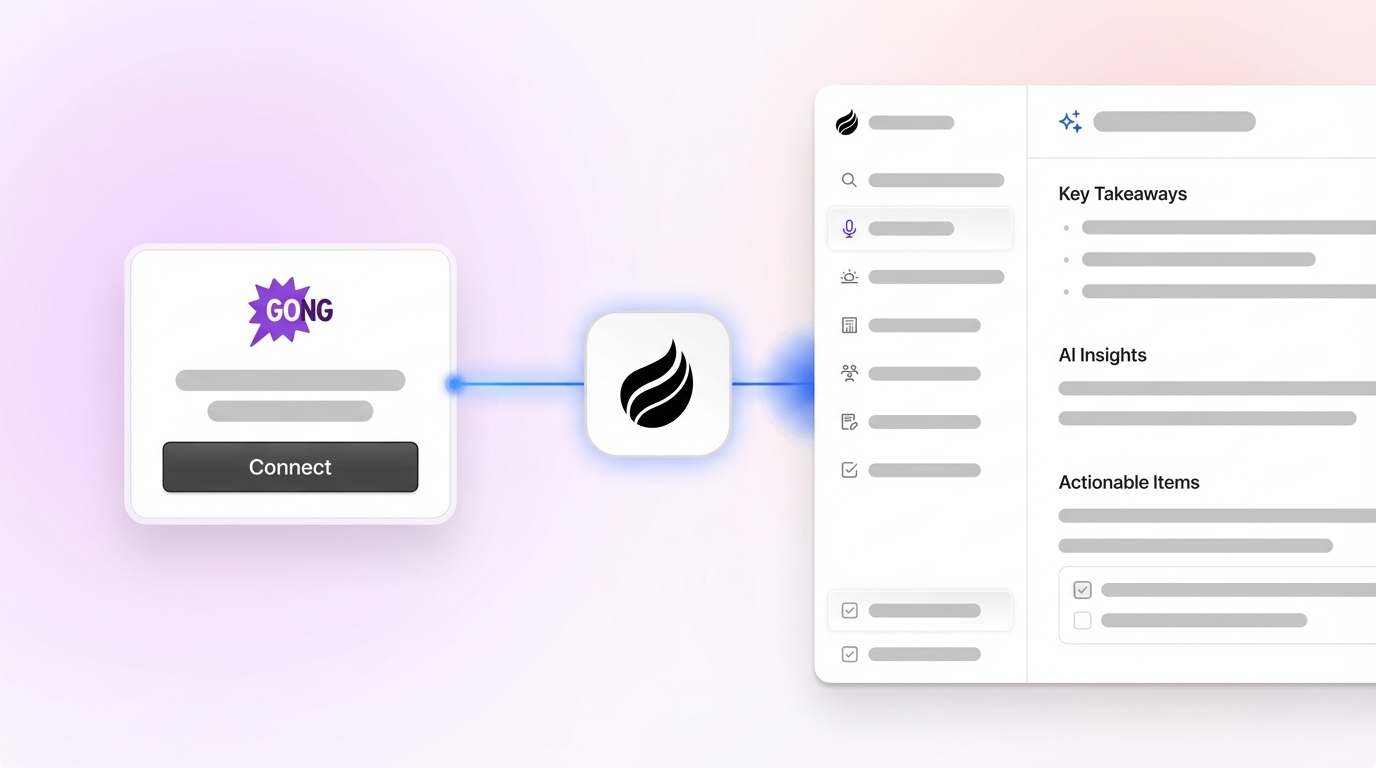
The five-step workflow of API credential generation, Essense auto-ingest configuration, custom metric building, scheduled re-analysis, and structured export to Coffee converts dormant Gong recordings into a continuously updated intelligence layer inside the CRM. Many sales teams already use transcription tools, and they consistently cite CRM integration as a core need. The real gap sits in the last mile of getting structured data into the system of record reliably and at scale.
Coffee’s autonomous Agent focuses on that last mile. It ingests Essense-derived outputs, enriches deal records, logs activities, and updates pipeline stages without turning reps into data-entry clerks. This approach supports Coffee’s core principle of good data in and good data out, which produces accurate forecasts, real coaching signals, and pipeline intelligence that reflects what buyers actually said.
-