
Written by: Doug Camplejohn, CEO & Co-Founder, Coffee | Last updated: August 6, 2026
Key Takeaways
- AI-powered Salesforce integration uses autonomous agents to capture, structure, and write interaction data directly into Salesforce objects without manual rep work.
- Three evaluation criteria, integration depth, data quality via confidence scoring, and time-to-value, determine whether a solution delivers durable value for RevOps teams.
- Third-party AI agents outperform native Einstein tools when teams use multiple video platforms, third-party dialers, or external enrichment databases.
- Successful deployments require careful OAuth scoping, field mapping, confidence thresholds, pilot validation, and rep enablement to avoid common pitfalls.
- Get started with Coffee to deploy an AI-powered Salesforce integration that meets SOC 2 Type 2 and GDPR standards.
Why AI CRM Data Entry Agents Emerged in Salesforce Orgs
Legacy Salesforce deployments placed the entire data-entry burden on sales reps. A rep returning from a discovery call had to open Salesforce, navigate to the opportunity record, and manually log notes, update stage, and set next-step tasks. Salesforce's own data shows that this friction drives low adoption. Reps who view the CRM as a reporting obligation instead of a productivity tool enter incomplete records or skip entry entirely. That behavior produces the "garbage in, garbage out" cycle that undermines forecasting.
Salesforce responded with Einstein Activity Capture and Einstein Conversation Insights, native tools that automate some email and calendar sync. These tools reduced friction for structured data but left unstructured data, such as call transcripts, email body text, and negotiation context, largely unaddressed. Einstein's architecture also ties enrichment and AI summarization tightly to Salesforce's own cloud infrastructure. That design limits flexibility for teams using third-party dialers, video conferencing platforms, or enrichment databases.

By 2025, a distinct third-party agent category emerged. These agents sit outside Salesforce's native layer, authenticate via OAuth, and use large language models to extract meaning from unstructured data before writing structured values back to Salesforce. The shift matters because LLMs handle ambiguity that rule-based parsers cannot. A transcript line like "they need budget sign-off from the CFO before end of quarter" maps to a close-date field update and a next-step task without a human intermediary.

Coffee's February 2026 Intelligence layer exemplifies this evolution. Teams define business model context, ICP parameters, and competitor positioning so the agent's Salesforce write-backs reflect company-specific logic instead of generic extraction rules.
Operational Layers of AI-Powered Salesforce Data Entry
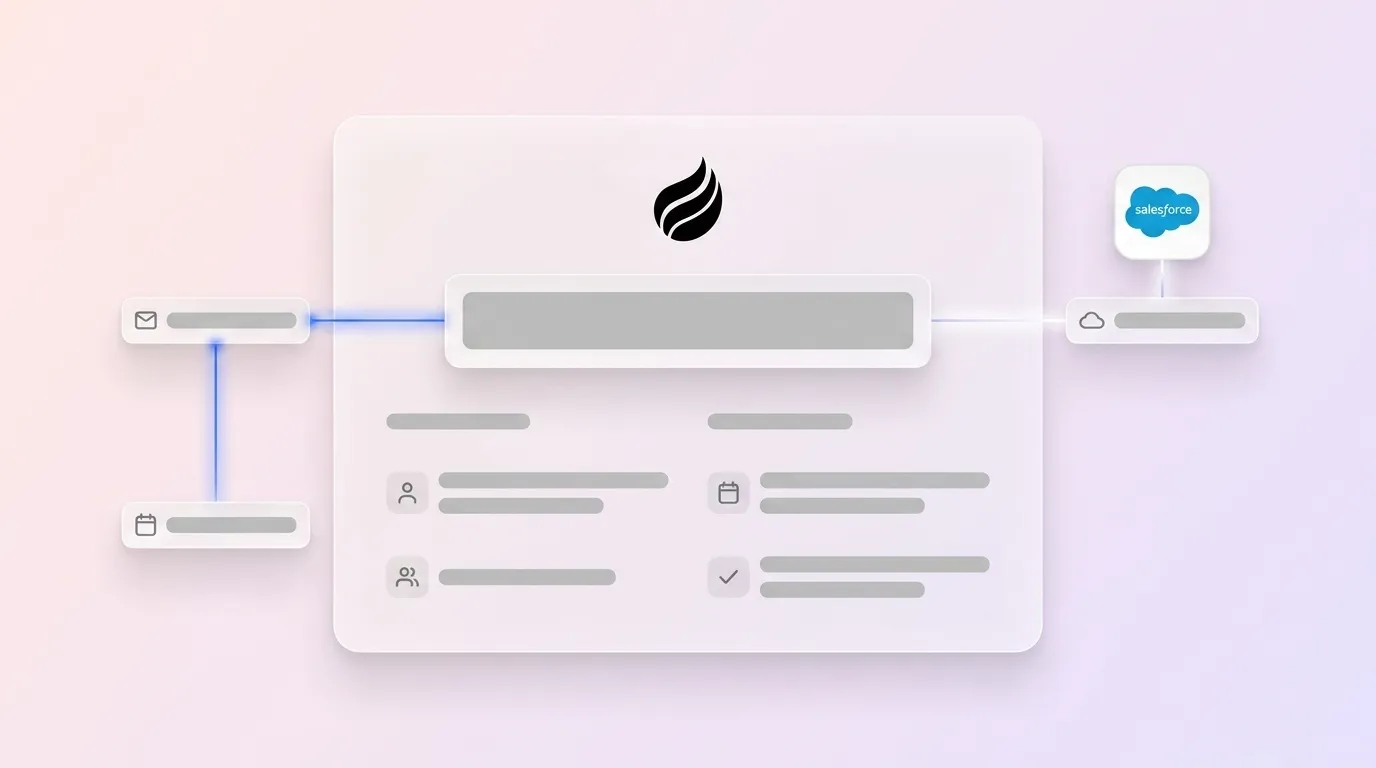
To understand how these third-party agents deliver value beyond rules-based automation, focus on how they operate in production. A production-grade AI CRM data entry architecture runs across five sequential layers.
- Source ingestion: The agent connects to Google Workspace or Microsoft 365 via OAuth and pulls emails, calendar invites, and meeting recordings in near real time.
- AI extraction engine: An LLM parses each source for named entities such as contacts, companies, deal amounts, and dates, along with sentiment signals and action items. Extraction runs against the agent's stored business context so field mapping reflects the team's actual sales motion.
- Confidence scoring: Each extracted value receives a confidence score. Values above the configured threshold write automatically. Values below threshold are flagged for rep review instead of committing blindly.
- Salesforce write-back: The agent authenticates to Salesforce via a connected app with scoped permissions and writes to the appropriate objects, including Contact, Account, Opportunity, Task, or custom objects, while respecting required fields and validation rules.
- Audit trail: Every write is logged with a timestamp, source document reference, confidence score, and agent version. This log creates a reviewable record for compliance and data-quality audits.
Agents can process inbound and outbound email, calendar metadata, video call transcripts from Zoom, Teams, or Google Meet, and third-party enrichment signals. Coffee's November 2025 summary templates extended this write-back capability with customizable output formats that map directly to Salesforce fields. That improvement narrows the gap between what the agent captures and what Salesforce records require.

Choosing Between Einstein and Third-Party Agents
The table below compares native Salesforce Einstein tooling against third-party AI agents across four dimensions relevant to mid-market RevOps teams. All characterizations reflect publicly documented product behavior as of mid-2026.
| Dimension | Native Einstein | Third-Party AI Agent (e.g., Coffee Companion) |
|---|---|---|
| Setup effort | Configured within Salesforce Setup, requires admin access and Einstein license tier | OAuth connection and field-mapping wizard, no Salesforce admin certification required |
| Required fields and forecasting | Native awareness of Salesforce validation rules and forecast categories | Deep integration with Salesforce required fields, quotas, and forecasting objects, validated at write time |
| Audit trail | Salesforce field history tracking, limited to 20 fields per object by default | Agent-side log capturing source document, confidence score, and write timestamp for every field update |
| Unstructured data handling | Conversation Insights processes call recordings within Salesforce's ecosystem | LLM extraction from any transcript source, not limited to Salesforce-native recording tools |
No single approach fits every Salesforce org. Teams with deep Einstein investments and Salesforce-native recording workflows may find Einstein sufficient. Teams using third-party dialers, multiple video platforms, or enrichment databases outside Salesforce's ecosystem usually gain more value from a third-party agent that operates across the full stack.
Six-Part Readiness Check for RevOps Leaders
RevOps leaders improve deployment outcomes when they assess organizational readiness across six connected dimensions. These factors shape pricing fit, technical feasibility, and adoption success.
- Team size and rep distribution: Seat-based pricing scales differently than usage-based pricing. Confirm that the vendor's model aligns with current headcount and planned hiring so costs remain predictable.
- CRM complexity: Orgs with extensive custom objects, complex validation rules, or multi-currency setups need an agent that explicitly supports those configurations. Validating this support early prevents rework during implementation.
- Data-quality baseline: An agent writing to a Salesforce instance with duplicate accounts and inconsistent naming conventions will propagate existing errors. A deduplication pass before deployment protects data integrity and improves AI extraction accuracy.
- Change-management capacity: Reps accustomed to manual entry need a clear communication plan. They should know what the agent handles, what they still own, and how to review flagged writes so trust in the system grows.
- Security posture: Confirm that the vendor holds SOC 2 Type 2 certification and GDPR compliance documentation, and verify that customer data is not used to train shared models. Coffee is SOC 2 Type 2 and GDPR compliant and does not use customer data for public model training.
- Budget and total cost of ownership: Compare the tools the agent replaces, such as enrichment subscriptions, standalone recording tools, and manual QA time, against the agent's seat cost. That comparison reveals the net savings.
Step-by-Step Implementation Path for Salesforce Orgs
The following six-step implementation path brings a mid-market Salesforce org from manual entry to automated AI data flow. A mid-market Salesforce org typically takes 3-9 months to reach production go-live, depending on scope and integrations. Ongoing measurement then keeps the system reliable.
- OAuth connection: Create a Salesforce Connected App with scoped permissions for read and write on Contact, Account, Opportunity, and Task. Authorize the Coffee Companion app using the generated client credentials. Confirm the connection status in the agent dashboard.
- Field mapping: Map the agent's extracted entities to the correct Salesforce fields. Flag required fields so the agent never attempts a write that would fail validation. Define fallback behavior for low-confidence extractions.
- Confidence-score rules: Set the auto-write threshold, commonly 85 to 90 percent, and the review-queue threshold. Values below the review threshold surface in a rep-facing inbox instead of writing directly to Salesforce.
- Pilot scope: Select a cohort of three to five reps representing different deal types and communication patterns. Limit the pilot to one Salesforce record type, with Opportunity as the usual starting point, to contain the validation surface.
- Validation: Compare agent-written field values against rep-recalled ground truth for 20 to 30 interactions. Adjust field mapping or confidence thresholds when discrepancies exceed acceptable error rates.
- Full rollout: Expand to the full rep population. Deliver a 30-minute enablement session covering the review queue, how to override an agent write, and how to interpret confidence indicators.
Ongoing measurement: Track Salesforce field completeness rates, forecast accuracy week over week, and rep time reclaimed from data entry. Coffee's Pipeline Compare feature automates week-over-week pipeline change tracking and replaces manual CSV exports in pipeline review meetings.
Get started with Coffee, and deploy the Companion App on your Salesforce instance today.
Common Failure Patterns in AI Salesforce Integrations
Four recurring failure modes explain most unsuccessful AI Salesforce integration deployments. Each one reflects a gap in security, governance, training, or validation.
- Over-permissioning the connected app: Granting the agent org-wide read and write access creates unnecessary data exposure risk. Scope permissions to only the objects and fields the agent actively uses, and review those permissions at each quarterly security audit.
- Historical context loss: Salesforce's default field history tracking overwrites previous values when a field is updated. An agent that writes without logging its source document and prior field state eliminates the audit trail needed for compliance and dispute resolution. Confirm that the agent maintains its own immutable write log.
- Skipping rep training: Reps who do not understand the review queue may ignore flagged writes, which leaves incomplete records, or distrust the agent and revert to manual entry. A single structured enablement session before full rollout prevents both failure patterns.
- Underestimating Salesforce validation rules: Custom validation rules that enforce field dependencies, picklist values, or record-type restrictions will cause agent writes to fail silently if not mapped during the field-mapping step. Audit active validation rules before deployment and test the agent against each rule class during the pilot phase.
FAQ
How long does it take to set up AI powered Salesforce integration for automated CRM data entry?
The 3 to 9 month timeline described above applies here. Orgs with complex custom objects or extensive validation rules should budget additional time for mapping and testing.
What security certifications should an AI CRM data entry vendor hold?
The security posture checklist above outlines the minimum certifications, including SOC 2 Type 2 for audited controls and GDPR for European data handling. SOC 2 Type 2 confirms that controls have been tested over time instead of at a single point. GDPR compliance ensures lawful processing of European contact data. A no-training-data commitment protects proprietary sales intelligence from leaking into shared models.
How does Coffee Companion compare to native Salesforce Einstein for automated data entry?
Einstein Activity Capture handles email and calendar sync within Salesforce's native ecosystem and works well for teams whose entire communication stack runs through Salesforce-integrated tools. Coffee Companion operates as an agent layer outside Salesforce, which means it can process transcripts from any video conferencing platform, emails from any connected mailbox, and enrichment signals from third-party sources, then write structured values back to Salesforce objects. Coffee also maintains a separate agent-side audit log for every write, capturing the source document, confidence score, and timestamp, which supplements Salesforce's native field history tracking.
Does the agent affect existing Salesforce workflows, triggers, or automation rules?
The agent writes to Salesforce in a way that participates in the platform's automation ecosystem. Any Salesforce workflow rule, process builder flow, or Apex trigger that fires on field update will fire normally when the agent updates a field. This behavior is intentional because the agent participates in the existing automation ecosystem instead of bypassing it. Teams should test agent writes against active workflow rules during the pilot phase to confirm that downstream automations behave as expected.
What is Coffee's pricing model for the Companion App?
Coffee uses seat-based pricing. Each human user on the team occupies one seat. The agent's labor, including data extraction, enrichment, write-backs, meeting summaries, and pipeline tracking, is included without metering on LLM usage or process volume. This structure keeps cost predictable as deal volume scales because the agent's workload does not generate additional charges beyond the per-seat fee.
Conclusion
Manual Salesforce data entry costs sales reps 8 to 12 hours per week, degrades forecast accuracy, and drives the low-adoption cycle that makes CRM data unreliable. AI powered Salesforce integration for automated CRM data entry resolves this by deploying an autonomous agent that captures, structures, and writes interaction data without human effort while preserving existing Salesforce workflows, validation rules, and automation logic.
The evaluation framework in this guide reduces the decision to three concrete checks. The agent must write deeply enough into your Salesforce configuration. It must maintain data quality through confidence scoring and audit logging. Your team must reach clean automated data flow without writing code. Coffee Companion meets these requirements, with the 3 to 9 month implementation timeline referenced earlier, SOC 2 Type 2 and GDPR compliance, and seat-based pricing that scales predictably.
The next step is to assess your own Salesforce instance against the six-point readiness checklist above, then map current manual entry hours against the agent's projected time savings. That comparison clarifies the business case.
Get started with Coffee and see how the Companion App fits your Salesforce environment.


