Written by: Doug Camplejohn, CEO & Co-Founder, Coffee | Last updated: July 7, 2026
Key Takeaways for Choosing an AI-First CRM
- AI-first CRM platforms automate data entry, enrichment, and pipeline intelligence, so reps stop acting as data clerks.
- Traditional CRM data often decays within six months, while AI-native systems keep records enriched in real time for higher accuracy.
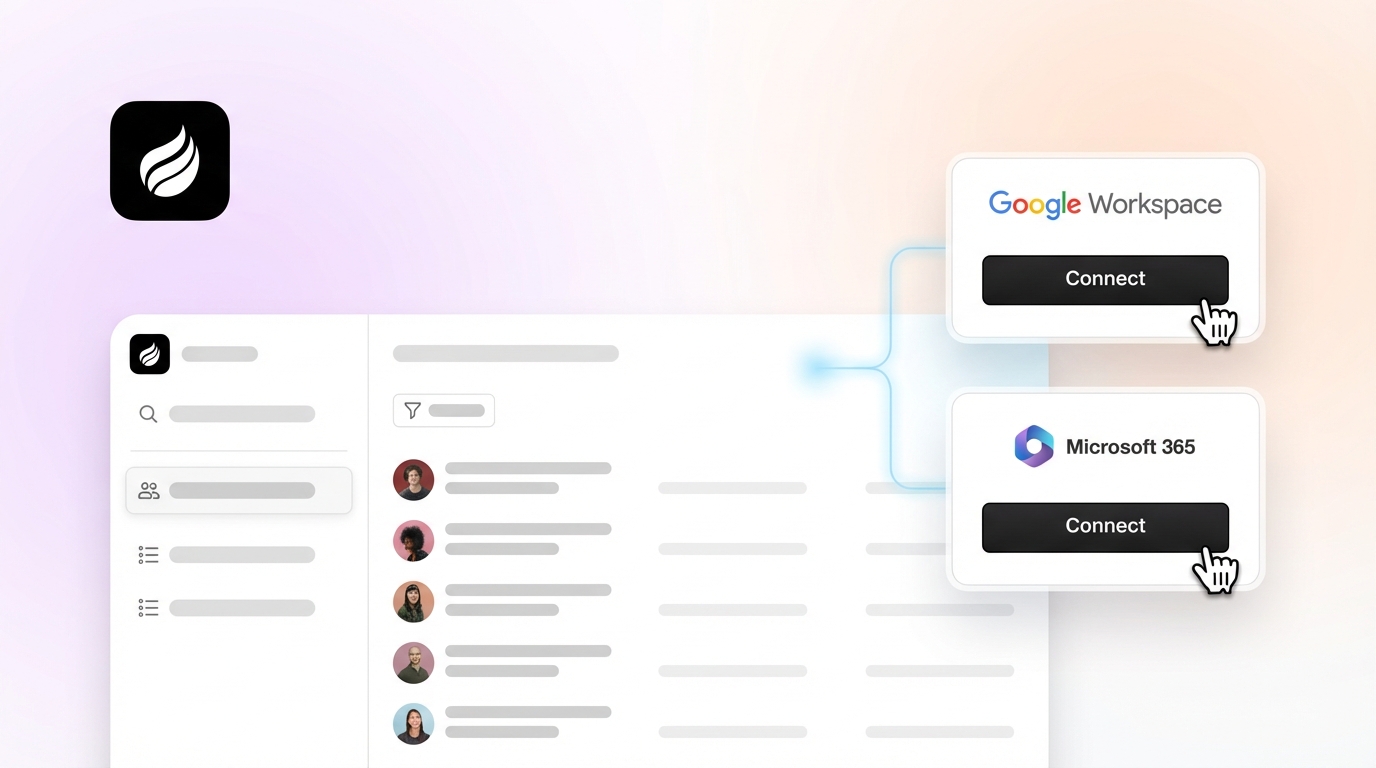
- Coffee activates instantly through Google Workspace or Microsoft 365 with no admin setup, while legacy migrations can stretch toward nine months.
- Seat-based flat pricing without AI usage fees or consumption charges makes Coffee more predictable and cost-effective than credit-based or enterprise-tier options.
- Teams ready to eliminate manual CRM tasks should explore Coffee’s pricing options designed for modern sales teams.
How This Guide Evaluates AI-First CRM Platforms
Traditional CRM data quality can decay significantly within six months, while AI-native systems continuously enrich data in real time. That single metric frames every criterion below.
- Data quality and automation depth: The strongest platforms capture emails, calendar events, and call transcripts automatically instead of depending on rep input. The Salesforce State of Sales report found that 70% of sales rep time is consumed by non-selling tasks.
- Implementation effort: Enterprise CRM migrations typically range from a few weeks to 9 months depending on complexity, with median budget overruns of 30-49%. AI-first platforms need to show clearly faster time-to-value.
- Workflow fit for inbound versus outbound: Outbound teams rely on enrichment, sequencing, and visitor identification. Inbound teams depend on routing, scoring, and handoff automation. Few platforms serve both motions equally well.
- User adoption: AI-native CRM platforms can drive faster adoption than traditional systems. Low adoption produces bad data, which then produces unreliable forecasts.
- Integration with existing stacks: Mid-market Salesforce organizations often connect multiple systems. Companion deployment options matter for teams already committed to a primary CRM.
- Reporting visibility: Pipeline intelligence only works when the underlying data is trustworthy. Organizations with strong CRM data practices can achieve high forecast accuracy.
- Long-term administrative burden: Sales reps lose roughly five to six hours per week to manual CRM admin tasks. The platform that removes this burden at scale wins on total cost of ownership.
Side-by-Side Comparison of Leading Platforms
The following comparison evaluates each platform against the criteria above, grouped into data quality and automation, implementation and adoption, and integration and pricing.
| Platform | Data Quality & Automation | Implementation & Adoption | Integration & Pricing |
|---|---|---|---|
| Coffee (Standalone) | Agent auto-creates contacts, logs activity, enriches records, and captures call transcripts; eliminates the manual admin burden detailed in criteria #7 | Connect Google Workspace or Microsoft 365, and the agent begins immediately; no admin configuration required | Zapier integrations; seat-based flat pricing with no AI usage fees; SOC 2 Type 2 and GDPR compliant |
| Coffee (Companion for Salesforce/HubSpot) | Agent writes enriched data back to existing Salesforce or HubSpot records and unifies structured and unstructured data | Single authentication with no CRM migration; agent layer activates on the existing instance | Deep Salesforce and HubSpot integration including quotas, forecasting, and required fields; seat-based pricing |
| Attio | Flexible relational data model with natural language search via Ask Attio and MCP integration, but passive database logic | Modern UI and faster than Salesforce, yet still requires manual field configuration | Plus tier approximately $36/user/month; API-first but no companion deployment option |
| Salesforce Agentforce | Agentforce 360 embeds AI agents that qualify leads, summarize interactions, and update records autonomously | Extended implementation timeline for mid-market and enterprise teams (see criteria above) | Salesforce Sales Cloud Enterprise lists at $165/user/month; Agentforce is consumption-priced via Flex Credits (starting at $5/user/month plus usage) rather than a flat $125/user/month add-on, so five-user totals vary widely beyond base licenses. |
| HubSpot Breeze | Breeze Agents handle prospecting and outreach end-to-end; predictive lead scoring on behavioral and firmographic data | Faster than Salesforce, with AI features locked behind Professional and Enterprise tiers | Sales Hub Professional with Breeze AI for five users costs $500/month plus outcome-based fees; credit-based AI consumption |
| Freshsales Freddy | Lead scoring, deal predictions, and contact enrichment; AI bolted onto traditional CRM architecture | Moderate setup; free plan for up to three users limits AI access | Pro tier $47/user/month |
| Close | Built-in power dialer; AI Call Assistant with multi-language transcription and post-call summaries | Fast setup for outbound-heavy teams with limited inbound automation | Growth tier $109/user/month; AI Call Assistant $50/month add-on; no companion deployment |
How Each Platform Performs by Capability
Setup and onboarding. Coffee’s standalone CRM activates after you connect Google Workspace or Microsoft 365, with no admin configuration or field mapping sessions. Salesforce Agentforce requires enterprise-grade implementation, with implementation and first-year costs for mid-market teams typically ranging from $75K to $600K. HubSpot is faster but gates its most capable Breeze AI features behind Professional plans.
Automatic data capture and enrichment. Coffee’s agent scans emails and calendars to auto-create contacts, log activity, and enrich records with job titles, funding data, and LinkedIn profiles via licensed data partners. This removes the need for separate tools like Apollo or ZoomInfo and can cut rep admin hours substantially each week. Attio and Close require more manual configuration to reach similar enrichment depth.

Meeting management and follow-up automation. Coffee’s agent joins Zoom, Teams, and Meet calls, generates structured summaries aligned to BANT, MEDDIC, or SPICED, and drafts follow-up emails for rep review. AI-assisted CRM logging reduces post-call documentation time and keeps notes consistent. HubSpot Breeze offers meeting summaries but routes usage through its credit-based consumption model.

Pipeline intelligence. Coffee’s Pipeline Compare feature visualizes week-over-week deal changes such as progressed, stalled, and new deals without CSV exports or add-ons. AI-driven predictive forecasting in 2026 CRM systems enables forecast accuracy above 95% by analyzing email sentiment, reply speed, and stakeholder involvement. Salesforce Agentforce delivers comparable intelligence at higher cost and complexity.
Usability for frontline reps. As noted in the evaluation criteria, the majority of rep time goes to administration rather than selling. Coffee reverses that pattern by delegating busywork to the agent so the CRM behaves like a co-pilot instead of a chore. Close is purpose-built for outbound velocity but offers limited inbound workflow automation.
Manager visibility. Because Coffee’s agent enforces data entry at the source, pipeline reviews shift toward strategic discussions instead of interrogation sessions. Sales reps no longer spend as much time piecing together context across CRM records, call recordings, and email threads.
Pricing transparency. Coffee uses seat-based flat pricing with no AI usage fees, credit systems, or consumption meters. Salesforce Sales Cloud Enterprise lists at $165/user/month; Agentforce is consumption-priced via Flex Credits (starting at $5/user/month plus usage) rather than a flat $125/user/month add-on, so five-user totals vary widely beyond base licenses. HubSpot’s outcome-based fees add unpredictable monthly variance.
Best-Fit Use Cases by Team Size and Stack
Early-stage teams (1–20 employees). Founders and early sales hires who have outgrown spreadsheets but view HubSpot or Pipedrive as expensive manual chores fit well with Coffee’s standalone CRM. The agent handles all data entry from day one, and a 2025 ZoomInfo report found that AI users report 47% higher productivity and save an average of 12 hours per week, which creates a meaningful advantage for lean teams. Attio works as an alternative for teams that prioritize a flexible data model and accept more manual configuration.
Growing sales organizations (20–200 employees). Teams scaling outbound motions benefit from Coffee’s visitor identification feature, which turns anonymous website traffic into named prospects with enriched profiles and suggested outreach targets. This delivers the time savings noted above without requiring standalone tools like RB2B and Warmly. Close fits pure outbound velocity teams that prioritize dialing volume over CRM depth.

Teams committed to Salesforce or HubSpot. Coffee’s companion deployment is the only option in this comparison that adds a true AI agent layer to an existing Salesforce or HubSpot instance without migration. The agent authenticates, syncs data, enriches records, and writes insights back to the primary CRM, which addresses low adoption and data quality problems while preserving existing workflows, quotas, and required fields. Salesforce Agentforce and HubSpot Breeze remain native options but carry the cost and complexity structures described earlier.
Operational and Long-Term Considerations for AI-First CRMs
Change management often becomes the most underestimated cost in CRM transitions. Enterprise migrations can exceed initial vendor cost estimates, with most overrun tied to training, process redesign, and adoption gaps rather than licensing. These overruns stem from forcing users to abandon familiar workflows. Coffee’s companion model reduces migration risk for teams already on Salesforce or HubSpot by preserving those workflows while adding the agent layer.
Data hygiene compounds over time, which makes early architectural decisions critical. Traditional CRM data is often ~47% inaccurate because humans are unreliable data entry clerks, and this inaccuracy worsens as records age. An agent-first architecture that captures data at the source through emails, calendars, and call transcripts prevents this decay from occurring instead of correcting it later. Top-quartile AI-assisted CRM forecasting achieves ±5–10% variance, while CRM data is often ~47% inaccurate; no 95%+ data-quality or sub-5% variance benchmarks are cited.
Process consistency at scale depends on structured data capture. Coffee’s support for BANT, MEDDIC, and SPICED note structures ensures that qualification data enters the system uniformly across every rep. Managers can then run empirical win/loss analysis instead of relying on anecdote.
Risks and Limitations of Different CRM Approaches
Hidden maintenance in legacy systems. Mid-market Salesforce organizations often integrate with multiple other systems, each requiring ongoing administration. AI features bolted onto these architectures inherit sync delays and data gaps, so recommendations rely on data that may be hours or days old instead of reflecting the current customer state.
Incomplete automation in AI-tacked platforms. AI-added CRM features typically save users minutes on individual tasks, whereas AI-native CRM systems change entire workflows by enabling proactive intelligence and agent-driven operation. Platforms that add AI buttons to a relational database do not remove the underlying manual entry requirement.
Integration gaps in newer AI-native tools. Newer alternatives such as Day.ai and Clarify lack the depth required for sophisticated Salesforce and HubSpot integrations, including quotas, forecasting, and required fields that mid-market teams depend on. Vendors that fail to meet core AI-native criteria including complete API surface, native MCP server support, scoped permissions, and immutable audit logs are classified as AI-powered rather than AI-native.
Overbuying for team size. Salesforce Sales Cloud Enterprise lists at $165/user/month; Agentforce is consumption-priced via Flex Credits (starting at $5/user/month plus usage) rather than a flat $125/user/month add-on, so five-user totals vary widely beyond base licenses. This budget level can be disproportionate for teams under 20 people. Coffee’s flat seat-based pricing scales without consumption fees or module unlocks.
Decision Framework and Summary Matrix
| Team Profile | Sales Motion | Current Stack | Recommended Platform |
|---|---|---|---|
| 1–20 employees | Inbound or outbound | Spreadsheets, Notion, or no CRM | Coffee Standalone |
| 20–200 employees | Outbound-led with inbound support | No primary CRM or evaluating options | Coffee Standalone |
| 20–200 employees | Inbound or outbound | Committed to Salesforce or HubSpot | Coffee Companion |
| 20–200 employees | High-velocity outbound, dialing-first | No primary CRM | Close (with Coffee Companion consideration) |
| 200+ employees | Complex enterprise sales | Salesforce with deep custom workflows | Salesforce Agentforce (native) or Coffee Companion |
The core decision reduces to two variables. Teams must decide whether they need a new system of record or an agent layer on an existing one, and whether the budget supports enterprise licensing or requires predictable flat pricing. Coffee is the only platform in this comparison that addresses both variables with a single product line.
Frequently Asked Questions
How long does implementation typically take for AI-first CRMs in 2026?
Implementation timelines vary significantly by architecture. Legacy CRM migrations for mid-market teams typically range from a few weeks to 9 months from decision to full adoption, with most of that time consumed by data migration, integration configuration, and change management rather than software setup. AI-first platforms designed around agent-led data capture reduce this dramatically. Coffee’s standalone CRM activates after connecting Google Workspace or Microsoft 365, and the agent begins auto-creating contacts and logging activity immediately. Coffee’s companion deployment for Salesforce or HubSpot requires a single authentication step and adds the agent layer to an existing instance without any migration. For teams evaluating AI-tacked platforms like HubSpot Breeze or Salesforce Agentforce, the underlying CRM implementation timeline still applies even when the AI features activate quickly.
What is the migration effort when moving from legacy CRMs?
Migration effort depends on the depth of the existing CRM implementation. Teams running Salesforce with custom objects, CPQ, forecasting hierarchies, and ERP integrations face the highest complexity, with cost overruns matching the evaluation criteria above. Coffee’s companion deployment model is designed to avoid this risk, since the agent operates as a layer on top of the existing Salesforce or HubSpot instance and handles data enrichment and activity logging without moving records. For teams migrating from spreadsheets or lightweight tools like Pipedrive to Coffee’s standalone CRM, the process stays significantly simpler, because historical data can be imported and the agent begins enriching and maintaining records from the point of connection forward. The practical recommendation for teams committed to Salesforce or HubSpot is to deploy Coffee as a companion rather than migrate, which preserves existing workflows while removing the manual data entry problem.
How do AI-first platforms handle security, compliance, and data quality versus enrichment tools?
Security and compliance standards differ across the AI-first CRM landscape. Coffee is SOC 2 Type 2 and GDPR compliant, and customer data is not used to train public models, which creates a meaningful distinction from platforms like Salesforce Agentforce and HubSpot Breeze that default to training on customer data unless users opt out. On data quality, Coffee’s agent enriches records with job titles, funding data, and LinkedIn profiles via licensed data partners, delivering enrichment roughly on par with dedicated tools like Apollo for most use cases without requiring a separate subscription. The architectural advantage of agent-led enrichment over standalone enrichment tools is continuity, since the agent continuously updates records as signals change instead of providing a one-time data snapshot that degrades over time. Teams in heavily regulated industries such as healthcare or finance that require multi-year security reviews should evaluate enterprise-grade platforms with established compliance programs before committing to any AI-first CRM.
How should teams assess fit between standalone AI agents and companion layers on Salesforce or HubSpot?
The primary decision variable is whether the team has an existing CRM investment worth preserving. Teams already running Salesforce or HubSpot with established workflows, quota structures, and reporting hierarchies should evaluate Coffee’s companion deployment first, because it adds the agent layer that removes manual data entry without disrupting the system of record. Teams starting fresh, or those who have abandoned their legacy CRM in favor of spreadsheets because adoption collapsed, are better served by Coffee’s standalone CRM, where the agent powers the entire platform from day one. A secondary variable is team size. The standalone CRM is optimized for one to twenty employees who need an automated workforce without complex setup, while the companion deployment is designed for small to mid-market teams of twenty to two hundred employees that remain committed to Salesforce or HubSpot but feel frustrated by low adoption and poor data quality. Both deployment models use the same seat-based flat pricing structure, so the cost decision remains straightforward regardless of which mode fits the team’s current stack.
Conclusion: Selecting the Right AI-First CRM Agent
The fundamental problem with CRM software in 2026 does not stem from a lack of features. It stems from a reliance on humans to act as data entry clerks inside architectures that were never designed for autonomous agents. Legacy systems like Salesforce carry decades of relational database logic that cannot effectively process unstructured data from emails and call transcripts. AI-tacked platforms add buttons and scoring columns on top of the same passive infrastructure. The result stays consistent in both cases: bad data in, bad insights out, and sales reps spending the majority of their time on administration rather than selling, which reflects the 70% problem detailed earlier.
Coffee is the only platform in this comparison that addresses this problem in both deployment contexts. As a standalone CRM, the agent powers the entire system of record for teams that want a modern alternative to manual CRMs. As a companion layer, the agent handles the data-in process for teams already committed to Salesforce or HubSpot and writes enriched, structured data back to the primary CRM without requiring migration. In both modes, the output remains the same: accurate pipeline intelligence, automated meeting management, and sales reps who spend their time selling instead of updating records.